

Google Analytics v3 Search Console report currently not showing query data
Written on October 6, 2022 at 10:08 am, by admin
Google Analytics, specifically the Universal Analytics 3 version and not Google Analytics 4, is currently not showing any query data within the integrated Search Console reporting. If you try to access your query data within Acquisition > Search Console > Queries, you will see the data for the past several days is shown as “not set.”
What it looks like. Here is a screenshot I pulled from one of the profiles I have in my Google Analytics profiles:
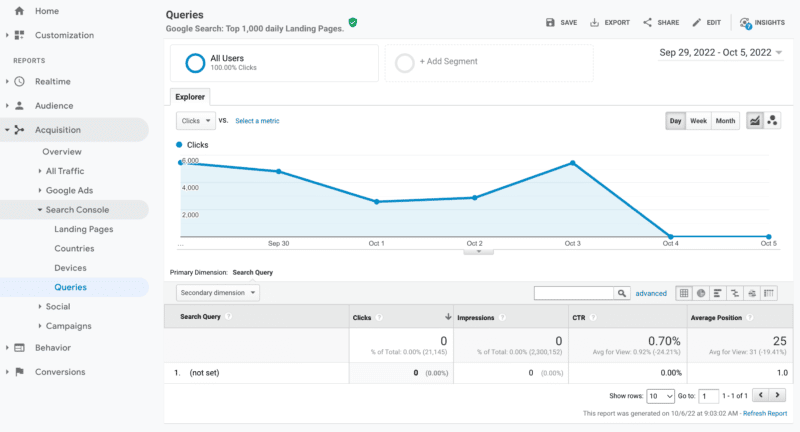
Google is aware. Google’s John Mueller responded on Twitter about this saying “I don’t have any insight on this at the moment, but the team has been looking into it.”
Will Google fix it? A lot of SEOs and marketers are asking if this is something Google will fix. With Universal Analytics 3 sunsetting on July 1, 2023, some are wondering if Google will bother fixing this integration path between Google Search Console and Google Analytics 3.
The report does currently seem to work within Google Analytics 4 and you can also access the data directly in Google Search Console.
Why we care. If you depend on this report in Google Analytics 3, be aware that currently there is some sort of issue where the Search Console query data is not flowing to the report. It is unclear if or when this will be resolved, so you might want to plan an alternative approach to accessing this data. Either check Search Console directly or make the switch to GA4.
The post Google Analytics v3 Search Console report currently not showing query data appeared first on Search Engine Land.
Courtesy of Search Engine Land: News & Info About SEO, PPC, SEM, Search Engines & Search Marketing
Category seo news | Tags:
Social Networks : Technorati, Stumble it!, Digg, de.licio.us, Yahoo, reddit, Blogmarks, Google, Magnolia.
Amazon advertising optimizations to crush Q4
Written on October 6, 2022 at 10:08 am, by admin
When it comes to online shopping, there’s an undisputed leader.
Boasting a 37.8% share of the ecommerce market, Amazon is far and away the biggest online retailer in the U.S. – and poised to surpass Walmart as the number one retailer overall by 2024.
With so many people shopping for everyday goods on Amazon, setting aside a chunk of your advertising budget to take advantage of the site’s commercial traffic is a smart business strategy.
What you sell isn’t terribly important. People buy everything from Legos and binoculars to jewelry, clothing, and kitchen appliances on Amazon.
Focus instead on how to sell your products and you’ll end the fourth quarter on a high note.
Use sponsored campaigns to attract shoppers
You shouldn’t place all your eggs in one basket. But if you have to, sponsored product campaigns are the way to go.
Sponsored products are cost-per-click ads that show up on Amazon’s results page when a customer searches for something.
If you’re selling cheese graters and want your brand to appear at or near the top of the page whenever a consumer searches for generic “cheese graters,” sponsored ads can get you that prime real estate. They’re still the bread and butter of Amazon’s most successful ad campaigns.
Sponsored product campaigns are easy to create and allow you to control your costs by setting a price on how much you’ll spend per click. They work well with:
- Sponsored brands that focus on your overall business rather than a single product.
- Sponsored display campaigns – interactive ads that can reach shoppers not just on Amazon, but on other sites as well.
Data offers a bigger payoff than blind luck
When creating a sponsored product campaign, don’t just rely on luck. Sales and performance metrics tell the true story.
Getting cozy with data will help you understand your advertising cost of sale (ACoS) – an important tool in formulating a successful ad strategy.
To calculate your Amazon ACoS, divide your advertising expenditure by the total revenue earned.
If you spend $20 on advertising and sell $100 worth of products, then your ACoS is 20%. Breaking it down further, this means you spend $0.20 for every $1.00 you make.
Obviously, the lower your ACoS, the higher your profit.
While ACoS is an important metric, it isn’t the end all, be all.
You should look at other factors such as impressions, click-through rates (CTR) and conversions to determine your target ACoS.
Ideally, you’ll want to find your break-even point in order to know how much to allocate toward spending without losing money.
Keep in mind that advertising impacts the organic ranking of your product. This is because, like you, Amazon wants to sell products!
If your product converts well and has a high sales velocity because you are selling a lot through advertising, Amazon will want to show your product beyond what you are paying for with advertising.
Get the daily newsletter search marketers rely on.
<input type=”hidden” name=”utmMedium” value=”” />
<input type=”hidden” name=”utmCampaign” value=”” />
<input type=”hidden” name=”utmSource” value=”” />
<input type=”hidden” name=”utmContent” value=”” />
<input type=”hidden” name=”pageLink” value=”” />
<input type=”hidden” name=”ipAddress” value=”” />
Processing…Please wait.
Don’t miss out on opportunities
If you haven’t touched your ad campaigns in a while, you are due for optimization. This means taking steps to improve the performance of your campaigns.
We have found that many people only optimize if they think there is a problem, but that means you could be missing out on even better results and opportunities.
Ad campaign optimization ensures you are targeting the right audience and utilizing the right platforms and tools. It allows you to create personalized content and can go a long way toward reducing your customer acquisition costs.
There are several things you should look for when optimizing your ad campaigns.
Underperforming SKUs
In most cases, underperforming SKUs should be paused. But the work doesn’t end there. Research the reasons why they were underperforming by asking yourself the following questions:
- Which SKUs are performing better and why? Is it the budget?
- Are the keywords in the campaign not as relevant?
- Is that SKU simply not as good compared to the products it’s competing against?
- Is the product detail page not optimized enough?
Bids
Since bidding on keywords is an auction-based format, you are never operating in a silo.
Raising and lowering your keyword bids will make a big impact on your ACoS and overall results. The following tips can help:
- Look for keywords that aren’t relevant or are not converting.
- Review the targeting. Are you using phrase/exact match for the high-converting gems?
- Don’t forget about automatic targeting types. Loose match, close match and product targeting are all areas of opportunity.
- Make sure your inventory levels are high and you are maintaining the buy box.
- Use negative keywords to your advantage. This is great for all campaigns but especially effective in automatic and broad acquisition campaigns.
Use coupons and promotions
Everyone loves a deal – especially in this economy and during this time of year.
Even if you aren’t participating in Cyber Monday, you can still offer coupons and promotions to help boost conversion rates and sales.
When used with sponsored product ads, this is a great way to bring in more sales.
Study the search query performance dashboard
If you are a brand registered seller, this report gives you valuable insights into:
- Your customer’s shopping journey in comparison to your competitors.
- Each search term’s volume and rank.
You’ll also learn how potential buyers are discovering your products both organically and through paid ads.
This will alert you to potential issues with your product detail page optimization. For example, a low click rate could mean the headline or image isn’t resonating with searchers.
Manage your budgets properly
Web traffic will increase in the next few months and advertisers will be raising their budgets. The downside?
You risk using up your budget allocation much faster than usual. This is true even on normal days, not just special events like Cyber Monday and Black Friday.
If your budget won’t allow ads to run all day, make sure you are using dayparting.
This strategy involves scheduling your ads for certain days of the week and certain times of the day when you get the most conversions.
Now that you’ve learned how to optimize your ads for Amazon, it’s time to make some great impressions!
The post Amazon advertising optimizations to crush Q4 appeared first on Search Engine Land.
Courtesy of Search Engine Land: News & Info About SEO, PPC, SEM, Search Engines & Search Marketing
Category seo news | Tags:
Social Networks : Technorati, Stumble it!, Digg, de.licio.us, Yahoo, reddit, Blogmarks, Google, Magnolia.
What should the title tag length be in 2023?
Written on October 5, 2022 at 7:01 am, by admin
The title tag is one of the most important SEO elements. It can have a great impact on your rankings. In my experience, optimizing title tags can give rankings a strong boost.
There are many different ways to approach optimizing a title tag.
One is making sure they fit within the 55-60 character limit. Though other SEOs suggest it’s okay to have title tags that are up to 70 characters long.
There are also concerns that getting the title truncated in search results or having it rewritten by Google can negatively affect organic performance.
In this post, we’ll explore the basis for such concerns, Google’s official statement about title length, and my findings after manually looking at 645 title tags on Page 1 of Google’s SERPs.
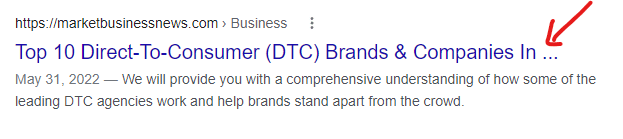
Example of title tag cut off in SERPs
Technically speaking, the number of characters for a title tag that Google can display in SERPs is measured in pixels. When your title tag is too long, Google can cut it off like this.
The title tag update and the aftermath
In August 2021, Google released an update aimed at title tags. This update enables Google to show a different title to users in SERPs than the one available in the HTML title tag.
HTML title tags may get rewritten in SERPs when they are:
- Too long.
- Stuffed with keywords.
- Missing or containing repetitive “boilerplate” language (i.e., home pages might be called “Home”).
Once the update was released, it caused an uproar in the SEO community as many SEOs have reported incidents where the title rewrite went “horribly wrong.” This even led Google’s John Mueller to tweet about it:
I'd love to see examples where things go horribly wrong with recent changes, but most of the ones I've seen so far look pretty reasonable. (Also, I love seeing analyses like yours about these changes!)
—
〈link href=//johnmu.com rel=canonical 〉
Rob Woods reported an incident where the title tag was replaced with the URL slug:
shared this elsewhere. The query was "colored contacts" which appears in the title and H1. Instead of one of those, they are using the URL slug as the serp title. pic.twitter.com/eg9IVgCEyO
— Rob Woods
(@robdwoods) August 18, 2021



Chatter in the SEO community showed many examples of Google replacing <title> tags in the search results with alternative page elements like H1 tags, image alt texts, image file names, and sometimes the selected text was not even within the source code of the page. The most noticeable insight from the title tag update is that “Google wants shorter titles displayed in SERPs.”
This has caused some panic in the SEO community. Many SEOs started to double down on the importance of avoiding title rewrites by making sure their titles are short and within the character limit.
The confusion
It is clear to everyone that Google wants shorter titles in SERPs.
But does that mean they will use the titles displayed in SERPs (which may be potentially cut off or rewritten) for rankings instead of the HTML title?
This has led many SEOs to assume that longer titles will either get cut off or rewritten, and Google will not consider them for rankings but will consider the new title displayed in SERPs for rankings instead.
What is Google’s official statement about title length?
In a Search Off the Record episode, Google’s John Mueller asked Gary Illyes about title tag length:
“I have a question that is, maybe, just a yes or no thing, Gary. Is there a value in having <i>title</i> tags that are longer than the displayable space and the sections of it?”
To which Illyes gave a very clear and precise answer, “Yes.”
He added, “The <i>title</i> length, that’s an externally made-up metrics… Technically, there’s a limit, like how long can it be anything in the page, but it’s not a small number. It’s not 160 characters or whatever– 100, 200, 20, or whatever.”
And recommended to “Try to keep it precise to the page, but I would not think too much about how long it is and whether it’s long enough or way too long. If it fills up your screen, then probably it’s too long, but if it just one sentence that fits on one line or two lines, you’re not going to get a manual action for it.”
If we refer to Google’s documentation on SERPs titles (a.k.a., title links), there’s no recommended length for the title tag.
Would having longer titles impact rankings?
If longer title tags can get cut off or rewritten in SERPs, wouldn’t that impact rankings? Luckily, Lily Ray popped this question on Twitter and got this reply from Glenn Gabe.
Google has always explained that what you provide in the title tag is what's used (no matter what their systems dynamically change the title to in the SERPs). I've been checking and haven't seen a ton of changes yet. Def. some (esp. brand tags at the end), but nothing crazy.
— Glenn Gabe (@glenngabe) August 18, 2021
This is what Mueller said in Google’s SEO Office Hours from Dec. 11, 2020.
So whether your titles get cut off or rewritten in SERPs, Google still uses the HTML title tag for ranking considerations and not the titles shown in SERPs.
My analysis
I want to put this argument to rest. Hopefully, as an industry, we stop recommending to clients to “shorten” their title tags for the sake of it – just because there’s been a title length metric circulating in almost all online resources on the topic with no facts or evidence to support it.
I put together a random set of keywords and analyzed the titles on Page 1 of the SERPs for each of those keywords.
Here are my findings after manually looking at 645 title tags:
- Google tends to display shorter titles. Out of the 645 titles displayed in SERPs that I analyzed, only 79 (12%) were above 60 characters, with 68 characters as the maximum length.
- Out of the 645 URLs, 286 URLs (22%) had HTML title tags longer than 60 characters, with 139 characters as the maximum length. This means you can go above the 60-character title length limit, get cut off or rewritten, and still rank on the first page.
- If we filter out pages that didn’t have any title tags at all, there were instances where Google actually increased the title tag length. So even shorter titles can get rewritten. This is very common in LinkedIn profile page titles. Example:
- For this URL [
https://ca.linkedin.com/in/michael-kuch-387740207] the HTML title tag was “Michael Kuch | LinkedIn” but Google decided to display a longer more descriptive title as follows:
- For this URL [
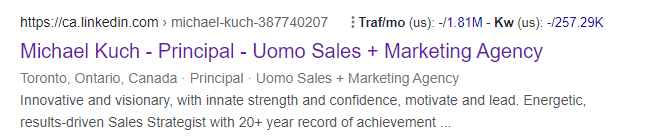
- The length of the titles displayed in SERPs increased in 103 URLs of the 645 sample URLs. This is 16% of the entire sample.
- The most common length of titles displayed in SERPs in this sample is between 58-60 characters (see histogram below).
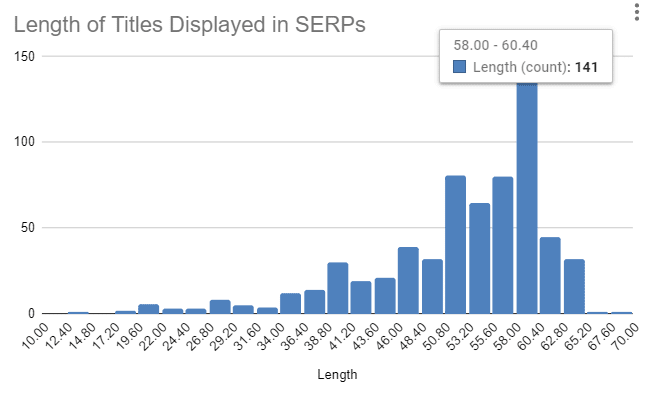
To view the complete sample, check this Google Sheet.
Title tag length in 2023
In summary, you do not need to stick to a 55-60 character limit for your title tags. Your titles can be – and should be – as long as needed within reason.
Title tags are among the few assets which highly impact rankings that we still have some control over. Let’s make the best out of them.
If you’re worried about getting cut off or having your title rewritten, know that these are secondary concerns. Ranking well gets the highest priority.
Optimize your titles to rank first even if you go above the 60-70 character limit. Then, experiment to adjust how your titles look in SERPs.
But if you don’t rank, it doesn’t matter how long your titles are anyway.
The post What should the title tag length be in 2023? appeared first on Search Engine Land.
Courtesy of Search Engine Land: News & Info About SEO, PPC, SEM, Search Engines & Search Marketing
Category seo news | Tags:
Social Networks : Technorati, Stumble it!, Digg, de.licio.us, Yahoo, reddit, Blogmarks, Google, Magnolia.
Google Search Console data logging issue on September 21st
Written on October 5, 2022 at 7:01 am, by admin
The search performance report in Google Search Console had a data logging issue on September 21, 2022. This caused some data to not be presented in the search performance report on that date, potentially making it appear that you had fewer visitors from Google Search on that day.
Google said it is working on replacing most of the data in the near future. If you did any reporting for clients or you plan to do reporting for clients in the near future, you should communicate this data anomaly in those reports.
The issue. Google wrote here, “Due to a logging error, sites may see a small drop in data for this day. This is a logging issue only; it does not reflect changes in search performance or user behavior. We hope to replace most of the missing data soon.”
This was on September 21st for the Search performance report.
What it looks like. Google has now annotated the report so you can clearly see which date is affected:
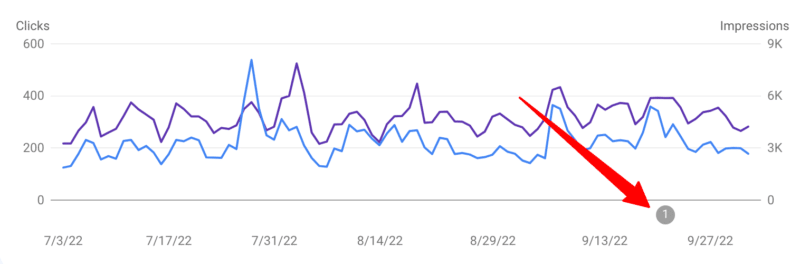
Fix coming soon. Google said it will fix or replace most of the missing data soon. It is unclear if the fix will be actual data or similar data from previous day averages.
Why we care. If you have provided reporting to clients or management, you may want to update them that the September 21st data in Search Console may be wrong. If you will soon be providing reporting to clients or management, you may want to annotate your reports with this note.
Make sure to check back later to see if the data was restored and if you need to send revised reports to clients or management.
The post Google Search Console data logging issue on September 21st appeared first on Search Engine Land.
Courtesy of Search Engine Land: News & Info About SEO, PPC, SEM, Search Engines & Search Marketing
Category seo news | Tags:
Social Networks : Technorati, Stumble it!, Digg, de.licio.us, Yahoo, reddit, Blogmarks, Google, Magnolia.
How to stop wasting brand search spend – and save it with automation
Written on October 5, 2022 at 7:01 am, by admin

What if you could automatically turn off bidding on your brand terms when no other rivals are in the picture, and you’re already positioned number one organically? The savings could be substantial.
It all starts with Lone Rangers.
Who is that masked figure? Lone Rangers defined:
A ‘Lone Ranger’ is a brand search term for which you are the sole paid search bidder and for which you have the #1 organic position. In other words, why pay for clicks on a term you’re winning for free?
Lone Ranger keywords are those you would win without bidding
“Lone Ranger” terms drive millions in wasted brand paid search spend. They’re brand terms you win organically and for which you’re the sole bidder for paid ads. Many brands keep spending on those terms simply because monitoring and identifying them 24/7 used to be a time-consuming hassle. But not anymore.

Why rein in Lone Rangers?
Lone Rangers represent a no-downside opportunity to reduce wasted spending on terms where you don’t face competition. You can pay for the click or pay nothing; either way, you win the click organically.
Maintaining Search Engine Results Page domination may still be fruitful for brand experience, but the costs can and should be reduced until another competitor appears. Savings can even be reinvested into areas of greater growth.
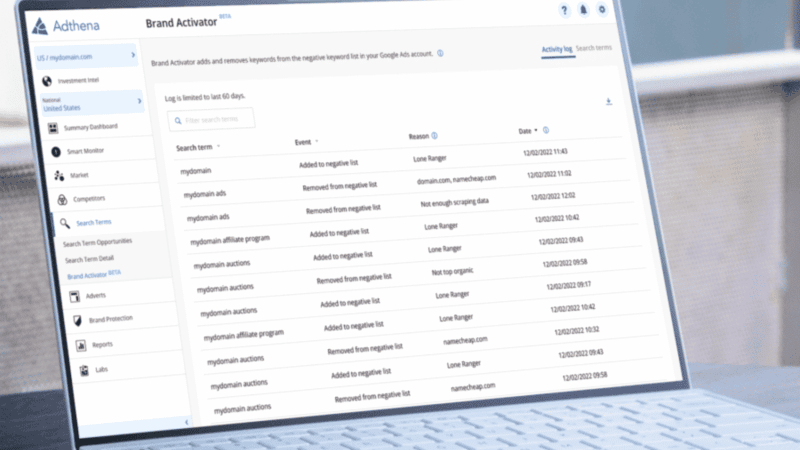
Adthena’s Lone Ranger reports show the number of Search Terms where you alone are showing a paid ad and have the top organic spot and your potential savings from the last seven days. Additionally, with Brand Activator technology, you can fully automate the process of pausing and restarting ‘Lone Ranger’ keywords.
What’s Brand Activator?
Brand Activator is a brand new feature on the Adthena platform that automates the entire process of monitoring, pausing and restarting Lone Ranger campaigns.
What’s the purpose of this automation? To prevent you from a) wasting budget or b) losing market share. What’s the desired outcome? To stay on top of your paid search game and dominate your competitive landscape.
How does the automation tool work?
Brand Activator is automated around the clock, meaning that no manual labor is involved, saving time and costs. (We heard that sigh of relief). The tool automatically deactivates and reactivates bidding to ensure full optimization of brand clicks and market share.
Here’s a step-by-step process of how it works:
- 24/7 monitoring – Adthena finds Lone Rangers terms you’re winning organically with no rival bidders.
- Automatic deactivation – Bidding on Lone Rangers is automatically paused and added to your negative keyword list.
- Automatic reactivation – Bidding is reactivated if a competitor starts bidding.
- Monthly reporting – Adthena provides analytics to track your savings and identify other areas to reinvest.
Save now, reinvest later
You’re in charge of what you want to do with the savings – whether that’s to save budget or reinvest elsewhere for greater ROI. Using Adthena’s Whole Market View technology, you could reinvest these savings back into your paid search strategy on higher-performing search terms to boost overall Return On Ad Spend (ROAS).
How can you benefit from it?
With brands operating on tight PPC budgets and economic uncertainty, taking control of Lone Rangers, either manually or through Brand Activator, can be an easy and no-risk way to reduce wasted spending. This opportunity for significant growth is a no-brainer.
Interested in learning more about what Brand Activator can do? Check out this easy guide to learn more.
The post How to stop wasting brand search spend – and save it with automation appeared first on Search Engine Land.
Courtesy of Search Engine Land: News & Info About SEO, PPC, SEM, Search Engines & Search Marketing
Category seo news | Tags:
Social Networks : Technorati, Stumble it!, Digg, de.licio.us, Yahoo, reddit, Blogmarks, Google, Magnolia.
Performance Max import and 6 other new Microsoft product updates
Written on October 5, 2022 at 7:01 am, by admin
The Q4 holiday rush is in full swing and Microsoft has just unveiled 7 new updates for October.
In addition to the release of Multimedia Ads, Smart Campaigns, and a Multi-platform solution, Microsoft is pulling out all the stops with new tracking templates, markets, and shopping feed improvements.
Let’s take a look.
Performance Max import solution
Microsoft has a built-in solution within Google Import so you can duplicate your Google Performance Max campaigns as Smart Shopping Campaigns and Local Inventory Ads into Microsoft. The table below illustrates how each feature would map within Microsoft.
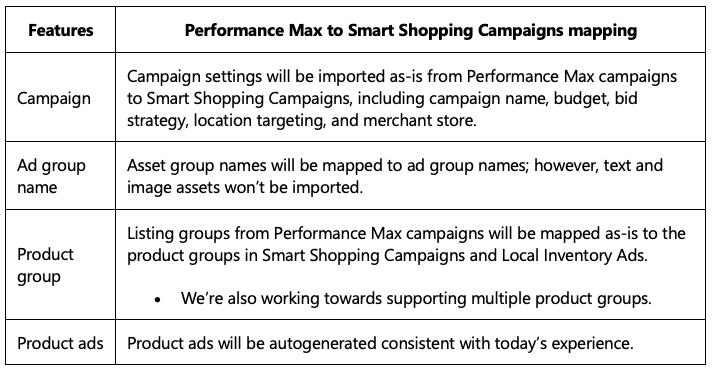 This table illustrates how each feature would map within Microsoft
Requirements. There are four important things to know when using the Google Performance Max import tool.
- You need to create and import your Merchant Center store within Microsoft prior to importing your Google Performance Max retail campaign as Smart Shopping Campaigns and Local Inventory Ads.
- Ensure you have the JavaScript UET tag on your website and that it’s working correctly. Additional code needed to track variable revenue data is a requirement, so ensure that it’s in place before you begin your campaign setup.
- This feature will only import Performance Max features that are in parity with Microsoft Advertising Smart Shopping Campaigns and Local Inventory Ads. Unsupported features such as Final Uniform Resource Locator expansion, Text/Image/Video assets, and Audience signals will be skipped during the import.
- Scheduling options are available for this import. The import can be scheduled on a daily, weekly, monthly, or immediate basis. Microsoft recommends to set up email notifications to avoid schedule failures.
Microsoft Audience Network
Along with Performance Max and Pinterest Imports, Microsoft is pushing the Audience Network to help ecommerce brands reach more customers.
Intent-based targeting. Now you can extend your shopping feed to customers that have displayed intent or interest in your product. The Audience Network also allows you to reach those customers on websites, in their email, on news sites, and more, through MSN, Outlook, Edge, and other publishing partners.
Setting up a campaign with the Audience Network is fast and you don’t need to create any ads, as all of the information will be pulled through your shopping feed. Audience targeting is also automated and Microsoft uses your shopping feed information and URLs to match users to products that they’ve already displayed interest in.
Feed filtration improvements. If you need to filter your feed for specific products, the new feed filtration improvements let you do just that.
- Advertisers have more filters for ID and Category to be in parity with search campaigns. You can select multiple values and can search for categories. You can also make category selections at all levels.
- You can now implement multiple filters to enable a more granular selection of the products you want to advertise.
- You can now enter multiple values in two ways—either enter them in a new line or separate your values with a semicolon.
- You can exclude items from your catalog.
Video ads. The Microsoft Video ads solution allows advertisers to show their video ads on premium and brand-safe experiences across the Microsoft Audience Network. You can choose between three bidding options, cost per thousand impressions (CPM), cost per click (CPC), or cost per view (CPV).
Expanding into new markets
The Microsoft Audience Network. Expanding into 66 new markets this month. Some of those new markets include:
- The Americas: Aruba, Bahamas, Bolivia, Cayman Islands, Costa Rica, Dominica, Dominican Republic (the), Ecuador, El Salvador, French Guiana, Guatemala
- APAC: Bangladesh, Brunei, Fiji, French Polynesia, Guam, Maldives
- EMEA: Algeria, Armenia, Azerbaijan, Bahrain, Democratic Republic of the Congo, Egypt, Ethiopia, Georgia, Guinea, Iraq, Israel, Kyrgyzstan, Lesotho, Libya, Madagascar
Smart Campaigns. Now available in six new markets, including:
- Ireland
- Singapore
- New Zealand
- Netherlands
- Italy
- France
- Germany
Automated bidding and Dynamic Search Ads. Now available in the Japanese market.
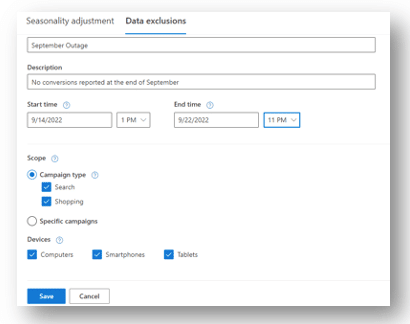
Data exclusions for automated bidding are now in open beta
Using the tool, you can inform Microsoft Advertising of the specific date, time, scope, and devices related to the conversion tracking errors or outages so that the erroneous conversion data can be excluded in optimizations. Start by selecting Tools > Bid Strategies > Advanced controls > Data exclusions.
Automated extensions: URL tracking available
URL tracking allows advertisers to track a customer’s journey from ad discovery to conversion by adding additional tracking parameters in Microsoft Ads and then using a third-party tracking tool or service to analyze the data. Then, parameters are dynamically appended to the automated extension URLs and any clicks on those extensions can now be tracked. Microsoft Advertising passes parameters from the lowest-level tracking template or final URL.
Asset library now globally available
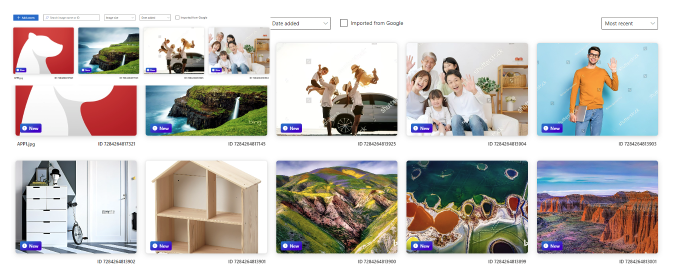
The Microsoft central shared library, the homepage that shows all of your assets in one place, is now available globally. You can access your own assets as well as stock photos/videos from Shutterstock and save them to your library.
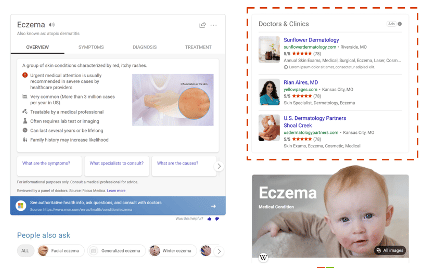
Doctor and clinic ads available in closed beta
Advertisers for doctors and clinics may notice the next version of Professional Service Ads. The option is available on the right rail in the US, UK, Germany, France, Australia, and India markets.
Dig deeper. For more information and to read the entire announcement from Microsoft, visit their blog post.
Why we care. These updates should make managing and creating ads on Microsoft easier and more seamless, especially if you’re copying from Google. In addition, the Audience Network could provide advertisers with an additional option for finding new, potentially untapped audiences ahead of a busy and competitive holiday season.
As with all new features and products, test them out and scale where appropriate.
The post Performance Max import and 6 other new Microsoft product updates appeared first on Search Engine Land.
Courtesy of Search Engine Land: News & Info About SEO, PPC, SEM, Search Engines & Search Marketing
Category seo news | Tags:
Social Networks : Technorati, Stumble it!, Digg, de.licio.us, Yahoo, reddit, Blogmarks, Google, Magnolia.
The modern search landscape: How and where to reach your target audience
Written on October 4, 2022 at 3:59 am, by admin
Imagine you’re on vacation, it’s approaching noon and you’re starting to feel hungry. You’re eager to enjoy the best local cuisine your destination has to offer. So you go to Google Maps and search for “best lunch restaurant near me”, a topic that’s more than doubled in search volume on Google in the last three years alone.
Over 80% of searches worldwide occur on Google based on the latest search engine market share data. You might think that you’ve just completed the most common search journey to lunch.
However, nearly 40% of U.S. searchers between the ages of 18 and 24 go to TikTok or Instagram when looking for a place for lunch, according to Google’s own internal research.
In other words, if a restaurant in the area wants to attract this audience, their marketing strategy needs to extend beyond Google to include these platforms.
Now imagine if you were crunched for time and had decided you’d rather order lunch in your room than go out to eat.
If you’re vacationing in San Jose, consumers in your area are statistically more likely to find lunch on DoorDash, whereas New York consumers are more likely to order through Uber Eats.
Ultimately, these scenarios illustrate that when building a search marketing strategy, marketers need to consider the context behind a search, such as:
- Demographics and psychographics of searchers.
- Their location when conducting a search.
- The goal of their search journey.
We need to erode the distinctions we have historically made between traditional search marketing domains (e.g., Google and Microsoft Bing) and the broader ecosystem of digital platforms.
Search is one of the most common human behaviors in the digital space. It’s no surprise that Google is the most-visited website across the globe and all the top 10 most-visited websites worldwide feature a search experience that is core to the user experience.
Search is also one of the most valuable user behaviors for marketers because it is an expression of users’ needs and intent. Search data is not only a key input into content and advertising strategies, but also it provides valuable insight into the mindset of high-value audiences (HVAs).
As a result of technological innovation and shifts in user behavior, modern search marketing strategies must now consider a significantly broader set of platforms than ever before to effectively understand and market to target audiences and capture true search demand.
The following are just a few examples of the variable nature of users’ search engine consideration sets, and the platforms that should be on every search marketer’s radar.
Traditional search engines
Perhaps apart from Wikipedia loyalists, traditional search engines remain the dominant destination for users seeking information online.
Google announced a new technology in 2021 called Multitask Unified Model, or MUM, which aims to more efficiently answer complex queries that may previously have required multiple searches. MUM is multimodal, which means it understands information across text and images, and in the future, can expand to video and audio.
This ability to index multiple content formats and provide dynamic, relevant search results pages is why traditional search engines will continue to be a catch-all destination for searchers.
Google, Bing, and Yahoo make up 95% of the worldwide desktop market share of search engines. Despite that global dominance, it’s important for search marketers to also consider other traditional search engines.
For example, the following search engines attract the largest share of searches within their primary region:
- Baidu in China (66% market share).
- Yandex in Russia (48% market share).
- Naver in South Korea (56% market share).
Each of these engines requires a customized SEO strategy and paid advertising can be bought through the engines directly.
There are also more recent entries into the landscape globally that are worth monitoring, including:
DuckDuckGo
DuckDuckGo launched their search engine in 2008, which aims to protect users’ privacy by not tracking their search history. DuckDuckGo has been steadily growing in use since its launch and now processes 3 billion searches per month. It had a 0.6% search engine market share worldwide and 2.52% search engine market share in the U.S. as of August 2021.
DuckDuckGo doesn’t require a custom SEO strategy, though you can set yourself up for success by following best practices for Bing SEO and claiming your local listings on Apple Maps, if applicable, based on the sources from which DuckDuckGo compiles its organic results. Paid search ads can be bought via Microsoft Advertising’s partner network.
Ecosia
Ecosia launched in 2009 and like DuckDuckGo, it promotes privacy as an alternative to more mainstream search engines. Ecosia’s privacy features include:
- Anonymizing all search data within one week.
- Not selling data to advertisers.
- Avoiding the use of third-party trackers.
- And more.
Its main differentiator, however, is its climate-conscious mission. Ecosia uses its profits from advertising to fund climate action and has already planted more than 150 million trees around the world.
It held a 0.11% worldwide search engine market share as of September 2021, including a 1.03% share in Germany, where it was founded.
Organic and paid results are sourced from Microsoft Bing, so Bing SEO best practices and a Microsoft Advertising account are the primary tools required to target Ecosia searchers.
Brave Search
Brave Search, another “no-tracking” search engine, exited its beta phase in June 2022, a year to the day after launching. It surpassed 2.5 billion queries in its beta phase and is projecting queries to double over the next year.
Unlike DuckDuckGo and Ecosia, Brave Search has its own ranking algorithm that serves results from its own web index.
Searchers can personalize their organic results using the newly released Goggles beta feature and engage in conversations related to their queries across forums such as Reddit and StackExchange through the Discussions search engine results page (SERP) feature.
In the future, Brave Search will feature ads that are part of the Brave Rewards program, which allows users to earn a portion of the revenue Brave earns from advertising. In the meantime, searchers can subscribe to Brave Search Premium for $3/month to enjoy an ad-free search experience.
Yep
Yep is a search engine currently in beta being built by the SEO tool company Ahrefs, which announced an initial $60 million investment in June 2022. It is committed to user privacy in a similar manner to many of the other search engines that are positioning themselves as alternatives to Google and Bing.
What makes it stand out, though, is its proposed revenue-sharing model. Yep plans to share 90% of its advertising revenue with content publishers. It does not yet serve ads in its current beta state, so no distributions have been made to date. Yep has its own web crawling technology, index, and ranking algorithm.
That said, it’s too early in its development to warrant separate consideration in website optimization strategies unless a publisher wants to promote the use of Yep to its users as a means to earn potential revenue from the revenue-sharing model when it launches its advertising solution.
You
You opened in public beta in November 2021 and announced a $20 million funding round at that time led by Salesforce CEO Marc Benioff. It has since closed an additional $25 million round of funding in July 2022 to develop “premium features” and expand on its unique apps feature.
You offers users a customizable search engine experience by supplementing web results from its own ranking algorithm with custom apps that appear in the SERP.
Apps range in functionality from providing results sourced from a specific website (e.g., Wikipedia) to its YouCode app, which allows users to generate code based on a search query. You touts its privacy features as a key selling point for users and does not currently serve ads.
Richard Socher, co-founder of You and former chief scientist at Salesforce, claims that You has a rapidly growing user base in the hundreds of thousands. He also reported that 50% of users continue to use You after setting it as their default search engine.
It’s likely still too early for You-focused optimization efforts to yield any meaningful results, but its expanding library of apps is worth monitoring, especially for publishers who may want to partner with You to launch a custom app.
Apple
Finally, while Apple has yet to formally launch their own search engine, there have been multiple rumors over the past few years that they are planning to develop a Google Search competitor. Among Siri, Spotlight, Camera, Shazam, and more, Apple already has a variety of search entry points seamlessly integrated into its operating system.
Google is currently the default search engine powering the web results on Apple devices and will pay Apple an estimated $18 billion to $20 billion in 2022 for that privilege. The agreement between Apple and Google requires that the former won’t compete against the latter in the internet search business, so Apple would be violating its agreement with Google if it were developing its own search engine.
Despite that considerable barrier, Apple will continue to be a massive presence on the fringe of the traditional search engine conversation positioned to capture a meaningful share of searches were they ever to launch their own.
Sensory search engines
Sensory search refers to the growing trend of using senses beyond typed keyword inputs to conduct searches.
Voice search and visual search are the two most common forms of sensory search today. The leading platforms in sensory search vary based on the sense being activated by the searcher.
Visual search
The human brain can identify images seen for as little as 13 milliseconds. Compare that to the measly 36 words per minute the average mobile phone user can type into a search bar and it stands to reason that 62% of Gen Z and Millennial consumers want visual search capabilities, more than any other new technology.
Google, Bing, Amazon, and Pinterest are currently among the leading visual search engines. Google Lens usage has tripled in the last year with Lens now being used nearly 8 billion times per month.
As augmented reality and computer vision technologies advance, the lines between searching and browsing will blur. For example, Google Lens’ “scene exploration” capability will allow users to search multiple objects captured within a wider scene in real time.
Prabhakar Raghavan, who oversees many of Google’s businesses including search, described the following use case:
“Imagine you’re trying to pick out the perfect candy bar for your friend who’s a bit of a chocolate connoisseur. You know they love dark chocolate but dislike nuts, and you want to get them something of quality. With scene exploration, you’ll be able to scan the entire shelf with your phone’s camera and see helpful insights overlaid in front of you.”
Expect these examples to become commonplace as technology improves since a 2019 study by the Intent Lab found that visual information is preferred over text by a majority of respondents across all categories except for electronics, household goods, and wine and spirits.
The keys to success in visual search are:
- Feed management.
- Image optimization.
- Structured markup.
- Content quality and uniqueness
Voice search
The average English speaker talks at a rate of more than 100 words per minute. While speaking a search query isn’t as efficient as snapping a photo, it’s still more efficient than typing.
Google processes hundreds of millions of voice search queries per day. Voice search adoption is most prevalent among new internet users. In India, nearly 30% of all Hindi search queries are spoken.
Google, Apple’s Siri, and Amazon’s Alexa are the most prominent voice search engines, often referred to as digital assistants.
One of the more unique nuances of voice search is the diversity of devices used to conduct voice searches. While phones and smart speakers are the most obvious voice search devices, in-car voice assistants are the second-most used surface for voice assistant technology in the U.S.
This device distribution expectedly presents a challenge when optimizing content for voice search, but the best practices are actually quite straightforward:
- Analyze user search behavior.
- Create content that directly answers user queries.
- Ensure technical code and visual elements such as images are properly optimized for devices with no visual output.
Some businesses will find more industry-specific opportunities, as well. For example:
- The optimization and syndication of location data across digital platforms for brick-and-mortar businesses can attract in-car voice searchers to a nearby store.
- Paid media and the optimization of product detail pages on Amazon.com can drive purchases among Amazon Echo searchers.
Audio search
There’s a lot of overlap behind how the technology of voice search and audio search works.
The engine:
- Is activated through some user action (e.g., say “Alexa” to an Echo, click the microphone icon in the Google search bar, etc.).
- Listens for the audio input.
- Then returns a result based on machine learning to match queries to results.
Voice search is the most notable form of an audio search, but there are some audio search engines that don’t feature voice search capabilities.
One such engine is Shazam, the music recognition app purchased by Apple for about $400 million in 2018. Launched in the U.K. 20 years ago as a text message service, Shazam surpassed 70 billion song recognitions in August 2022 and boasts 225 million global monthly users.
Many of the commercial use cases for the app are focused on the music industry, such as the recently launched concert discovery feature.
Additionally, Shazam launched a feature in 2011 that allowed users to capture audio from TV programs and ads and receive related marketing messages and special offers.
This technology and the rise of sonic branding in marketing through sonic logos, “earcons”, and other forms of branded audio content provide creative opportunities for advertisers to connect with audio searchers.
Get the daily newsletter search marketers rely on.
<input type=”hidden” name=”utmMedium” value=”” />
<input type=”hidden” name=”utmCampaign” value=”” />
<input type=”hidden” name=”utmSource” value=”” />
<input type=”hidden” name=”utmContent” value=”” />
<input type=”hidden” name=”pageLink” value=”” />
<input type=”hidden” name=”ipAddress” value=”” />
Processing…Please wait.
Media and entertainment search engines
Activating the senses in the search journey isn’t limited to inputs. Searches for multimedia content (e.g., images, videos, audio, etc.) are a major driver of behavior across digital platforms.
The platforms on which multimedia content seekers search differ by the content format sought. The paths users take to ultimately consume multimedia content are even more varied.
Video content
Approximately 720,000 hours of video content is uploaded daily to YouTube alone, so there’s predictably huge demand for video search engines. It is the world’s second-largest search engine and second-most visited website.
In the U.S., viewers spend an average of 31 minutes per day watching videos on YouTube. Content creators who upload videos to YouTube can apply YouTube SEO best practices to enhance discovery across YouTube and Google Search and can promote their videos on YouTube through paid advertising.
Vimeo is another major video search engine with usage that pales in comparison to YouTube but still is the 589th most visited website worldwide. It rolled out a series of optimizations to its platform in May 2022 aimed at improving the visibility of Vimeo creators’ videos within Google’s organic search results.
The Vimeo team also highlighted some video SEO best practices for its creator community to implement in its announcement about the platform’s SEO updates. Unlike YouTube, Vimeo does not have advertising and instead positions its core offering as a streaming video on demand (SVOD) service.
Search plays a big role in the streaming video space and is a core platform function across Amazon Prime, Disney+, Hulu, Netflix, and many of the other major providers. There are even streaming video search engines that search across platforms and can personalize results based on a searcher’s active subscriptions.
JustWatch and Reelgood are two engines in that category. While search discovery and advertising opportunities across these streaming search engines are limited in relevance if you’re not a content producer yourself, there is value in the search data available for analysis from these engines to keep a pulse on pop culture and inform potential content partnerships or ad targeting across streaming platforms.
Audio content
Digital audio content commands a massive share of attention with U.S. adults spending an average of one hour and forty minutes per day consuming this medium.
- Spotify, Pandora, Amazon Music, Apple Music, YouTube Music, and Deezer are just a handful of the many mainstream audio streaming services with extensive libraries of music and podcasts.
- Soundcloud and Bandcamp are among others that skew toward more niche and indie artists.
- Audible and Audiobooks.com are purveyors of audiobooks and other spoken word content.
Search is a core function of all these platforms. The search for audio, however, isn’t limited to digital audio streaming services.
If you conduct a search in Google for “taco bell commercial song” (97k searches in the last 12 months) or “applebees commercial song” (79k searches in the last 12 months), you might end up on YouTube or iSpot.tv.
If you think this type of search is an anomaly, consider that “att lily” has been searched 2.4 million times in the last 12 months.
This behavior extends to all forms of media. For example, if you can’t open Shazam quickly enough to record the ballad playing in the 13th episode in the 4th season of Roswell, New Mexico (*spoiler alert*) during the montage of Michael and Alex getting married, a quick Google search may direct you to Tunefind, where the community has confirmed that song is “I’ll Be” by Edwin McCain.
Most advertisers produce at least some content that includes audio, and many drive brand awareness through the promotion of that content supported by massive budgets.
To maximize the return on that investment and ensure that content is discoverable, it’s imperative that all content is:
- Hosted publicly (on a brand website, YouTube, or other platforms).
- Properly marked up to include key details that someone previously exposed to the content may search.
Social media
Commanding one hour and fifteen minutes per day among U.S. adults, social media competes for attention by building immersive sensory experiences.
Scrolling is probably the action most associated with social, but search plays a significant role across platforms, as well.
Pinterest boasts 433 million active monthly users who conduct an average of 8 searches per month on the platform. That equates to nearly 42 billion searches per year of which an estimated 97% are unbranded. It was already processing 600 million visual searches per month in 2018 and continues to be a leading visual search engine.
Search is so central to the Pinterest experience that the company rolled out Pinterest Trends in 2019, which features topics with high search volume over a rolling 7-day lookback period. Pinterest search data drives the company’s trend prediction engine Pinterest Predicts, which boasted an impressive 80% success rate in its predictions from 2021 coming true.
Search volume data across social platforms is much harder to come by than other engines that share absolute volume or trending estimates. Even outdated data, however, indicates the immense scale of social media search activity. For example:
- As of 2011, Twitter was processing 1.6 billion search queries per day.
- As of 2016 Facebook was processing 2 billion daily searches.
Not all these searches have meaningful commercial intent nor do social platforms typically offer advertisers the ability to target on-platform search queries.
For organic discovery, hashtags can improve relevance for target search queries and the content of the posts themselves should incorporate keywords relevant to their target audience.
Social platforms such as Instagram and Facebook have shared more information in recent years about their personalized search ranking algorithms. Interest in TikTok SEO has grown significantly, with more than 84 million views of videos on TikTok with the #tiktokseo hashtag as of early September.
As evidenced by Gen Z’s search journey for lunch in the U.S., many searches conducted across social media have inherently local intent.
It’s no surprise that many social platforms have responded to this intent by incorporating more local features into their search and discovery experiences.
- Snap and Instagram feature maps with details about nearby businesses overlayed.
- Facebook hosts a robust network of location pages.
- Twitter recently launched a Location Spotlight tool that allows brick-and-mortar businesses to post details about their location on their Twitter profile.
As social platforms expand these local features, they will continue to compete for local search market share held by traditional maps apps (like Google Maps, Waze, and Apple Maps) and local directories (such as Yelp and TripAdvisor).
Advertising opportunities supplement an organic social strategy and local listings management in driving discovery across these platforms, preferably leveraging a technology provider to syndicate consistent updates across publishers.
Online shopping and ecommerce search engines
BloomReach made waves in the search industry in 2016 when they released the results of a study they commissioned that found 55% of U.S. shoppers start their product search journey on Amazon. Since then, a multitude of surveys has reinforced that Amazon is the top destination for product searchers.
Trailing behind Amazon as the go-to product search engine are:
- Traditional search engines (e.g., Google, Bing).
- Other retailer search engines (e.g., Walmart, Target, etc.).
More recently, online shoppers have reported starting their product searches on social media platforms such as TikTok, Instagram, Facebook, and Reddit.
This emerging trend skews toward a younger audience with 18% of U.S. online shoppers between the ages of 18 and 24 years old reporting that they typically start their product search journey on TikTok, third behind Amazon and Google.
Content optimizations informed by shopper search behavior and syndicated across retail partner websites will help brands gain organic visibility across the digital shelf.
Amazon Ads and Walmart Connect are the two largest retail media ad networks by spend, but an increasing number of retailers are entering the retail media landscape with their own offerings.
- Kroger Precision Marketing powered by 84.51°.
- Sam’s Club’s Membership Access Platform.
- The CVS Media Exchange.
- Target’s Roundel.
- Instacart Ads.
- eBay Ads.
- Best Buy Ads.
- Wayfair Media Solutions.
- Macy’s Media Network
And the list keeps expanding. Advertising partners such as Criteo and PromoteIQ enable advertisers to efficiently target searches across a broad network of retailer sites.
Specialized search engines
As illustrated in the scenario at the outset, the search for lunch occurs on a wide array of engines beyond Google and Microsoft Bing. Many other verticals follow this same pattern.
Travel
OTAs (e.g., Expedia, Booking.com, Kayak) act as one-stop shops for travel search needs.
Disruptors like Airbnb and VRBO compete with accommodation network websites (e.g., Marriott, Hilton, Hyatt) for searchers looking to book stays.
Real Estate
Zillow, Trulia, Realtor.com, and Redfin are among the leading search engines for buying and selling homes.
Apartments.com, HotPads, and regional engine StreetEasy in New York attract apartment hunters.
Recipes
Allrecipes, Taste of Home, and Epicurious are prominent engines in this space, though traditional search engines and social media platforms capture a high volume of recipe search demand as well.
Automotive
Cars.com, Autotrader, CarMax, Edmunds, and Carvana are just a few of the major players in this competitive search space.
Finance
Google Finance, Yahoo! Finance, Bloomberg, and brokerage firm websites facilitate traditional investment searches. Nerd Wallet, BankRate, and Credit.com power credit card searches.
CoinMarketCap, CoinGecko, and exchange websites (e.g., Coinbase, Crypto.com, Binance) cater to cryptocurrency searchers.
Health
WebMD, MayoClinic, and Healthline are among the reputable sites with search experiences built to surface important health information
Freelance talent
Upwork, Fiverr, and Freelancer.com help businesses of all sizes source freelance talent, while helping freelancers search for work
Contractors
Angi (formerly Angie’s List), HomeAdvisor, and TaskRabbit are among the major search engines in this vertical
Jobs
Indeed, LinkedIn, Glassdoor, and Google are a few of the top search engines for job seekers
Note: This list could go on and on as there are specialized search engines in virtually every vertical.
What this list and the preceding examples ultimately illustrate is that search is fragmented now to the point where the line has blurred between search platforms and digital platforms with search as a key function.
As the quality of site search solutions available to website owners continues to improve, this line will only get blurrier.
Maximizing the value of search
So, what’s a marketer to do? How do companies maximize the value of their search programs in the context of their broader communications strategy?
The following guidelines provide a framework that reflects the role search should play in the comms planning process:
- Analysis of search behavior across relevant search engines contributes to the development of high-value audiences (HVAs).
- Understanding the digital platforms most frequently used by each HVA is key to mapping their respective search journeys across platforms.
- An assessment of the key digital platforms will qualify the importance of search as both a driver to and function within each platform, and lead to a search strategy that will incorporate some permutation of the following tactics:
- Optimizations that can be made to an on- and/or off-platform owned experience to drive organic search discovery within the platform.
- Advertising that can be purchased to target users’ on-platform search queries.
- Advertising and/or experiences – both paid and earned – targeting off-platform searches that attract users to the platform.
- Analysis of platform search data to generate insights that deliver a better understanding of target audiences and inform other strategic initiatives.
- Search strategists should be included throughout the entire comms planning process to ensure that marketers are present during all stages of users’ increasingly fragmented search journeys.
Interested in learning more? Well, there are search engines for that. Which ones will you use?
The post The modern search landscape: How and where to reach your target audience appeared first on Search Engine Land.
Courtesy of Search Engine Land: News & Info About SEO, PPC, SEM, Search Engines & Search Marketing
Category seo news | Tags:
Social Networks : Technorati, Stumble it!, Digg, de.licio.us, Yahoo, reddit, Blogmarks, Google, Magnolia.
11 steps to setting up a successful GA4 property
Written on October 4, 2022 at 3:59 am, by admin
As many of us are already aware of, Google Analytics 4 (GA4) is not an analytics update. It’s an entirely new Analytics product altogether. And along with implementing a new Analytics product comes the inevitable learning curve of not only figuring out how to set it up, but also familiarizing yourself with the new UI, finding and pulling reports, and analyzing the most important data.
Though Universal Analytics (UA) isn’t being sunsetted until July 2023, advertisers should still get ahead of the curve and set up GA4 as soon as possible. The sooner you bite the bullet and switch to GA4, the better you’ll be set up for the future and the sooner you can begin actioning on relevant customer insights.
By following along with advice from Russel Ketchum, Google’s Director of Analytics, and Steve Ganem, Group Product Manager at Google Analytics, implementing GA4 correctly, while time-consuming, can be broken down into a few steps.
Account Structure
Businesses should start by structuring their GA4 properties and accounts to meet their business needs.
“Getting familiar with the key concepts of account, property and data streams will help inform the structure that’s right for the business. It is essential that customers take their time with this piece to make sure their whole organization gets the most out of the product” Ganem says.
Setup Assistant
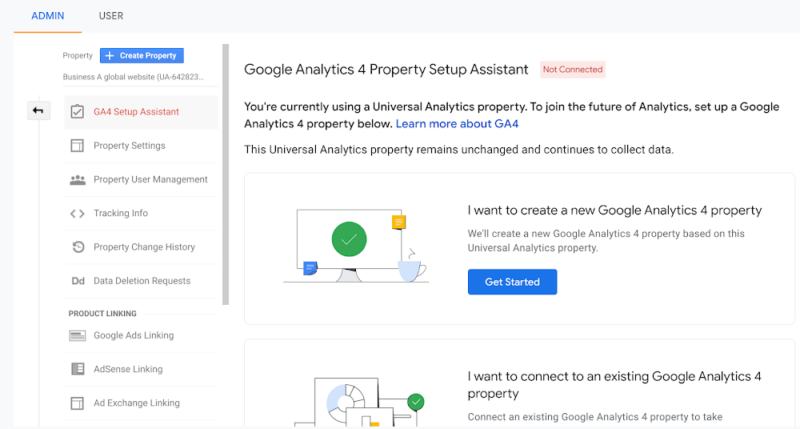
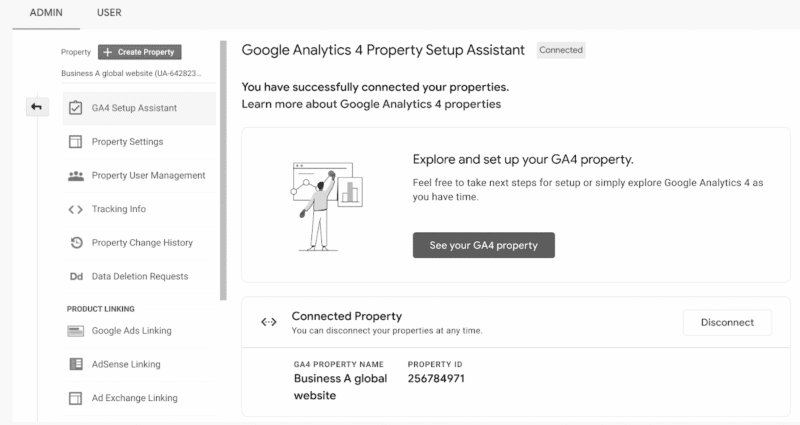
Next, businesses should engage with the Setup Assistant, through which they can save time setting up a GA4 property to measure a site or app that already uses Universal Analytics with the setup assistant.
“Marketers looking for a guided set up experience in Google Analytics 4 should use the setup assistant. This includes tools to automate some required steps and help you track progress. For example, these tools let you select the goals you want to import to GA4, copy the Google Ads links currently used, and add the users who have access to your current property.” – Ganem
Analytics Tag
Businesses and advertisers should add the Google tag to their sites to start collecting data. We encourage businesses to explore how they can use the Google tag to begin viewing data in their GA4 properties. It’s important to note that if businesses were using the global site tag, they are now using the Google tag and nothing further needs to be done.
“Structured data collection is the foundation of a measurement strategy which enables businesses to understand the effectiveness of their campaigns and marketing efforts. With Google tag, we’ve made it even easier to implement this critical piece of the puzzle.” – Ganem
Link to Google Ads
Importing Google Ads links from their existing Universal Analytics into the new GA4 property is critical to begin seeing Google Ads data in your GA4 reports. Once that’s complete, businesses should take action in their Google Ads account to start using GA4 data in their campaigns.
“Insights are only as good as the actions a business or advertiser can take from them. That’s why Google Analytics 4 allows insights to be quickly applied to campaigns with the Google Ads integration” – Ganem
Custom Events
Custom events allow businesses to complete their measurement by mapping Universal Analytics custom events to GA4.
“Google Analytics 4 was built on an entirely new and more robust event-based data model. In Universal Analytics, Page Views and Sessions were so important because that’s really all there was. In Google Analytics 4 these are just two of the dozens of events that can be automatically collected – and that doesn’t even consider the near countless number of events that customers can instrument for themselves. Meaning that how a user interacts with a site can be measured natively – measuring things like purchases, scrolls, button clicks, external links, form submissions, video plays, etc. Additionally, these are not measured as an afterthought of a page view or as an inference made about what “must be happening” in a long session. This event model, coupled with a more intelligent handling of users throughout the product, are some of the key ways we’re equipping our customers to succeed in the world ahead.” – Ketchum
Track custom events in GA4
Goals & Conversions
To get a better understanding of how websites and apps are performing, businesses should Import Universal Analytics goals into GA4.
“Most website and apps are designed with the objective of getting users to perform some important action. For some, that can be creating a new account, for others it might be making a purchase or just submitting an interest form. Whatever action you want customers to take on your website or app should be represented as a Conversion event in GA4. Doing so unlocks key marketing features, such as the ability to understand which campaigns are delivering the best results for your business.” – Ganem
Here’s a great video showing you how to migrate events & goals from UA to GA4
Bidding
To enhance bid optimization, validate and bid on GA4 conversions in Google Ads.
“The conversion events a business collects from their website or app can actually improve the performance of their ad campaigns. By linking to Google Ads and importing your conversions, it can provide important feedback to their campaigns, which automatically improves their performance when automated bidding is enabled.” – Ganem
Audiences
To get the most from GA4, advertisers and marketers need to build relevant audiences in Google Analytics 4 and activate them wherever they are most useful. Learn about predictive audiences available in GA4.
“GA4’s Audience Builder is the most powerful audience system we have ever built in Google Analytics, because it lets businesses express almost any criteria they can think of in a simple and intuitive user interface. The audiences they define are pre-populated based on the last 30 days of data, and evaluated on an ongoing basis, and they can be used for a variety of purposes including generating reporting insights, online advertising, and sending more meaningful push notifications.” – Ganem
Create audiences based on purchasers, subscribers, and more
Ecommerce
For businesses selling products online, they should set up ecommerce in GA4 properties to ensure they are using names and parameters that will provide the most useful ecommerce reporting.
“By simply following our recommended ecommerce data collection best practices, businesses will get rich out-of-the-box insights on shopping cart activity, and can benefit from powerful ML-based features such as Purchase Probability and Predicted Revenue.” – Ganem
Users
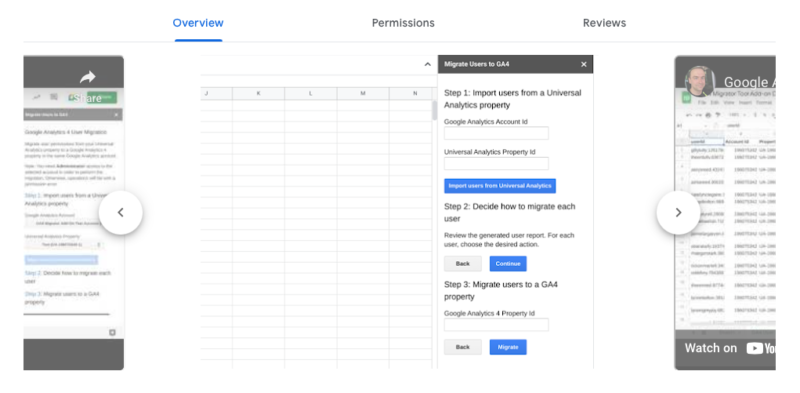
Finally, copy Universal Analytics property users to GA4 property manually or through the automated tool.
“For many businesses, it’s important to tightly control access to sensitive financial information. That’s why we added settings in GA4 to allow customers to control access to cost and revenue data on a user-by-user basis.” – Ganem
Reports & analysis
Now that GA4 is set up, it’s time to start getting familiar with the navigation, standard reporting available, and learn how to customize reporting in brand new ways based on what’s important to the business.
“While we’ve given customers a rich default reporting experience in GA4, we designed the product to be entirely customizable so that businesses of all shapes and sizes can tailor it to their specific needs. They can use our report builder to create reports that visualize virtually any combination of dimensions and metrics available in the product, and even assign filters to them so that teams in different regions or different business units can get the most insights with a minimal amount of effort.” – Ganem
Check out these articles on creating GA4 reports:
- Google Analytics 4: A breakdown of Demographic and Tech details reports
- 3 valuable Google Analytics 4 reports for SEOs
- How to make a GA4 landing page report in 10 easy steps
- Google Analytics 4: A guide to the Traffic Acquisition Report
Final thoughts
For businesses looking for more ways to get a better understanding of GA4 and some of the key concepts mentioned above, the GA4 Academy and Skillshop is a helpful resource.
In a statement to Search Engine Land, Ketchum says, “When it comes to the migration, long periods of overlapping data and an extended state in a dual UA / GA4 state will set customers up for success. It will allow them to not only compare data moving forward but also to get comfortable with the new platform and understand its differences. This is why we’re continuing to stress the importance of getting started as soon as possible.”
“We acknowledge that change is hard and that making the move takes effort and time, but to create a platform that will be both resilient against the evolving privacy landscape and help customers measure effectively while respecting users’ privacy, more than an update was needed. GA4 is the analytics solution of the future for a reason – it was built that way. We hope these steps and tips will help to ease the process and help businesses understand the most essential pieces of getting started with GA4.”
The post 11 steps to setting up a successful GA4 property appeared first on Search Engine Land.
Courtesy of Search Engine Land: News & Info About SEO, PPC, SEM, Search Engines & Search Marketing
Category seo news | Tags:
Social Networks : Technorati, Stumble it!, Digg, de.licio.us, Yahoo, reddit, Blogmarks, Google, Magnolia.
10 reasons to join us at SMX online November 15-16
Written on October 4, 2022 at 3:59 am, by admin

The staggering amount of change in the last 24 months has presented search marketers with an unrivaled amount of challenges… and opportunities:
- The role of automation is expanding
- The forced transition to GA4 is looming
- Google algorithm updates feel endless
That’s just the start. Your key to higher conversions, stronger campaigns, and a rewarding career is continued training with trusted experts. Attend SMX Next for free, online November 15-16, to learn actionable search marketing tactics that can help you execute successful SEO and PPC campaigns and prepare for what’s coming next in search.
Keep reading for 10 undeniable reasons why you should join us online next month:
- Unlock unbiased, trustworthy content from the experts at Search Engine Land, the publication of record for the search marketing industry.
- Access first-hand insights from two seasoned Google experts during our exclusive SEO and PPC keynote conversations.
- 100% free means you don’t have to miss out on quality training due to budget restraints.
- Train with confidence: At SMX, you’ll only learn safe, reputable, reliable training — no get-rich-quick schemes or dodgy tactics.
- Live Q&A (Overtime!) means you’ll get expert answers to your toughest questions.
- Meet winners of the 2022 Search Engine Land Awards and ask them your burning SEO and PPC questions live!
- Forge invaluable connections during topic-driven Coffee Talk discussions with like-minded marketers.
- Unite your departments with a shared training experience – invaluable to on-site and remote teams alike.
- Earn a personalized Certificate of Attendance to demonstrate your commitment to continued training and furthering your career.
- Can’t attend live? On-demand access is included with your free pass, so you can train at your convenience.
Need more convincing? Read more about attendees’ favorite reasons to attend SMX.
Ready to register? Secure your FREE All Access pass now!
The post 10 reasons to join us at SMX online November 15-16 appeared first on Search Engine Land.
Courtesy of Search Engine Land: News & Info About SEO, PPC, SEM, Search Engines & Search Marketing
Category seo news | Tags:
Social Networks : Technorati, Stumble it!, Digg, de.licio.us, Yahoo, reddit, Blogmarks, Google, Magnolia.
19 advanced Google search operators you need to know
Written on October 4, 2022 at 3:59 am, by admin
Google search is a powerful tool in and of itself. You can use it to find anything, but did you know that you can use it to get specific results as well?
If you are looking to enhance your search engine marketing efforts, you need to know about advanced Google search operators. With the right search operator, your Google searches will be more efficient and accurate than ever before.
Advanced Google search operators can provide you with powerful insights to inform your SEO audits, content strategy, keyword research, and much more.
In this guide, we will reveal everything about the main advanced Google search operators so that you can get a better understanding of how to use them to your advantage.
What are Google search operators?
Google search operators are special commands and characters that extend the capabilities of standard text searches.
To use a search operator, simply enter it directly into the Google search box (in the same manner you would if you were doing a text search).
Make your results much more specific
Advanced Google search operators will deliver much more specific results. Let’s say you search “SEO” on Google right now. You will get more than 730 million results!
However, if you use the allintitle operator, which is one of the advanced Google search operators we’re going to tell you about below, you can reduce this to just 14.6 million results, as you will only be presented with results that have “SEO” specifically in the page title.
Use advanced Google search operators to take your business to the next level
With search operators, you can:
- Find content and backlink opportunities.
- Find SEO issues, such as glaring indexation errors.
- Find research and statistics to improve your content.
- Efficiently gauge how competitive certain long-tail keywords are.
Search operator rules to follow
There are two important ‘rules’ to follow when refining web searches:
- If punctuation is not part of the search operator, Google will usually ignore it.
- Avoid spaces between your symbol or word command and your search term. For example,
site:movingtrafficmedia.comwill work, however,site: movingtrafficmedia.comwill not work.
The best advanced Google search operators
It is so much easier to search for things online once you know about Google search operators. Once you have mastered these commands, you will wonder how you previously managed without them.
1. site:
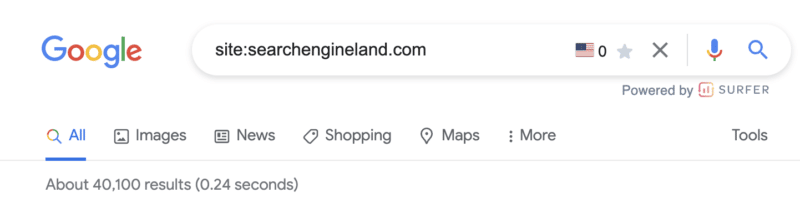
As you might have guessed, this operator allows you to search for content that’s hosted on a certain domain.
If you want to search through specific websites like Wikipedia or YouTube, but not other sites, site:youtube.com or site:wikipedia.org is what you need.
site: command use case
There are many use cases for this particular command. Perhaps the most common is to determine the number of pages Google has indexed for a particular domain.
2. cache:

Simply put, the cache: operator makes it possible for you to locate the most recent cached version of a specific web page.
cache: command use case
If you’ve recently made a content update or design change, this command will show you if and when Google crawled the new changes.
3. related:
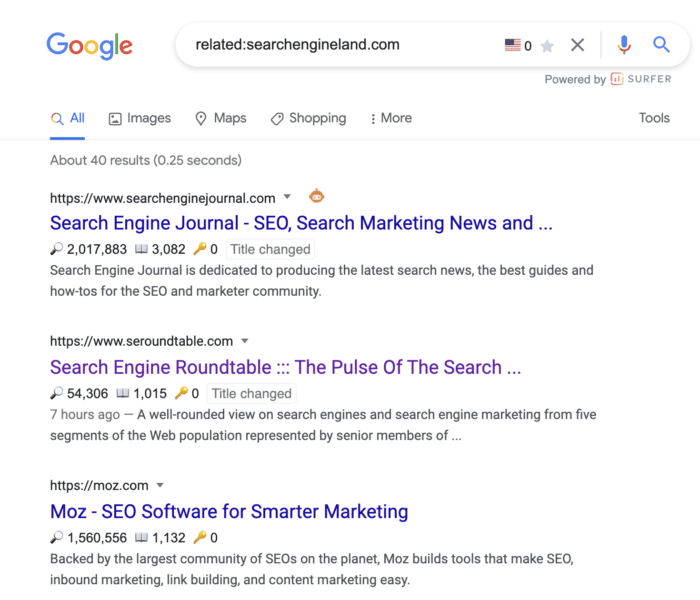
You can use this search operator to find websites that are related to the site in question. This is only effective for large domains, such as nytimes.com or searchengineland.com as illustrated in the image above.
related: command use case
Use the related: command for an illuminating look into how Google categorizes your site and the competition.
This is incredibly valuable for competitive analysis when trying to understand who your digital competitors are – which may be wildly different from your offline competitors.
4. inanchor:
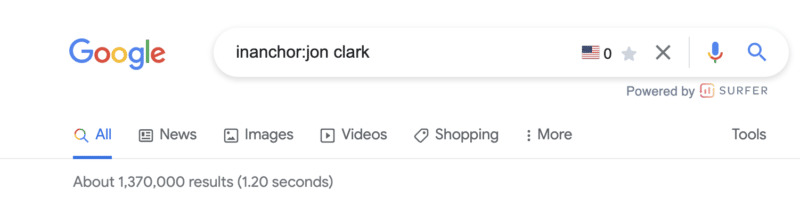
This advanced Google search operator is used when you want to locate pages containing inbound links that have the anchor text specified.
In the example above, the 1,370,000 results returned will display any pages with anchor text that includes the word “jon” or the word “clark.”
Note: You cannot expect accurate global results, as data is only sampled.
inanchor: command use case
This command is helpful when evaluating link building opportunities or competitive link audits.
5. allinanchor:
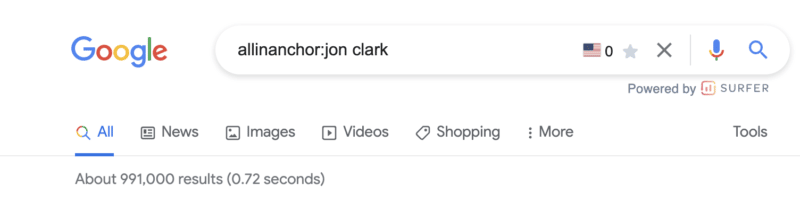
This operator builds on the inanchor: command from above but makes sense when you want to conduct research for pages that include all of the words in the inbound anchor text.
For example, you can see the returned results for pages with anchor text that includes both “jon” and “clark” have decreased to 991,000.
6. inurl:
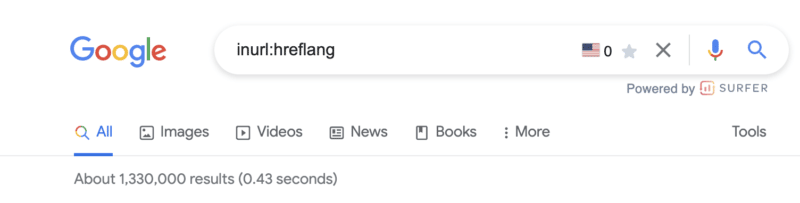
If you wish to find a page on a website that includes a specific word (or words) in the URL itself, then the inurl: is the Google search operator to use.
inurl: command use case
This search command is extremely helpful for:
- Diagnosing indexing issues (
inurl:tagto identify indexed blog tag pages). - Content inspiration across topics you are researching.
- Identifying guest posting opportunities (
inurl:guest-post).
7. allinurl:
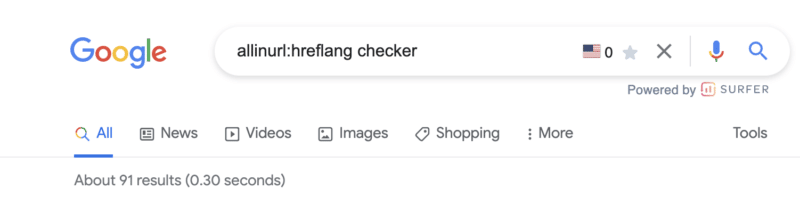
This advanced Google search operator will further refine the inurl: command by returning only results that include all of the defined words in the URL.
8. intitle:
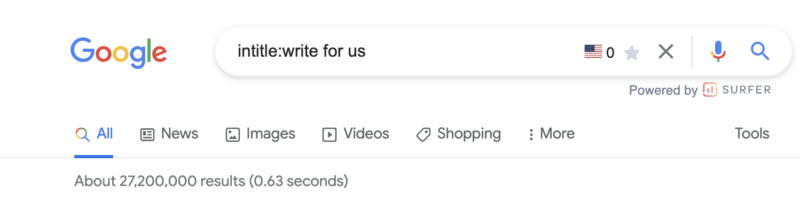
This operator allows you to locate results that are more targeted for certain search words or phrases. In the image above, more than 27,200,000 results are returned that include at least one of the terms in the page title.
intitle: command use case
This is a great search function for locating guest posting opportunities and checking levels of competitiveness for keywords based on the number of results returned for a word.
9. allintitle:
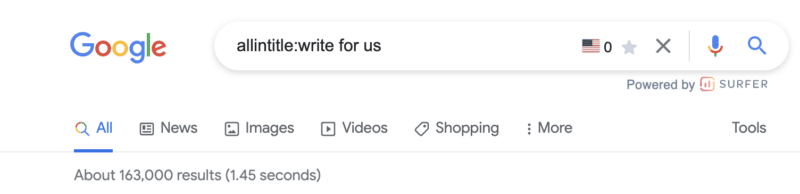
Similar to the above variables, the allintitle: command further refines returned results to include all the words in the page’s title.
For example, the results that include all of the words “write for us” have been further refined from 27,200,000 to 163,000.
10. intext:
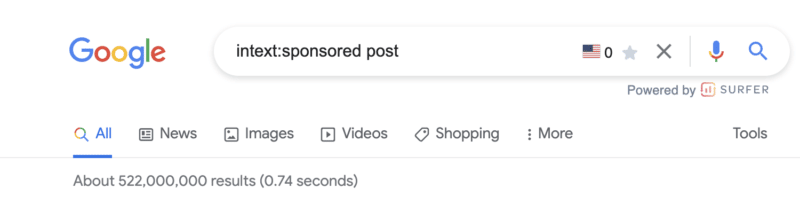
Looking for a specific word or phrase somewhere in the content? The intext: operator enables you to locate terms that show up in any part of a website page, from the page title to page’s content.
intext: command use case
Personally, I use this command most often to find link building opportunities. In the example screenshot above, there are more than 522,000,000 pages with the terms “sponsored” or “post.“
The next advanced search operators will help us further refine these results.
11. allintext:
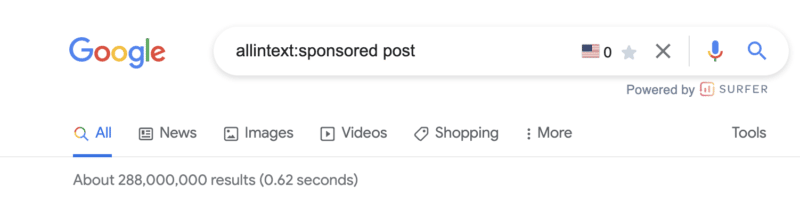
This operator helps you to refine your search to only pages that include all of the terms you are searching for in the text of the page.
Modifying the operator from intext: to allintext: removes almost 200,000,000 results.
Note: This operator does not account for the proximity of the words on the page, only that they appear on the page. Said another way, the words may not be in a phrase or close to each other in a sentence.
Get the daily newsletter search marketers rely on.
<input type=”hidden” name=”utmMedium” value=”” />
<input type=”hidden” name=”utmCampaign” value=”” />
<input type=”hidden” name=”utmSource” value=”” />
<input type=”hidden” name=”utmContent” value=”” />
<input type=”hidden” name=”pageLink” value=”” />
<input type=”hidden” name=”ipAddress” value=”” />
Processing…Please wait.
12. around(X)
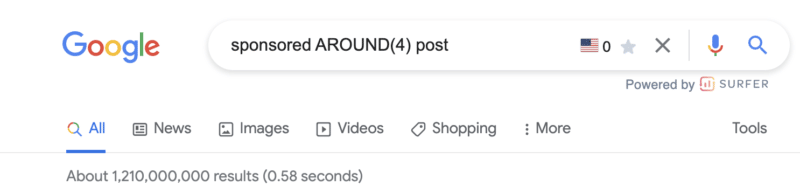
The around(X) command will account for word proximity by limiting your results to pages that feature the searched words within ‘X’ words of one another. The maximum gap or distance between words is denoted by whatever number is included within the parentheses.
around(x): command use case
While this is one command I rarely use, it can be helpful when looking for quotes, sentences, or references that you don’t remember.
12. filetype:
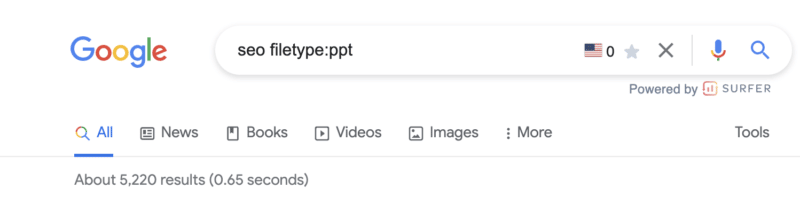
When you use the filetype: search operator in conjunction with a keyword will limit returned results to certain file types that include the keyword. These file types include:
- SWF
- PS
- DWF
- KML, KMZ
- GPX
- HWP
- HTML
- XLS, XLSX
- PPT, PPTX
- DOC, DOCX
- ODP
- ODS
- ODT
- RTF
- SVG
- TEXT
- TXT,
- BAS
- C, CC, CPP, CXX, H, HPP
- CS
- JAVA
- PL
- PY
- WML, WAP
- XML
Note: Using the ext: will return the same results.
filetype: command use case
I love this search operator.
First, for content writers, this is an extremely powerful site command to improve “information gain” – something that should be discussed more in light of the helpful content update.
Hat tip to Steve Toth’s SEONotebook email newsletter for this awesome tip. He laid out this use case via the following:
First, it’s important to understand Google’s information gain patent.
Information gain scores state how much more information one source may bring to a person who has seen other sources on the same topic. Pages with higher information gain scores may be ranked higher than pages with lower information gain scores.
Here’s what Google’s patent has to say about it:
“…when a set of documents is identified that share a topic, many of the documents may include similar information.”
So let’s say there are 10 pages on Page 1 that all tell “how to retire early,” and all 10 articles on page one basically share the same tips. This presents a problem for Google since users wouldn’t want to read 10 blogs about the same thing. Google goes on to say:
“Implementations described herein relate to determining an information gain score for one or more documents of potential interest to the user and presenting information from one or more of those documents that are selected based on their respective information gain scores.”
Here are three ways we can source information and insights beyond the same Page 1 results everyone else is looking at to create their content:
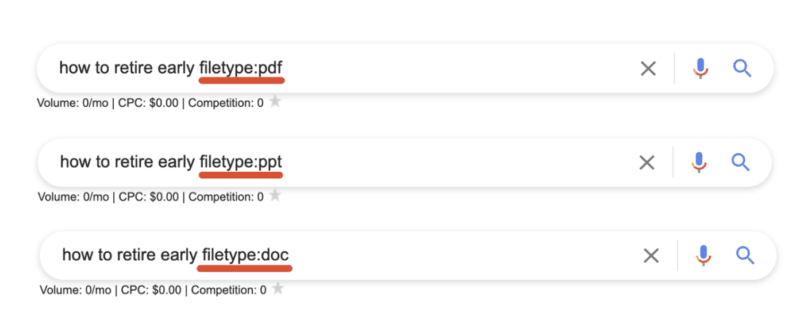
By sourcing information that is buried within PDFs, Powerpoints, and Word docs we’re able to unearth new information that the rest of Page 1 isn’t talking about!
Open the results and look for topics or ideas missing from the article.
13. daterange:[XXXXX-XXXXX]
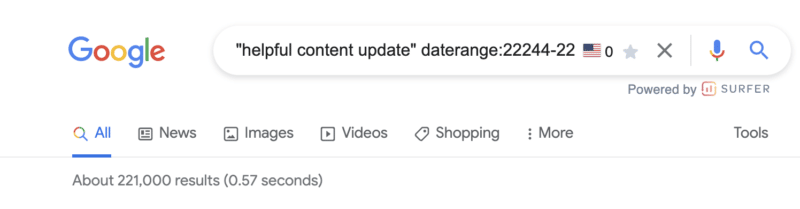
You may be feeling a little bit perplexed by the example in the screenshot above.
The daterange: advanced search operator does display search results within a set number of dates that you specify. However, it utilizes the Julian date format which requires the year followed by the number of days since the beginning of the year.
To ensure you do not make any mistakes, I would advise using an online converter so you can be sure you will get the date format right.
daterange: command use case
This can be useful to determine the volume of content published for a certain topic during a specific period. For example, in the screenshot above, there were 221,000 pieces of content published on the helpful content update from September 1, 2022 - September 21, 2022.
14. OR

This is one of the search operators you have probably used a few times without fully knowing what it does.
If you want to combine searches, simply add the capitalized OR between your search terms (keyword1 OR keyword2). Google will surface results that satisfy either the first search term OR the second.
Quick tip: If your caps lock is broken, the pipe (|) operator will provide identical results.
OR: command use case
This is probably most useful when doing research in which you need information on more than one item but not necessarily looking for results that include references to both.
15. “keyword”
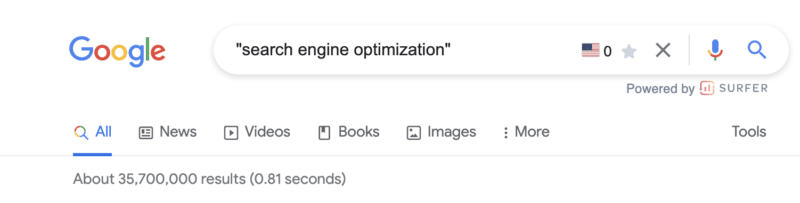
When you utilize quotes during a Google search, you are basically limiting the search result to that exact match phrase.
Google will return every webpage that has the specific phrase in its body copy, title, or description.
“keyword” command use case
In addition to refining the results returned for a query, the " " search modifier is one of the most efficient ways of locating instances whereby your content has been duplicated.
You can copy as much as an entire paragraph from your online content, paste it with quotation marks, and find out whether or not someone has pinched your work.
Of course, there are other ways you can find out if someone else has stolen your work, such as Copyscape. Nevertheless, this is certainly one of the quickest ways of getting to the root of the problem.
16. -keyword
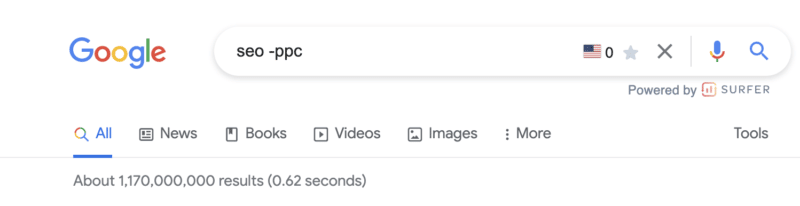
The minus (-) sign is a simple tool you can use if you want to exclude a certain search term/topic from your results.
In the above example, the results returned will be related to SEO but not PPC.
Pro tip: This command is not limited to a single exclusion. Layer on additional exclusions to filter down to the most specific results.
-keyword command use case
This is beneficial if you are searching for something that has more than one meaning, and you want to exclude the other meaning.
You can also utilize it if you want to get rid of some branded search results.
17. @
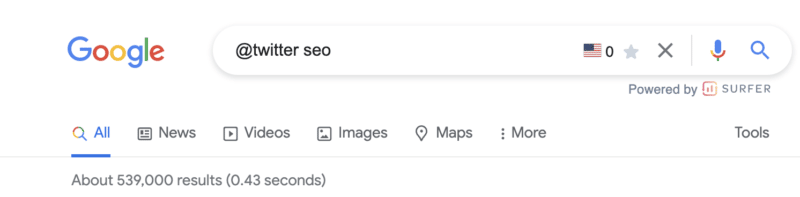
Looking for a specific result from social media? Adding the @ modifier to the front of your query will return social media-specific results.
Note: This is still listed on Google’s list of search refinements but does not appear to always work.
@ command use case
This is most useful when searching for the official channels of a company or organization.
18. source:
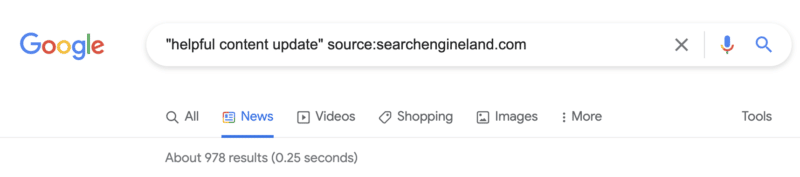
The source: command enables you to search specific sources for a given topic in Google News.
source: command use case
While it is limited to Google News, if you are looking for article sources or potential link partners who have written about a similar topic, this command can certainly come in handy.
18. *
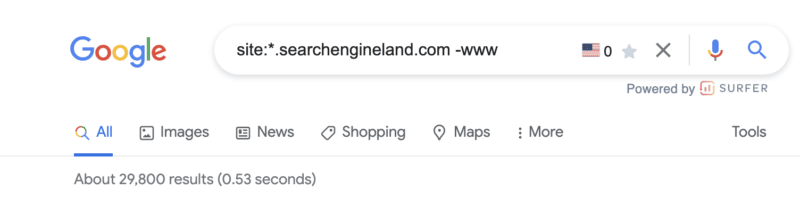
Should you wish to get more matches, you can utilize the asterisk (*) wildcard operator.
If the wildcard is put in between terms, you will end up with all of the variations of the phrase. This makes it helpful in terms of finding phrases and quotes.
* command use case
Similar to the example above, this can be very useful in technical audits or maintenance of your own domain. However, it requires the combination of a handful of commands (more on that below).
Simply add the * wildcard operator in front of the site: command and exclude any -www results.
Combining multiple search operators: Use cases
One of the best things about using Google search operators is that they can be combined for specific use cases.
The sky is the limit when it comes to this, as you can easily combine any of the advanced Google search operators we have mentioned above.
This means you can efficiently locate official documentation, an original image, or the source of a quote for pretty much anything.
Find backlink opportunities
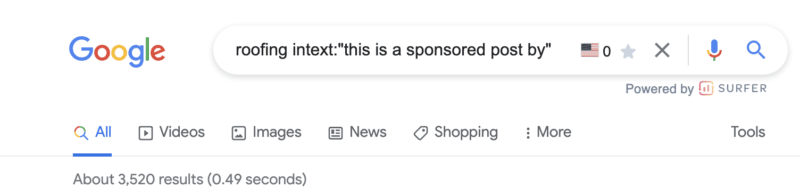
It seems link building opportunities (or uncovering how your competitors are acquiring links) is a super common use case for Google search refinements.
In the example above, if you have a roofing company, you now have 3,500+ potential targets that you know accept sponsored content.
There are a handful of command combinations that will provide similar results:
[topic] sponsored AROUND(3) post[topic] intitle:”sponsored post"[topic] intext:"sponsored by"[topic] intext:"sponsored post”
Not looking for sponsored posts? Not to worry. Give these Google search operators a try:
[topic]"write for us"[topic] intitle:"write for us"[topic] inurl:"write-for-us"[topic] inurl:"write-for-us"intitle:"write for us"
Still not finding a list of solid outreach targets? Plug in some of these variations:
"guest contribution""guest post""write for me""become a contributor""guest post guidelines"
Find infographic submission opportunities
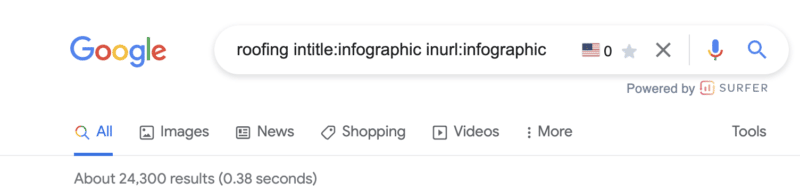
Infographics can be excellent visual assets to create for your website. However, their creation is only half of the task. You then need to make sure they are effectively distributed.
If you use this advanced Google search operator, you may be able to locate websites that could be interested in featuring the infographic you have made.
Find social profiles for outreach
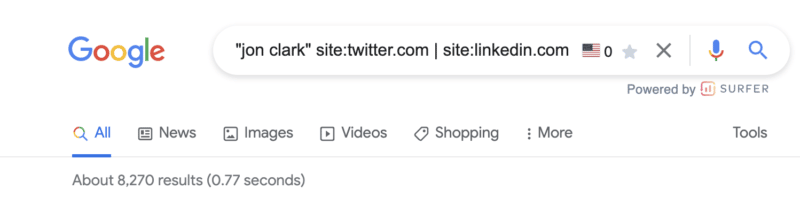
So, using the search operators above, you’ve built a solid list of outreach targets.
What if their contact details aren’t listed on the site?
If you want to reach out to a certain person on social media, this is the best operator to use. It is also highly effective if you are trying to find the contact details of someone in general.
Discover indexation issues
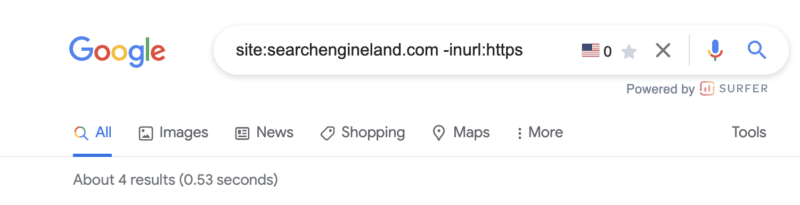
We talked about discovering subdomains that may have been inadvertently indexed using the site: and wildcard (*) command above.
Similar to the screenshot above, another useful tactic is to utilize the site:, exclusion (-) and inurl: commands to discover non-secure URLs that may be floating around Google’s index.
For those working on sites with a blog, I also find the combination of site: and inurl: commands infinitely valuable in diagnosing common indexing issues with tag pages.
Just drop the following command string into Google to see for yourself: site:yoursite.com inurl:tag.
Join social conversations
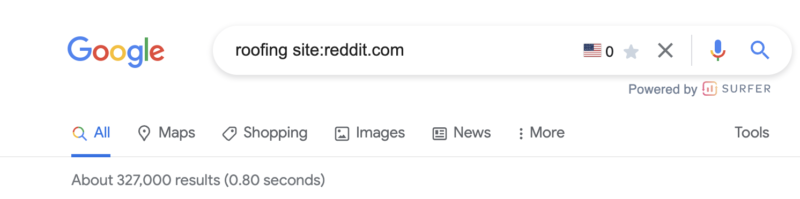
This is a great advanced Google Search operator to use if you want to locate relevant forum and community discussion topics.
Q&A websites, like Quora, as well as online communities, subreddits, and relevant forums, are ideal for content promotion.
You can easily locate questions being asked in your niche and relevant discussions. Joining in is a great way of building your online presence.
Some of the best options to consider here include:
[topic] site:quora.com intitle:topic[topic] site:reddit.com intitle:topic[topic] site:reddit.com | site:quora.com[topic] site:reddit.com | site:quora.com inurl:topic intitle:topic
Discover internal linking opportunities
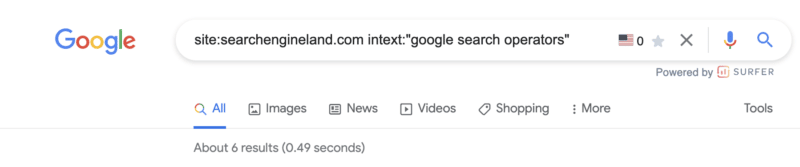
I utilize search commands to discover internal linking opportunities seemingly every day.
The concepts are simple.
Prevent duplicated topics. Before you get started, the below command will show you if and how many similar pages have already been published.
[topic] site:yoursite.com
If you see a headline that is similar, it may be worth revisiting that older post or looking for an alternative topic.
Find existing references. While you’re building your content, adding internal links (where it makes sense) is a smart SEO strategy. Using the below command, search the general topics being covered and add internal links to those existing pages.
site:yoursite.com intext:topic
In the example above, I see six potential internal links to add to this post.
Add internal links to your new post. Once your post is published, adding internal links from older content to your new post will aid in indexation and transfer some existing authority.
site:yoursite.com intext:topic -site:yoursite.com/your-published-url
Find Google Drive docs
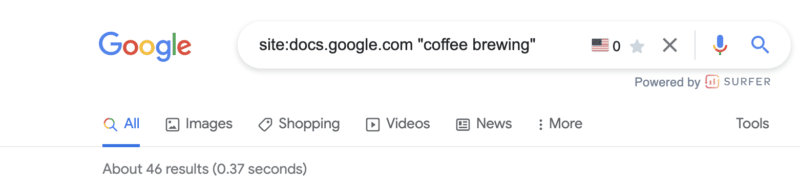
This is a bit of a sneaky one but, if nothing else, it is useful to make sure you don’t have any private information stored in a Google doc floating around the interwebs.
Google docs (documents, spreadsheets, presentations, etc) all live off of docs.google.com.
Using the site:docs.google.com command, we can then filter down indexed Google Docs in unlimited ways.
Some examples:
site:docs.google.com "your brand name"site:docs.google.com "your competitors brand name"site:docs.google.com""site:docs.google.com"author name"
Want to look for a specific document type?
site:docs.google.com/spreadsheetssite:docs.google.com/documentsite:docs.google.com/formssite:docs.google.com/presentation
Give it a try. You might be (very) surprised by what you’ll find!
Making the most of advanced Google search operators
As you can see, there are many different types of advanced Google search operators for you to make the most of.
From technical SEO audits to content research, search operators really can help to enhance your online marketing efforts in several ways.
The post 19 advanced Google search operators you need to know appeared first on Search Engine Land.
Courtesy of Search Engine Land: News & Info About SEO, PPC, SEM, Search Engines & Search Marketing
Category seo news | Tags:
Social Networks : Technorati, Stumble it!, Digg, de.licio.us, Yahoo, reddit, Blogmarks, Google, Magnolia.