Archive for the ‘seo news’ Category
Monday, August 12th, 2024
Creating high-quality, helpful content that drives search traffic is more important than ever.
There’s nothing worse than pouring your heart and soul into a wonderful guide or blog post that nobody ever sees or churning out pieces with little value that disappoint or alienate your potential audience.
Standing out from the crowd requires a delicate balance between optimizing content for search and creating pieces that truly resonate with users.
This comprehensive guide will walk you through the essential steps to achieve this balance, ensuring your content ranks well and provides genuine value to your audience.
Follow along and check off each step as you go to create content that both search engines and readers will love.
Step 1: Optimize your content strategy for search
Your SEO and content strategy should complement each other. Leaning too heavily on one or the other could impact your share of organic traffic, so a balanced approach is best for optimal search engine results.
Content marketing is a competitive game, so you must also ensure your piece is memorable or “sticky.” A great way to review this is by using the “Made to Stick SUCCESS model” to ensure your content has as many of these traits as possible:
- Simple.
- Unexpected.
- Concrete.
- Credible.
- Emotional.
- Stories.
High-quality, helpful content:
- Understands your audience but takes search data into account: At its heart, great content is written for people but also performs well in search, helping your audience discover it. Here are some tips on writing for people and search engines.
- Helps the reader complete one specific task: Be thorough yet focused. If you find there’s too much to say, consider creating a hub and spoke model with a series of interlinked articles.
- Connects with other content: Consider how a planned topic relates to the content you have already created or other pieces you plan to create.
- Guides your readers toward an action: Consider the place in the user’s journey you’re supporting and guide them appropriately.
- Is sticky: How will your content be remembered by your audience? Does it have some striking or unusual elements that help it to stick in people’s minds?
Step 2: Research and design helpful content
SEO is only successful with thorough research, which should help shape your ideas before you start creating content.
It’s important to go beyond search volume, using data to help you better understand your target audience.
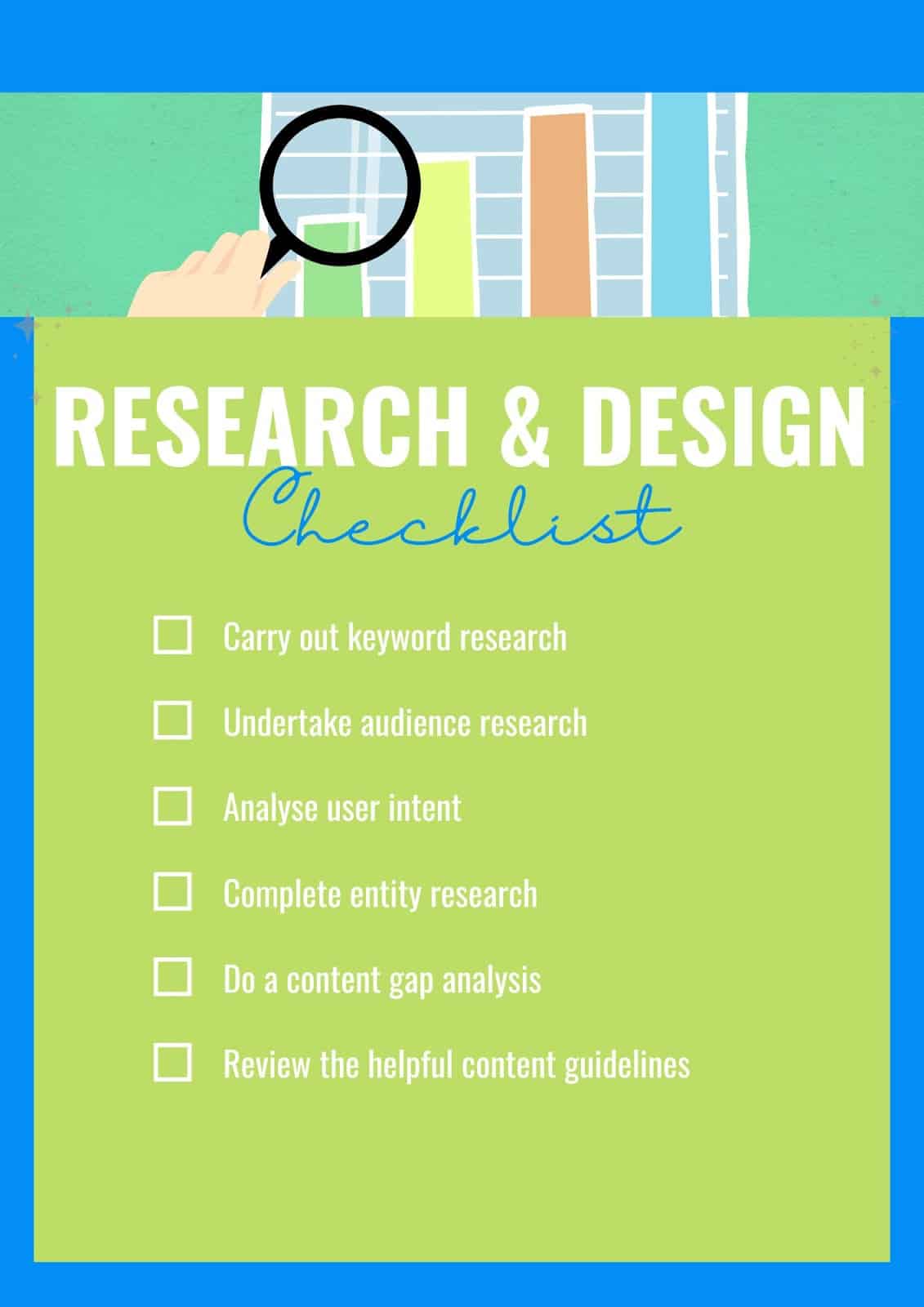
Before you start to write content for search engines or users, you should carry out:
- Keyword research: Understanding the search queries that relate to your topic can help you learn about your audience and also give your search engine marketing a solid foundation.
- Audience research: What are your users’ pain points and challenges? What does their journey look like? There are various ways to understand the people you are creating for, but keeping them at the forefront of your mind when creating content is important.
- User intent analysis: Creating content that doesn’t match the search intent will likely set you up for failure. Understand what users are looking for before you begin, and make sure you are fulfilling their needs.
- Entity research: On-page SEO is more than just keywords. It involves understanding the connections related to your topic to improve search results.
- Content gap analysis: checking where your website or piece of content is lacking compared to the competition is a really useful market research exercise.
- A review of the helpful content guidelines: Follow Google’s guidelines for creating helpful, reliable content. The better you understand what search engines want, the more likely you will succeed.
Step 3: Human vs. AI content generation
AI isn’t a shortcut to writing content, and high-quality content always needs a human touch. Most of today’s content likely uses both humans and AI as part of the process, and a combined approach can be effective.
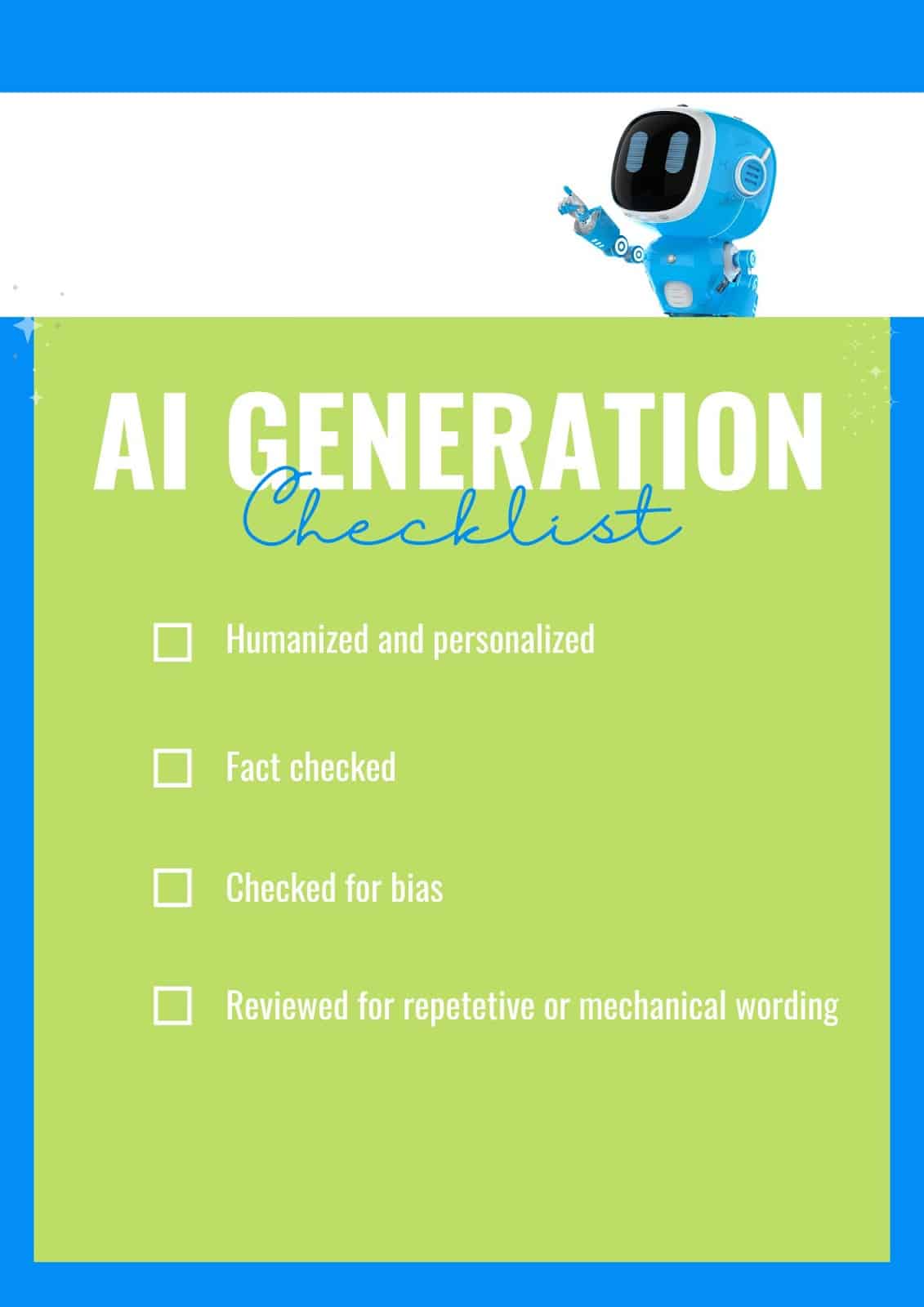
If you have used AI during your content creation process, you should:
- Personalize and humanize: Make sure it has a human touch. Add some personal experience, unique perspectives and even emotional content where suitable. Find out how to make your AI content sound more human.
- Fact-check: AI is programmed on data and writes based on common patterns rather than information accuracy. It can’t yet verify its claims, so it’s crucial to fact-check any content you’ve generated with AI. It could risk your or your company’s reputation if you publish incorrect information.
- Check for bias: Thoroughly review your content for any bias that may have been introduced by the use of AI.
- Review for overuse of keywords or certain phrases: AI-generated content often repeats certain phrases and keywords. This can affect the overall feel of your content, making it appear mechanical to readers and hampering its chances of success.
Step 4: Create correct, accessible and readable content
When you’re working on content, there are some basics that shouldn’t be ignored. Good spelling, grammar and readability are a must.
Helpful content of a high standard should always be:
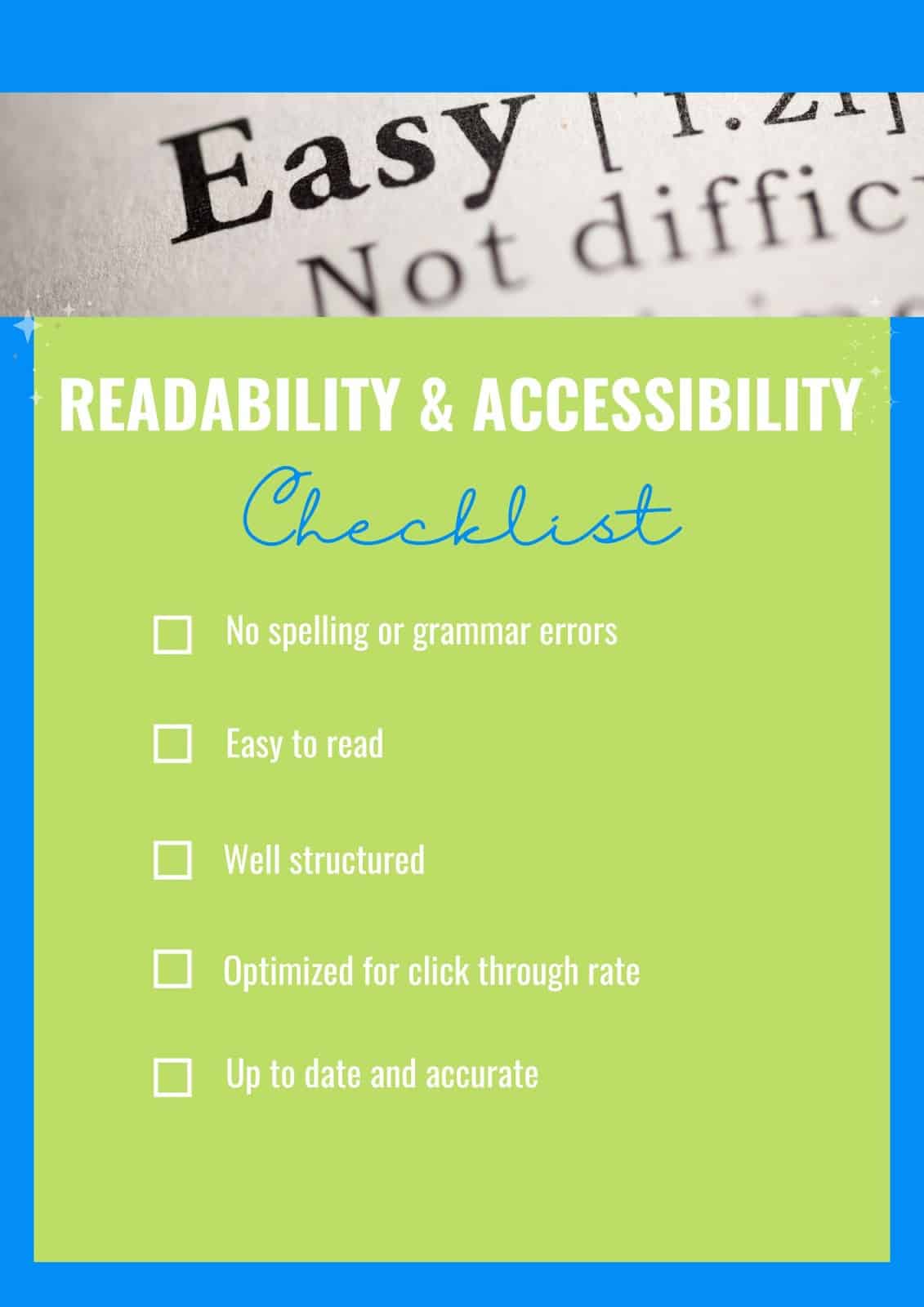
- Free of spelling and grammatical errors: While spelling mistakes and errors won’t directly affect your chances of ranking, they will erode trust and credibility. It’s important to proofread and get others to check your work too.
- Easy to follow and read: This helps users and also makes your content more search engine-friendly. Search engines read by parsing text and complicated sentence structures can lose their meaning because they are more difficult to process.
- Structured well: Content should make appropriate use of headings and formatting. This will help skim readers find the information they’re looking for quickly and easily. It’s also helpful for those using screen readers, making sure it remains accessible to all.
- Enticing to click on: Don’t forget about the title tag and meta description. While meta descriptions aren’t a ranking factor, they are a key area to help your content stand out in the search engine results pages.
- Up to date: Ensure your information, statistics and references are current to keep your content relevant.
Get the newsletter search marketers rely on.
Step 5: Keyword and entity usage
If you’ve followed the steps above, you’ll be armed with a content plan based on research and many relevant keywords. But you can still fall into common traps, like focusing too much on a primary keyword or overusing search terms.
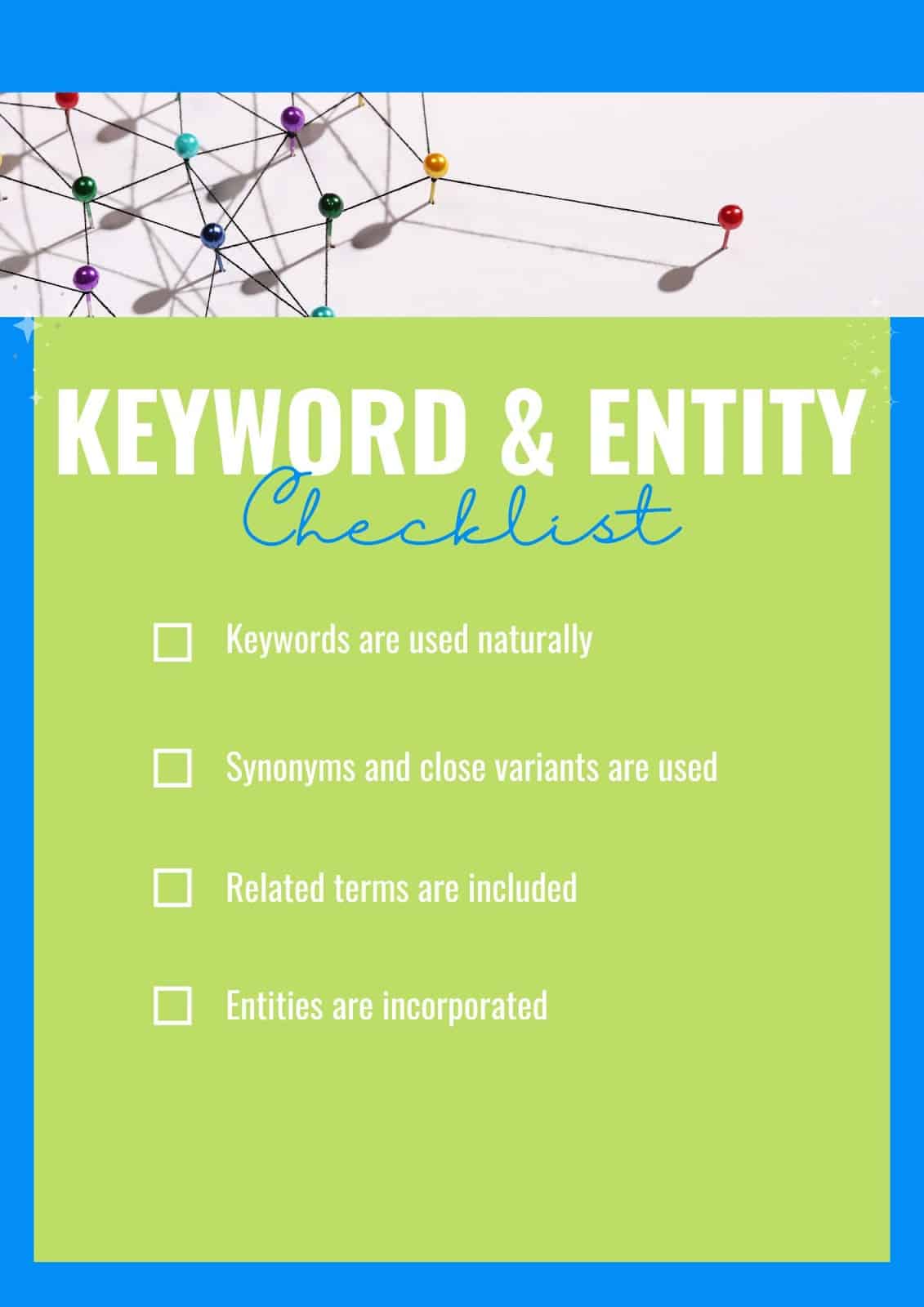
Helpful, great quality website content should:
- Make natural use of keywords: Try not to overuse your target keyword. Avoid keyword stuffing by aiming for natural use. If a word or phrase doesn’t feel right, don’t try to make it work.
- Include synonyms and close variants. There are many different ways of saying the same thing. Using equivalent words can make your writing more varied and interesting and avoid repetition.
- Include related terms: Every topic includes a series of related keywords frequently used together. This frequency of use helps to contextualize which in turn helps search engines understand your meaning.
- Use key entities and related entities: The “things” related to your topic can help you create a more accurate, complete or well-rounded web page. Entity SEO helps search engines by providing context and disambiguation, helping you to optimize content effectively.
Step 5: Consider E-E-A-T
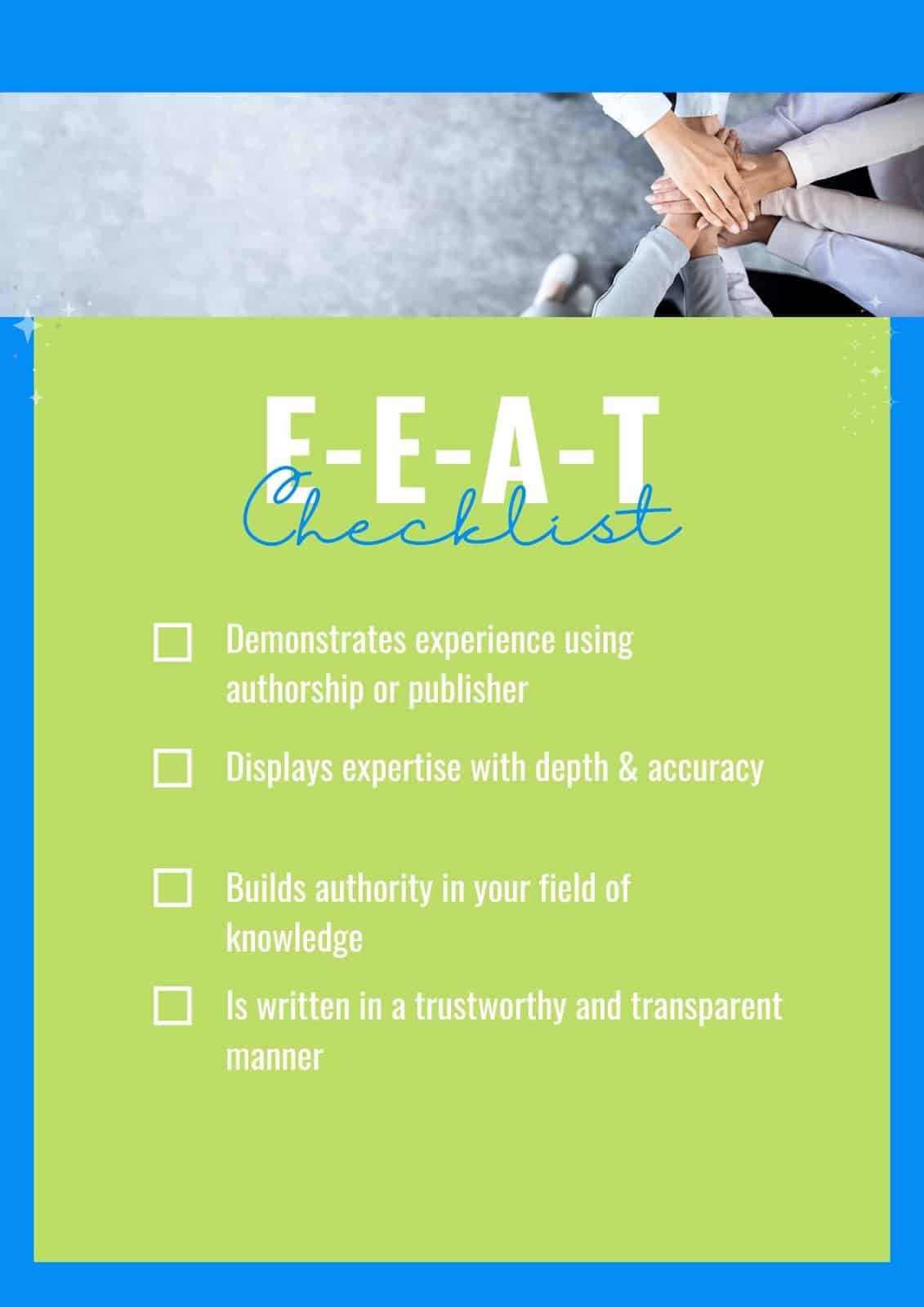
Having strong E-E-A-T (experience, expertise, authoritativeness and trustworthiness) can greatly impact SEO success. Trustworthy, authoritative content should:
- Demonstrate experience: Use author bios, “checked by” references or personal experience to show the author and publisher entities behind your content. Use first-hand experience and first-person pronouns where appropriate, this has been found to have a strong correlation with SEO success in a recent study.
- Display expertise: Create in-depth, accurate content that shows you really understand a topic. Go beyond the surface level and add insight and information that only subject matter experts are likely to know.
- Build authoritativeness: Content must be on-topic to help build your authority in a certain field. Create something that others are likely to reference for an extra authority boost.
- Be trustworthy and transparent: Keep things straightforward and open. Don’t try to mislead or make claims you can’t support. Be clear about who is behind the content.
Step 6: Add multimedia elements
Depending on your topic, other media may help to enrich your content for users and improve your SEO efforts.
Check the search engines to see what type of content they are already ranking for a certain search query. Perhaps video or visual content is prevalent.
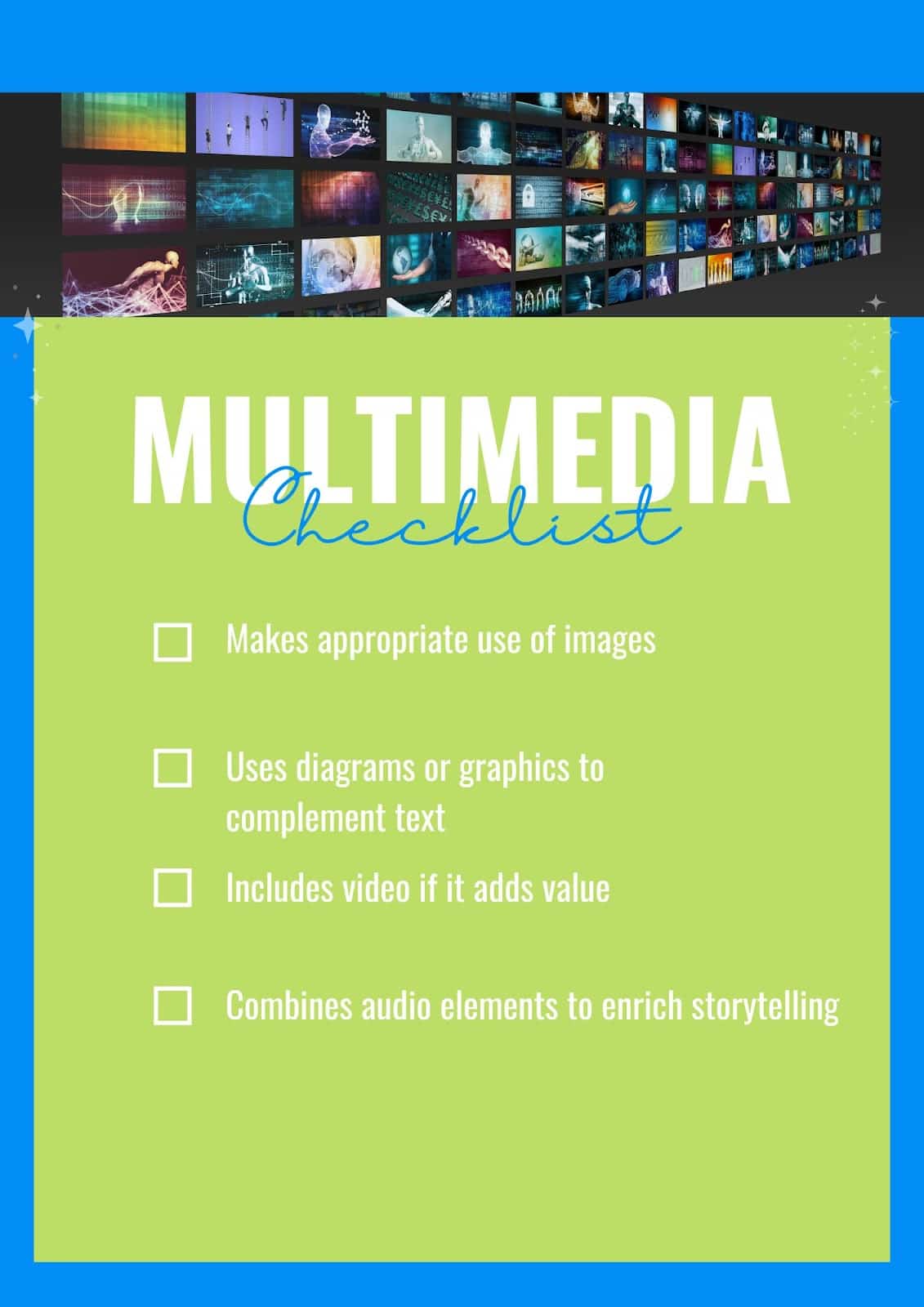
If so, make sure your content includes some original video or imagery too, where possible. Consider whether your pages would benefit from:
- Images: Imagery can inspire and enhance text-heavy content. However, stock images can negatively impact search rankings, so use images thoughtfully rather than just to fill space.
- Diagrams and graphics: Sometimes words aren’t enough or can be complemented by a graphic or diagram. Take instructions for example, it can be easier to see how something works than to simply read the words.
- Video: Ideal for “how to’s”, showing a product or process in greater detail or helping users to see movement of any kind. Video can be a really powerful way to enhance content if used appropriately.
- Audio: Less widely used, audio elements can add to storytelling or create an emotional response to enrich written content.
Step 7: A piece of a bigger picture
Every piece of content is related to others. Great content will add to your area of expertise and will relate to other pieces of content on your site.
It will also draw references from other trusted resources on a topic. And in time, it might become a piece that others refer to.
While creating your content, it’s important to consider:
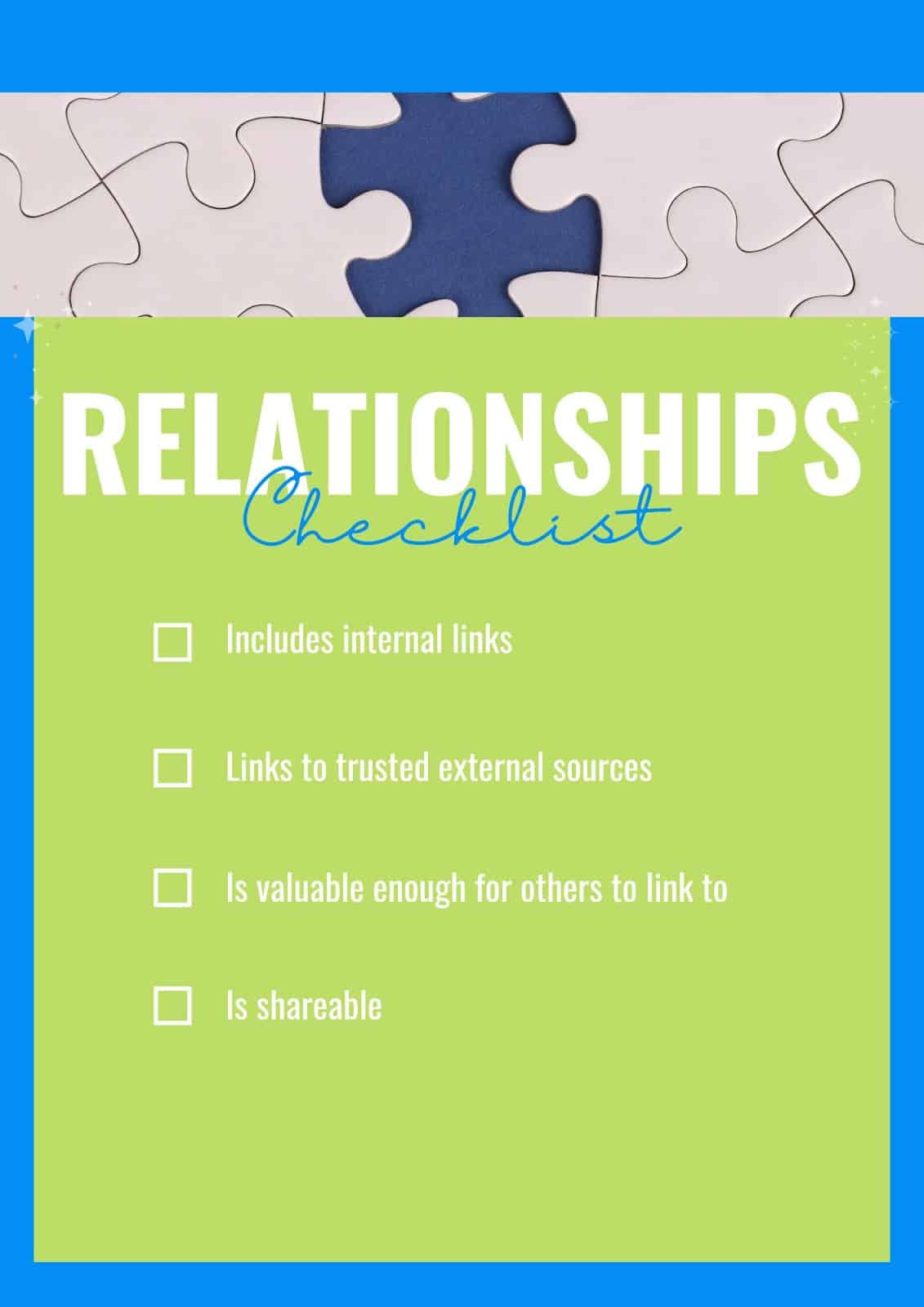
- Internal linking: How does this piece relate to other content you have produced? Have you created internal links, connected related pages and made it easy for readers to navigate to other pages that would enhance their journey?
- External linking: Are any facts, statistics or quotes backed up by links to their original sources? Are there other useful resources by experts that might provide further detail for your readers?
- Backlink potential: Even at the early stages, consider your audience and whether there is any potential to gain backlinks from other websites. Have you included original information or quotes? Perhaps you have a unique perspective, new expertise or even artwork that sets your content apart.
- Is it shareable?: Social shares can help you reach a larger audience. Have you created something others would want to share, and have you made it easy for them to do so?
Step 8: Technical SEO content issues
While technical SEO issues can affect your whole site, there are some specific ones to look out for to help optimize for SEO performance. As a quick overview, you should make sure:
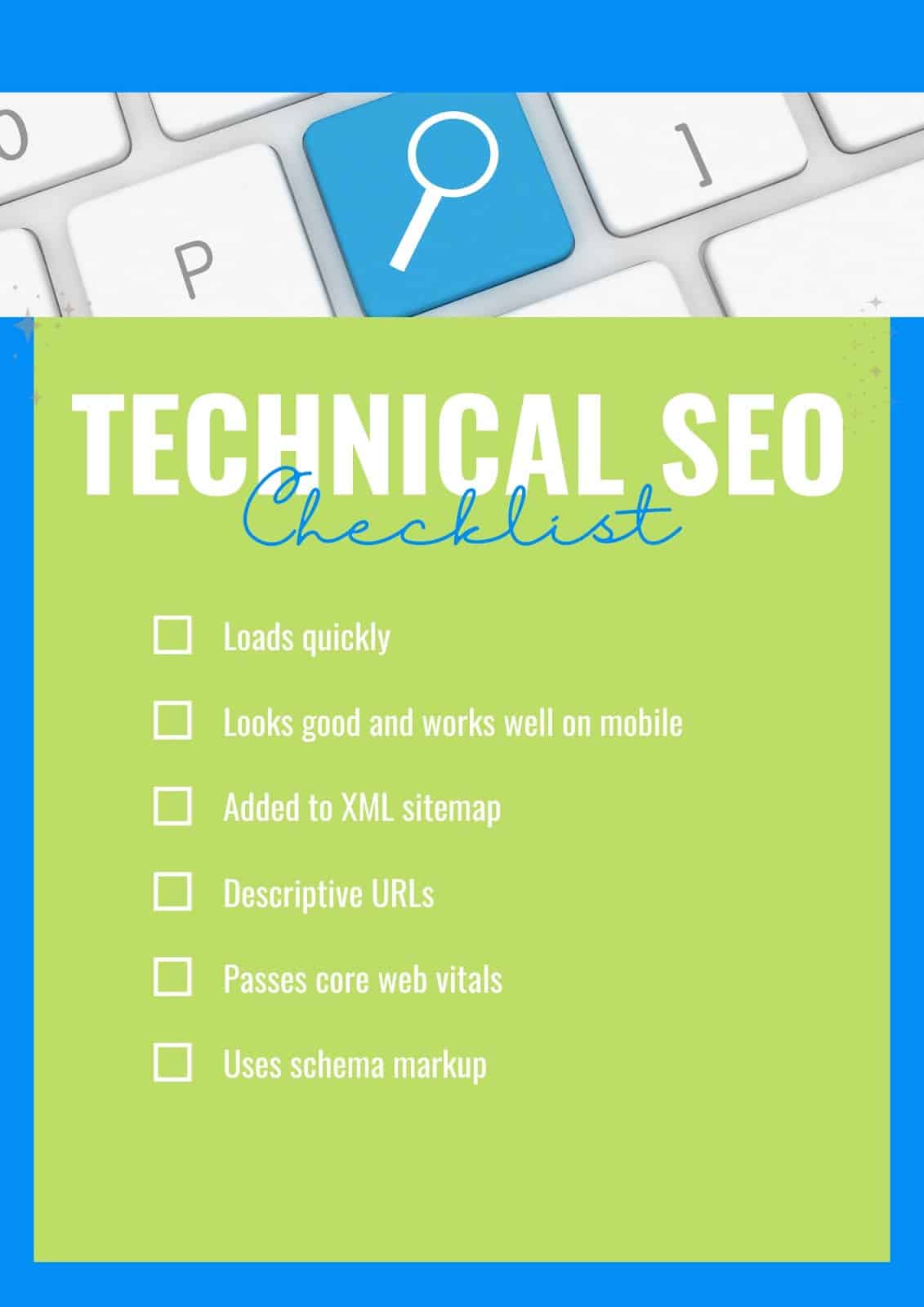
- Content loads quickly: Optimize images and ensure other media files aren’t slowing down the content’s performance.
- Displays well on mobile: With a responsive site, this shouldn’t be too much of an issue. But check how your content looks and responds on mobile. You might need to break down large paragraphs of text or improve formatting. Make sure all elements can still be clicked easily.
- Page is included in the site’s XML sitemap: This helps search engine crawlers find and understand the content.
- URLs are descriptive: Include wording rather than non-descript numbers or letters in the URLs.
- Content passes Core Web Vitals: An indication of user experience and a ranking factor, you should check and resolve any issues with core web vitals.
- Includes appropriate schema markup: Add markup for entities, FAQs, reviews, article elements like authorship and publishing date. Keep it relevant, though; don’t include structured data markup that doesn’t relate to the content on that page.
Step 9: Review and rework
The best content is never finished. The world changes fast, and that leaves content online that is dated, inaccurate or, at worst, misleading. It’s important to be aware of this and revisit your content often.
Here are some of the key times to evaluate your content:
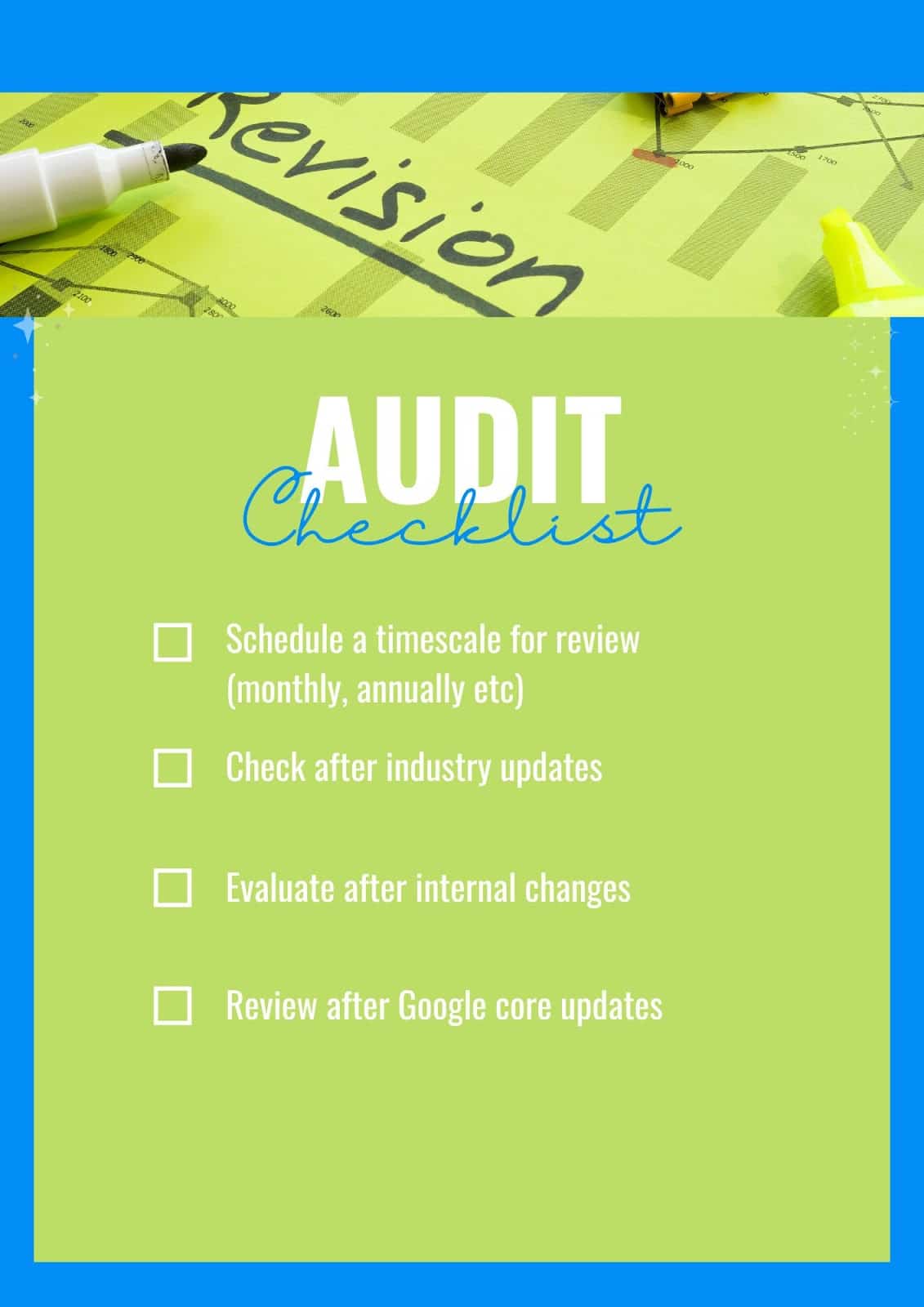
- Create a schedule: It might be as simple as having your own set timescale for reviewing content. Depending on how fast-moving your industry is, that might be monthly, quarterly or even annually.
- Keep an eye on industry updates: Any big changes in your industry could cause information to become inaccurate or even create new areas that should be covered in your content.
- Evaluate after internal changes: Updates within your company can have an impact, too. Perhaps you’ve stopped selling a particular product, changed your internal focus or added new services to your offering. Good content should reflect this accurately.
- Assess after Google algorithm updates: When search engine algorithms have updated, it’s always worth checking how this has impacted your content. Look at other things to do after a core update for more information.
Why content quality matters
Today’s search results are in danger of being cluttered with AI-generated content.
It’s also more competitive than ever because it’s possible to create faster than ever. That’s why the quality of your content matters. If it’s high quality and helpful, it’s likely to:
- Rank better and drive more traffic to your website.
- Fulfill a need so users will be satisfied and may progress through their user journey.
- Add to your authority to build trust and credibility in your business both online and offline.
- Increase brand visibility by slowly building up your presence and creating something valuable in your niche.
- Gain your audience’s trust by being genuinely helpful, so even if you’re not clinching a sale right now, you’re likely to be the place they go when they’re ready to take the next step.
Ultimately, quality content is about your reputation. But it’s also crucial for gaining a competitive edge in the search engine results pages.
Next time you’re optimizing content, remember to think past keyword ideas and take the big picture into account.
Courtesy of Search Engine Land: News & Info About SEO, PPC, SEM, Search Engines & Search Marketing
Monday, August 12th, 2024
Addressing the tension between running efficient paid search campaigns and driving business growth is crucial. While building paid search accounts has become easier, using them effectively to grow a business is more challenging than ever.
Focusing solely on optimizing for maximum return on ad spend (ROAS) and the lowest cost-per-lead (CPL) may yield short-term gains, but overemphasizing these efficiency metrics can hinder long-term business growth.
Understanding the efficiency vs. growth trade-off lets you make smarter decisions for your business and create paid marketing campaigns that align with long-term business goals.
The importance of aligning paid search with business goals
Search campaigns, once known for delivering highly efficient, immediate returns, have long been the cornerstone of the paid search industry.
Google Ads’ real-time bidding model and emphasis on transactional search intent made search campaigns groundbreaking for marketers, especially since this channel was historically highly measurable.
However, PPC has evolved, and today’s advertisers face a more complex environment. Increasingly complex match types, a broader range of advertising channels and new all-encompassing campaign types like Performance Max and Demand Gen have challenged the channel’s traditional efficiency.
While cost efficiency is important, a narrow focus hinders long-term growth and makes advertising repetitive and uninspired. The outdated mindset of “I’ll give you $5, and you must give me $10 in return,” oversimplifies the complex dynamics of effective marketing.
Successful paid search advertising in 2024 requires a balanced approach that aligns with overall business goals. Marketing needs to be centered around customer acquisition, retention, brand building and, ultimately, creative campaigns that move humans toward action.
The pitfalls of overemphasizing efficiency
Short-term gains and long-term growth are often at odds in paid search marketing. While a singular focus on metrics like the lowest CPL and the highest ROAS can yield immediate results, these metrics may also restrict an advertiser’s ability to grow the business.
This narrow focus often leads to a conservative approach that prioritizes lower-funnel campaign types at the expense of upper-funnel campaigns.
Building brand awareness and nurturing potential customers through upper-funnel efforts is essential for sustained growth. However, the challenge of directly attributing revenue to campaigns like YouTube has made these ads less attractive to many advertisers.
As a result, the industry has seen a reliance on short-term, conversion-focused campaigns, which are very binary and limiting to business growth.
The value of upper-funnel campaigns
Upper-funnel campaigns are crucial in building brand equity and nurturing potential customers. At a time when there is more AI-generated bland content than ever before, humans are craving connection, humanity and community.
Video is a fantastic way to start building this familiarity and trust and increase the likelihood that customers will consider a brand when they are ready to purchase. Leverage YouTube advertising to be seen as a leader and trusted resource.
Upper funnel campaigns attract leads in the early stages of the buyer’s journey or even those who are problem-unaware. Advertisers showcasing engaging content differentiate themselves and make a memorable impression.
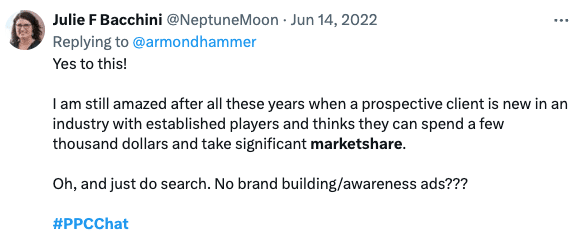
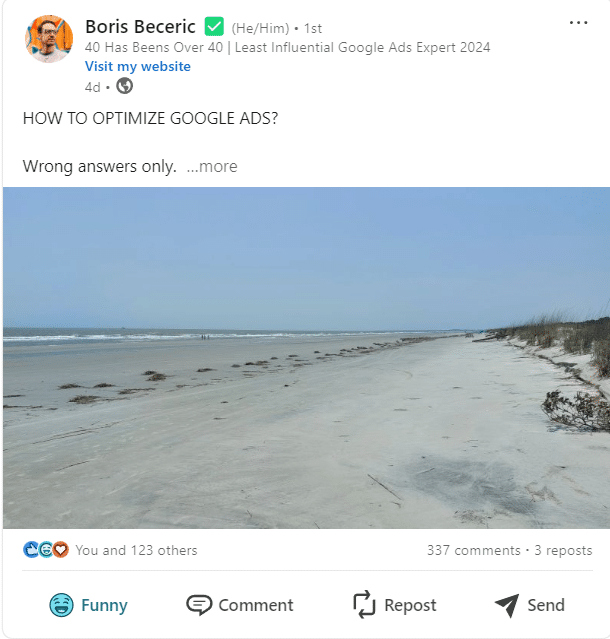
PPC expert Julie F. Bacchini highlights the importance of upper-funnel strategies despite their less immediate returns.
On LinkedIn, there was a discussion about Solo Stove’s partnership with Snoop Dogg – a campaign that some considered a “marketing miss.”
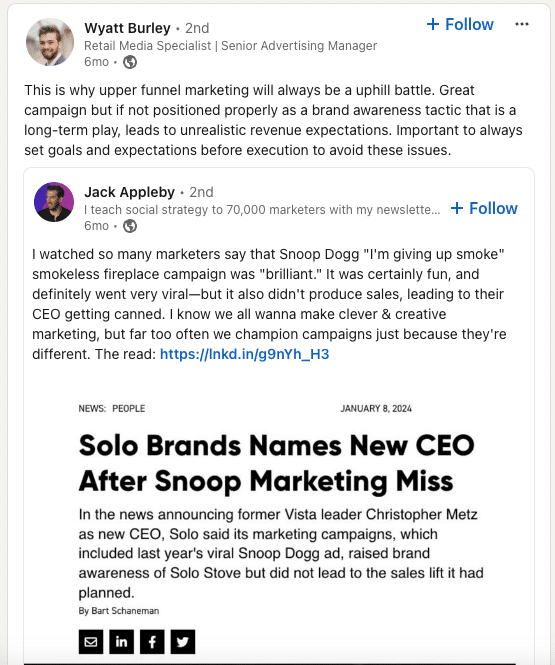 This LinkedIn conversation illustrates the challenges and potential rewards of brand awareness efforts
While it increased brand awareness, the lack of immediate sales uplift led to the CEO’s dismissal, reflecting a culture focused on short-term metrics.
Balancing efficiency and growth
To strike a balance between efficiency and growth, advertisers should:
Diversify campaigns
Incorporate upper-funnel, mid-funnel and lower-funnel campaigns to create a comprehensive strategy that supports both immediate and long-term goals. Also, recognize that humans want to talk to humans when evaluating which campaigns are important in a holistic strategy.
Leverage data and analytics
Use data to track key performance indicators (KPIs) across all stages of the funnel and adjust strategies accordingly. Additionally, understand that we can’t always measure every action perfectly every single time.
Take a step back and consider what metrics align with long-term business goals. While efficiency is important, it should not be the sole focus. Define other success metrics like brand awareness, customer retention and lifetime value.
Invest in creative
Allocate resources toward creating engaging and memorable ads that differentiate your brand and build trust with potential customers. Don’t rely solely on performance-based ads for short-term gains.
Invest in SEO and content marketing
Alongside paid search, invest in SEO and content marketing to build a strong foundation for future growth. As paid search platforms are increasingly saturated, it is important to have a marketing strategy that leverages all customer moments.
Focus on the big picture
Take a step back and examine the overall business goals. How can paid search help achieve those goals in the short term and the long term?
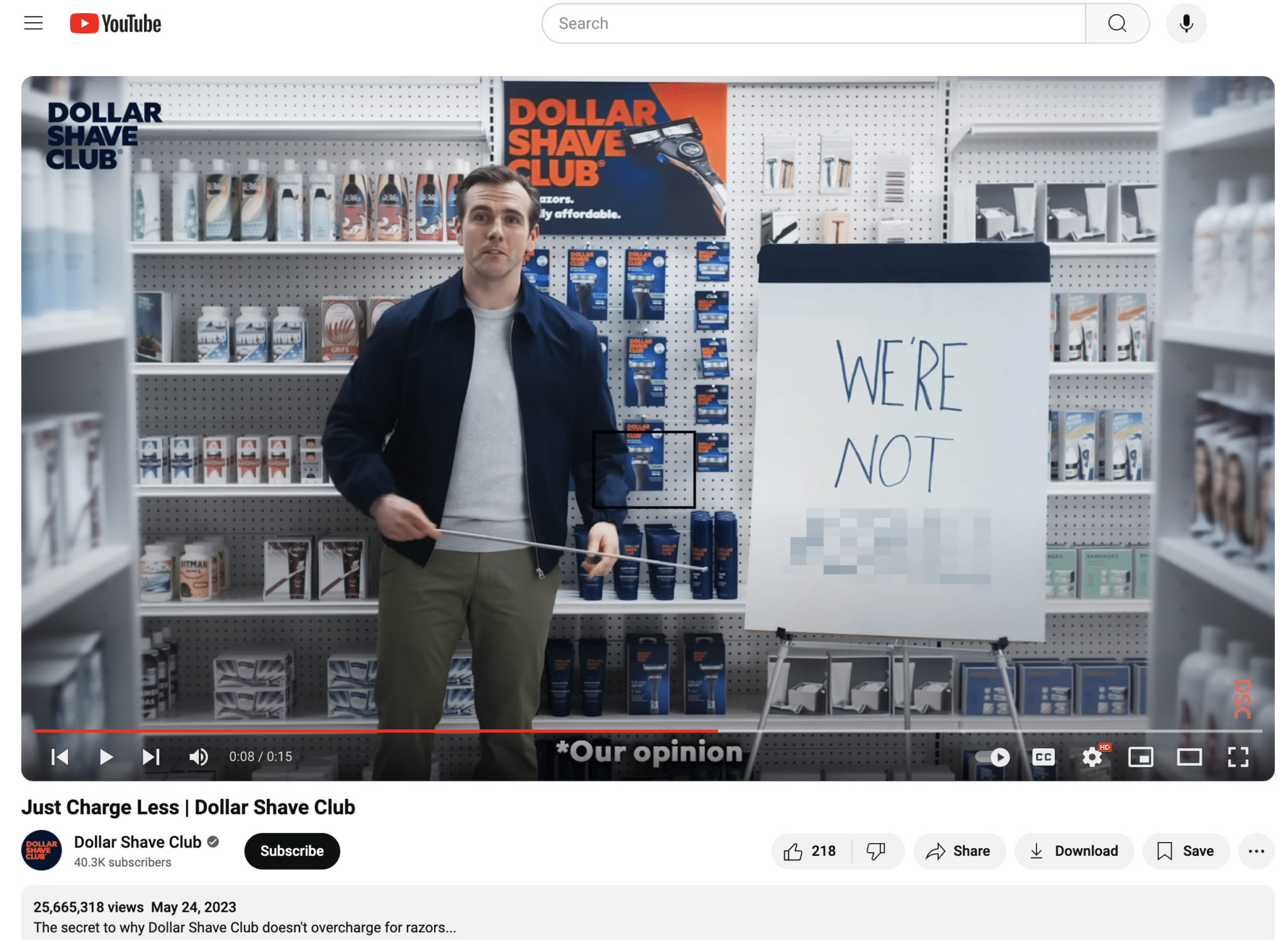
Dollar Shave Club is a brand that exemplifies this balanced approach. They disrupted the traditional razor market by focusing on a clear value proposition, humorous advertising and a subscription-based model and achieved significant growth.
When marketers consider growth in the traditional way, they focus on singular metrics. For brands like Dollar Shave Club, advertising creates consumers who return and interact with them because of a greater value than the product itself. Their marketing strategy includes an entertainment factor.
Dollar Shave Club might have faced what some would consider wasted ad spend with this strategy. However, the campaign led to significant business growth, making the investment worthwhile in the long run.
Leveraging data and analytics for balanced campaigns
Aligning metrics is important to achieving a balanced approach in paid search. Here are some key strategies to help align metrics to what matters most.
Set clear objectives and KPIs
Define specific goals for each stage of the funnel, from awareness to conversion. This will help you track performance accurately and make informed decisions.
For instance, setting a 10x ROAS goal for a YouTube campaign may cause it to be paused. However, by utilizing the brand lift studies available on the Google Ads platform, advertisers can justify the campaign’s effectiveness and the associated creative costs.
Utilize descriptive analytics
Analyze past performance to understand what has worked and what hasn’t, providing valuable context for the metrics.
Rather than viewing metrics in isolation after a campaign, this approach allows advertisers to consider the results over time and gain deeper insights into the campaign’s overall impact.
Implement predictive analytics
Use historical data to forecast future trends and outcomes, anticipate market changes and proactively adjust campaigns.
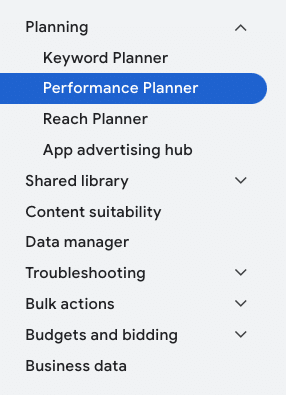
Google Ads offers a Performance Planner tool for Search campaigns and Performance Max, allowing users to forecast how their campaigns will react to adjustments in budget and objectives.
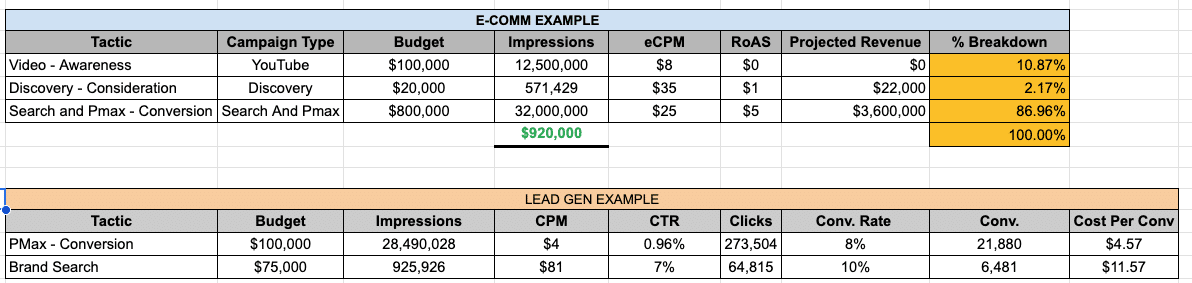
A spreadsheet provides a comprehensive overview. Below is an example designed to forecast the impact of campaigns on platform revenue.
This tool allows decision-makers to assess their investment and impressions across various stages of the marketing funnel, helping to establish a strong presence in awareness campaigns.
While focusing solely on impressions is often discouraged, a brand aiming for growth must ensure its presence at every stage of the marketing funnel.
Using impression-based metrics helps determine the allocation of resources and avoid the tendency to overallocate resources to conversion campaigns.
This example is adaptable to include additional channels, such as Facebook and programmatic display. A consistent forecasting approach for all paid media channels gives advertisers a holistic view of their marketing efforts and helps with informed budget planning.
Adopt prescriptive analytics
Go beyond predictions by using data to recommend the best course of action and optimize your campaigns for better results.
Prescriptive analytics is when the paid search expert goes the extra step to recommend a specific course of action.
Paid search is both an art and a science. Prescriptive recommendations, often framed as “do this” statements, are based on data and help advertisers focus on achieving their business goals.
For example, the prescriptive recommendation “increase budget by 20% for consideration campaigns” lets an advertiser achieve their goal of driving more conversions long term and ultimately increasing revenue over time.
Navigating the trade-offs between PPC efficiency and sustainable growth
The future of paid search lies in striking a balance between efficiency and growth. Advertisers need to adapt their strategies to keep up with changing trends.
While immediate returns are important, investing in long-term strategies for brand awareness and customer loyalty is equally crucial.
Diversifying campaigns, leveraging data and investing in YouTube, paid social, programmatic, SEO, and content marketing helps businesses create a sustainable strategy that drives both immediate results and future growth.
Courtesy of Search Engine Land: News & Info About SEO, PPC, SEM, Search Engines & Search Marketing
Monday, August 12th, 2024
One reason pay-per-click (PPC) marketing is so challenging is there isn’t one right answer to any problem.
When considering account structure, there’s an argument to be made for single keyword ad groups (SKAGs), single theme ad groups (STAGs), dynamic search ads (DSA) and Performance Max. This applies to bidding and creative as well.
However, if you rely too heavily on Google Ads strategies that seemed successful early in your PPC career, you might develop biases that limit your ability to tailor your approach to each client’s unique needs.
This article will break down:
- Major biases a strategist might have.
- When these biases are justified and when to re-examine them.
- How to safely test your assumptions without compromising your client’s profitability.
Bias 1: Smart vs. manual bidding
There are two major schools of thought on bidding, and both have pros and cons.
Some believe manual bidding is outdated and all bidding should be automatic or smart (conversion based). Others believe smart and auto bidding perform poorly due to data limitations and potential for disproportionate bid to budget ratios. These biases often come from when someone started in digital marketing.
For example, people who started in digital marketing between the early 2000s and 2010s often prefer manual bidding because it was the main approach back then. It requires a deep understanding of the auction process and taking full responsibility for identifying which signals are important to the brand.
Conversely, those who entered the field closer to 2020 may lean toward auto and smart bidding. Ad platforms heavily promote them and don’t require as much manual intervention.
Manual bidding is typically favored by those who distrust ad platforms and prefer control, while smart bidding appeals to those who dislike micromanaging accounts and prefer efficiency. Both methods can be valid, depending on the context:
Low-volume accounts
- Manual bidding may be necessary due to insufficient data to support smart bidding. However, bidding strategies like max clicks with a bid cap can help unlock volume.
- Based on Optmyzr data (25,000 accounts reviewed), Max clicks with and without a bid cap beat manual on CPC, conversion rate and CPA, though manual did better on ROAS.
High-volume accounts
- Relying exclusively on manual bidding can be unwise, as it ignores the benefits of smart bidding signals. When you can consistently get at least 60 conversions in a 30-day period, smart bidding does outperform manual bidding.
- Optmyzr data found that across 25,000 accounts, Max Conversion Value beat Manual bidding by 400%. Manual beat out max conversions pretty handily, which is why many might be biased against smart bidding (max conversions have 30% higher adoption than max conversion value).
Testing manual vs. smart bidding
To test these bidding strategies, you need to be able to control variables and have a risk-tolerant campaign.
For local businesses, this can be straightforward. Simply target different locations and compare performance. For single service or product-focused accounts, choose a part of the market where some fluctuation is acceptable.
Remember that automatic or smart bidding requires a learning period of at least five days, potentially extending to 14 days. During this time, avoid making significant changes to prevent fluctuations. However, you can adjust bid floors and caps without triggering a new learning period.
If you are testing manual bidding, be prepared to make precise bid adjustments, considering audiences, devices, locations and times of day. Decide whether to adopt aggressive or conservative cost-per-click (CPC) bids and adjust accordingly.
For example, if you decide to go conservative on the bid, you might have a bid of $3 and bid adjustments of ~50%. An aggressive bid of $5 might warrant 10%–15% bid adjustments. Remember that bid adjustments are cumulative and can be positive (direct budget toward something) or negative (direct budget away from something).
There is no definitive answer to the manual vs. smart bidding debate. The key is supporting your chosen strategy and communicating your decisions clearly with your client.
Bias 2: Performance Max as a branded cannibal
Performance Max campaigns have garnered mixed reactions due to their focus on visual content and initial lack of control over certain elements.
Initially, these campaigns often drove branded queries, sparking debates about their true value. However, Performance Max has evolved, offering tools such as:
- Asset and asset group level data
- YouTube placements for potential account-level exclusions
- Campaign-level exclusions for placements, topics and negative keywords
- Generative AI tools for brand safety guidelines
- Portfolio bidding with bid caps and floors via Search Ads 360
Those who struggle with Performance Max often excel in search-first marketing, while Performance Max is designed to allocate budgets based on customer presence and budget availability.
If visual content dominates your budget distribution, it may indicate a visual preference among your audience or budget constraints affecting search bids.
Key considerations for Performance Max
- Conversion volume: Can you achieve at least 60 conversions in a 30-day period? If not, either avoid Performance Max or allow branded traffic within the campaign and turn off stand-alone branded campaigns.
- Account structure: Decide whether multiple Performance Max campaigns with different location targets and budgets or a single campaign with multiple asset groups better suits your needs.
- Objective alignment: Ensure Performance Max campaigns focus on driving leads and sales, not top-of-funnel awareness or remarketing.
When testing Performance Max, ensuring you have enough budget for the campaign (minimum 10% of the budget) is important. If you are borrowing a budget from existing campaigns, make sure you still honor bid-to-budget ratios.
Bias 3: Keyword structure and the future of keywords
Keywords have evolved from rigid syntax-oriented elements to signals guiding the system.
Despite this, biases around keyword structures persist, whether favoring single keyword ad groups, dynamic search ads or theme-oriented structures.
Single keyword ad groups
The basic premise of a SKAG is that you have one keyword in each ad group so you can benefit from a “perfect” keyword-to-ad-to-landing page relationship. This can either mean lots of ad groups per campaign or lots of campaigns with a single ad group with one keyword.
These are powerful when used moderately and supported by sufficient budgets and aggressive negative keywords. However, they may struggle with low volumes. Also, if you’re not able to be surgical with your negatives, it’s very easy to make accidental duplicates.
SKAGs do best when you know exactly how your people will search and want to allocate a very specific budget to those ideas. However, be careful not to include too many ad groups in the same campaign or too many campaigns.
The former will cause some ad groups to miss out on impressions due to which get initial impressions/conversions, while the latter will cause data threshold issues.
Keyword match types
Broad match keywords have long since transitioned from syntax matching to intent matching. Yet even phrase and exact have close variants baked in, leading to divided opinions on how best to utilize keywords.
Testing broad match keywords in single keyword ad group can be effective, so long as you add all other keywords as a negative. Conversely, match-type specific campaigns can lead to accidental duplicates due to how close variants work (namely, that broad and phrase can lead to an exact match or exact close variant).
While exact match might consistently “perform better” than broad, it’s not really fair to say they have the same job. Consider the roles assigned to each entity within your account.
- For transactional goals, you might lean toward non-broad keywords (minimum 3+ words in the keyword phrase), exact match single theme ad groups, or dynamic search ads with extensive negatives.
- For data acquisition or ramping up an account, broader keywords and concepts may be more effective.
Addressing platform intent bias
We couldn’t discuss bias in PPC without addressing many practitioners’ bias against advice and updates from the ad platforms themselves.
Between brands not wanting to part with profit data (even though it will improve results and reporting) and taking any action as an overstep (even if it’s as innocent as pausing keywords with no data over the past 13 months), it’s hard to see a way for brands and ad platforms to rebuild trust.
A big source of this mistrust is if someone learns one network, they may struggle to adapt to the rules of another network.
For example, most paid search networks function at the campaign level, while most paid social function at the ad set level. Ad networks like Google favor old entities, while Meta favors newer ones.
All of these mechanics end up creating biases around which channels are best suited for a brand and whether the channel will actually be a good partner.
While this bias isn’t conquerable like the other biases, we all must remember that humans work on the product teams at all ad networks, and they thrive on specific constructive feedback.
If you’re going to test a network, make sure that you budget enough for a realistic test (time and money) and that you’re upfront with your stakeholders on what kind of reporting you can expect.
Conclusion
Biases are an inherent part of human nature, and while we can’t eliminate them, we can identify and counteract them through objective testing. Choose one test to run as you approach the fourth quarter to challenge your biases and validate or refine your strategies.
Embrace the flexibility of both smart and manual bidding, understand the potential of Performance Max campaigns and structure your keywords to maximize relevance and performance.
This approach will help you keep your PPC campaigns adaptable and effective, benefiting your clients and helping them achieve their business goals.
Courtesy of Search Engine Land: News & Info About SEO, PPC, SEM, Search Engines & Search Marketing
Monday, August 12th, 2024
If only marketers could explore inside the minds of consumers, we might know what they really want. In the rapidly evolving landscape of digital commerce, understanding consumer behavior is key to staying ahead. Our upcoming webinar, based on Wunderkind’s 2024 Consumer Insights Report for Digital Commerce, is designed to give you a comprehensive understanding of the latest trends and actionable insights. Here’s a preview of what you’ll learn and how it can transform your business strategies.
Setting the stage
Join Richard Jones, Chief Revenue Officer at Wunderkind and Tim Glomb, VP of Content, Digital, and AI at Wunderkind, as they unpack the findings of our extensive survey. We gathered responses from 1,500 consumers across the U.K. and the U.S., covering a broad range of demographics and behaviors. This session will explore many of the questions from our survey, focusing on digital purchase behavior, the impact of marketplaces, and the growing importance of brand websites.
Here’s what you can expect to take away from this webinar:
1. Trends in digital purchase behavior
Rising online shopping frequency: We’ll dive into why nearly 33% of consumers shop online weekly and why 25% plan to increase their online shopping in the coming year. Younger consumers, especially those aged 25-34, are at the forefront of this trend.
Direct purchases and palue exchange: Learn how to incentivize consumers to buy directly from your website, thus maintaining higher margins and better customer engagement.
2. Power of personalization
Leveraging data for personalization: Discover how the depth and breadth of your data can enhance AI-driven marketing. The Wunderkind Identity Network’s extensive data pool allows for hyper-personalized messaging that outperforms competitors.
3. Adapting to consumer preferences
Preferred communication channels: Understand that email remains the top choice for personalized offers, especially among older demographics. However, SMS is gaining traction with younger consumers, indicating a shift that marketers need to embrace.
Effective advertisement yypes: Learn why ads tailored to consumer interests and behaviors are the most effective and how to create visually appealing, non-disruptive ads.
4. First-party data collection
Strategies for first-party data: As third-party cookies phase out, the importance of collecting first-party data grows. We’ll discuss strategies to gather this data and how to use it to create personalized offers that convert.
5. Navigating the digital marketplace
Influential ad channels: YouTube and Facebook lead as the most influential ad channels. We’ll explore how to utilize these platforms to shape consumer impressions and drive purchases.
Balancing marketplaces and directsales: While consumers trust marketplaces, selling directly through your website is crucial for maintaining margins and gaining valuable data. We’ll share strategies to balance these channels effectively.
Want to interact with the data yourself?
It’s one thing to watch us reveal the trends, but what if you want to get in and dig into the data yourself? We’ve got an interactive tool that will allow you to engage with the data in real-time. You can parse the data and filter by age, country, household income, and gender. This tool will help you apply the insights from the webinar to your specific business needs. You can also ask specific questions to understand how to apply it to your use case.
Watch the webinar now
The 2024 Consumer Insights Report for Digital Commerce webinar is an invaluable resource for anyone looking to excel in the e-commerce space. You’ll walk away with a deeper understanding of consumer behavior, enhanced personalization strategies, and innovative methods for collecting and leveraging first-party data. Don’t miss this chance to gain insights that will drive your business forward.
Courtesy of Search Engine Land: News & Info About SEO, PPC, SEM, Search Engines & Search Marketing
Saturday, August 10th, 2024
TikTok is now integrating Amazon shopping directly into its platform, allowing users to make purchases without leaving the app.
Why it matters. Advertisers having access to TikTok’s massive, highly engaged user base could be a game changer and reduced friction between discovery and purchase could boost conversion rates.
How it works:
- Amazon product recommendations will appear in users’ “For You” feeds.
- Users who link their TikTok and Amazon accounts can complete purchases within TikTok.
- The integration will show real-time pricing, Prime eligibility, delivery estimates and product details.
The big picture. Amazon is expanding its reach across social media platforms, having signed a similar deal with Pinterest and existing partnerships with Instagram, Facebook and Snapchat.
Between the lines. This integration comes as TikTok Shop, launched about a year ago, seeks to gain traction in the e-commerce space.
Yes, but. TikTok users have expressed mixed feelings about ads and TikTok Shop videos in their feeds, raising questions about how this new feature will be received.
What they’re saying. “This shopping experience is powered by Amazon through ads placed on TikTok and allows users to complete product purchases with Amazon in TikTok’s native environment,” TikTok stated.
What to watch. How this integration affects user experience and engagement on TikTok, and whether it significantly boosts Amazon’s sales through social channels.
Courtesy of Search Engine Land: News & Info About SEO, PPC, SEM, Search Engines & Search Marketing
Saturday, August 10th, 2024
Artificial intelligence (AI) is transforming every facet of PPC advertising, from creative assets to audience targeting, reporting and ongoing optimization.
With the rise of LLMs as an alternative to traditional search, we’re also witnessing huge disruption to Google’s search business.
This article explores the latest trends, tools and strategies to help you navigate the evolving search landscape and leverage AI as a copilot for improved paid media performance.
AI’s impact on paid media strategy
AI has been disrupting paid media more than any other area of digital marketing for the past decade. We’re experiencing the shift toward automated campaign management in Google Ads since smart bidding rolled out in 2016, so we should be better equipped than most to harness this technology.
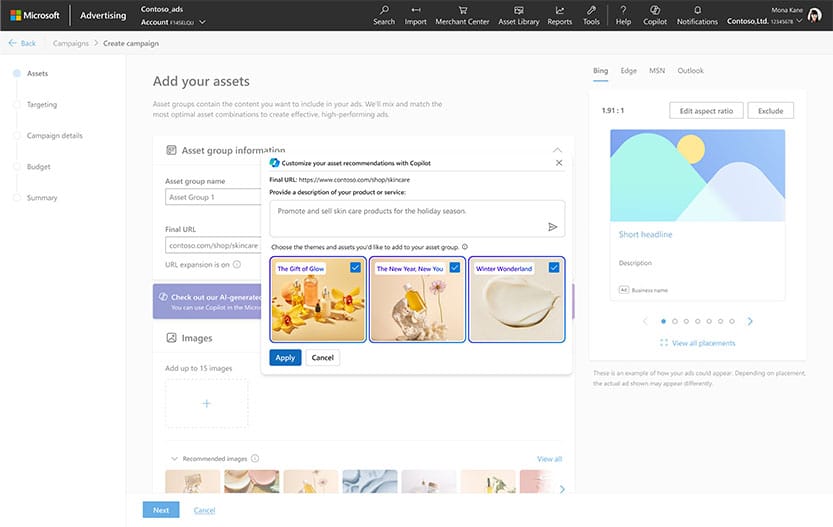
More recently, we’ve witnessed a huge advancement in generative AI capabilities, including tools like Microsoft’s Copilot embedding creative production capabilities and Google’s Gemini-powered advertising solutions in Performance Max.
While these advancements offer many benefits, they also come with challenges, such as reduced originality in ads and less transparency and control for advertisers.
Dig deeper: AI and Google advertising: What’s next?
AI-powered tools, formats and platforms
Performance Max
Performance Max represents a significant shift toward more automated advertising.
These campaigns automatically optimize for conversions across Google’s entire network, including YouTube, Display, Search, Discover, Gmail and Maps.
Recent updates have introduced additional control layers, such as brand exclusion capabilities, preventing Performance Max from being overly reliant on brand search.
These improvements are a step in the right direction, but Performance Max campaigns still perform best with close human oversight.
It has been proven to be strongest in accounts with multiple campaigns, asset groups, more audience data and high-quality creative assets.
AI Overviews: Diversifying your media mix
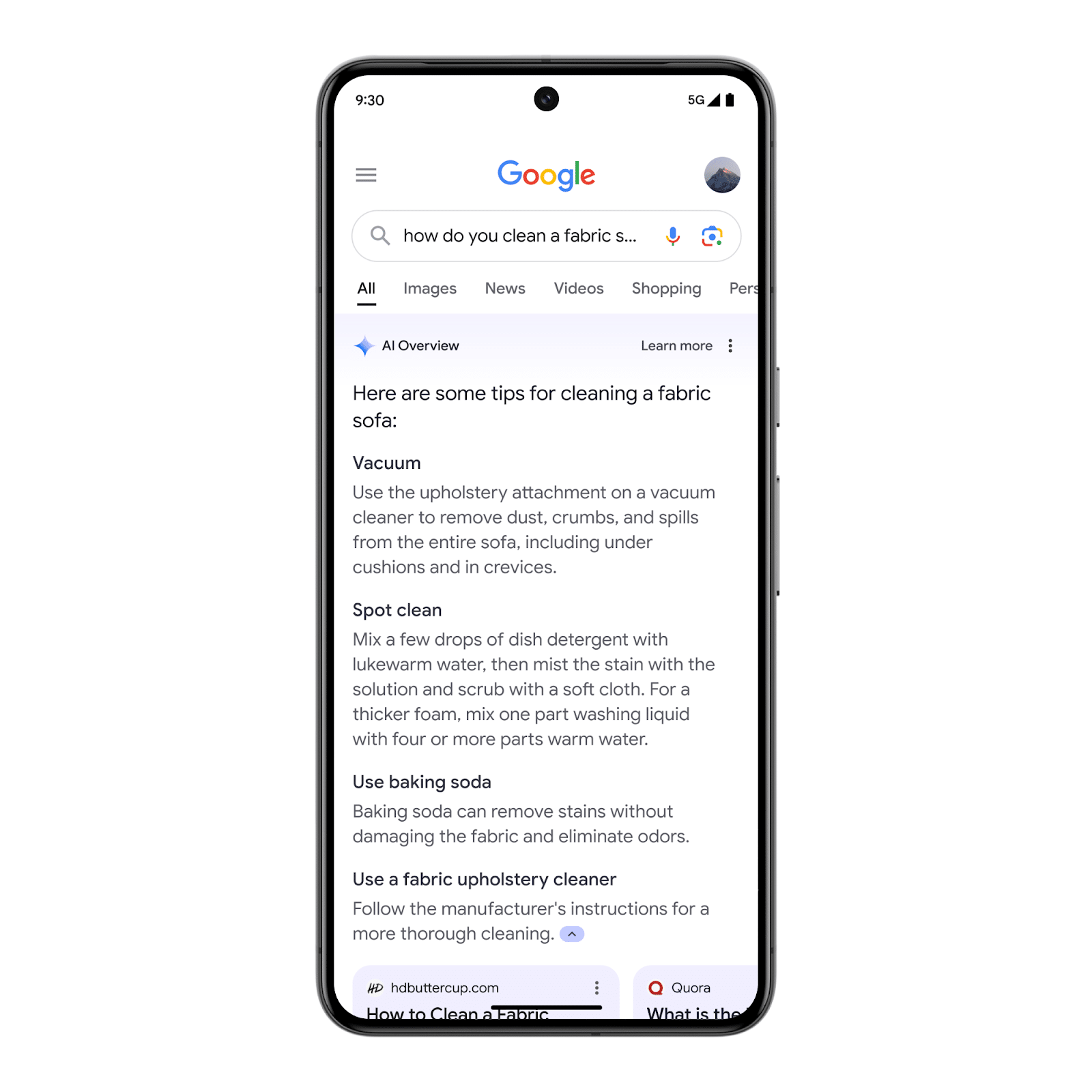
Google’s AI Overviews marks a huge shift in Google’s search experience.
While much of the discussion around AI overviews has focused on their impact on organic search, Google has announced it will begin testing ads as part of AI Overviews.
Ads from existing Search, Performance Max and Standard Shopping campaigns have the opportunity to appear within the AI Overviews as part of this test.
While AI Overviews have recently scaled back due to quality issues, they will be back for an increasing percentage of queries in the future.
AI Overviews have reportedly led to fewer clicks from organic search results, causing a problem for many brands. This could increase competition and cost-per-click (CPC) for advertisers on Google Search.
Essentially, with AI Overviews pushing links further down the page, we’re seeing more brands that previously relied on SEO beginning to invest in PPC to fill the gap left by organic.
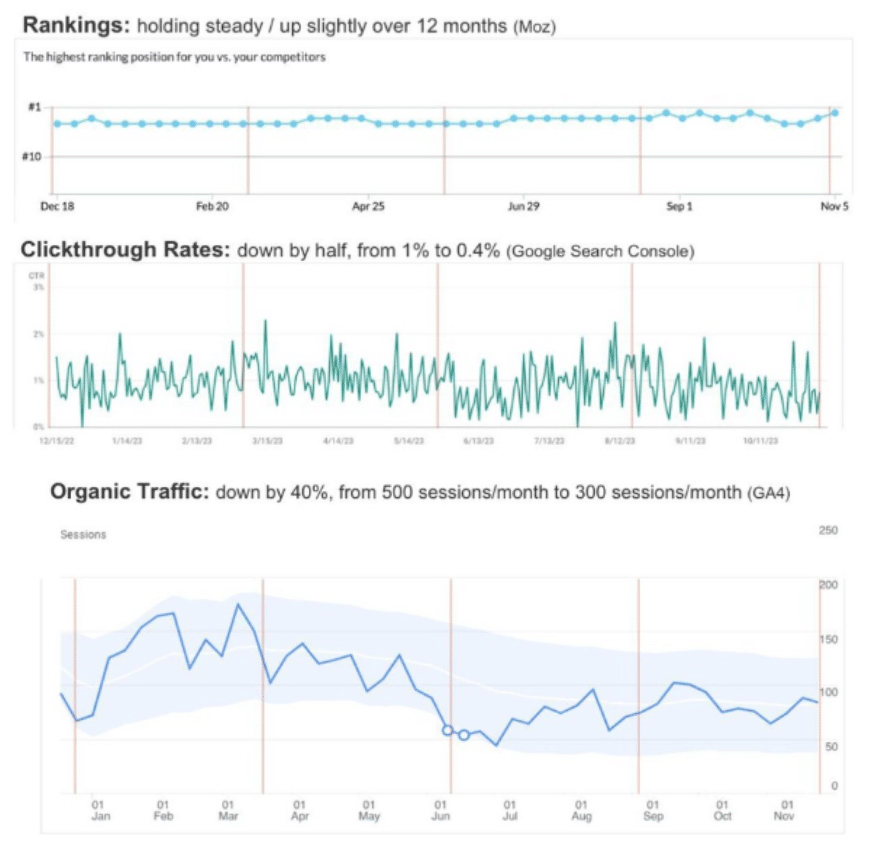 Declining organic clicks despite no change in ranking position
Google is focusing more on user-generated content (UGC) and showing listings from more social media platforms. It recently partnered with Reddit to display more of its content in Google search results.
Reddit’s traffic was up by nearly 40% year over year from Google, per Similarweb.
Brands should consider exploring advertising on Reddit to navigate the growing competition in Google Ads.
If Reddit pages keep ranking well in Google search results, you’ll likely reach more relevant users by displaying ads on these high-intent destination sites.
Dig deeper: 5 ways advertisers can prepare for Google’s AI Overviews
SearchGPT
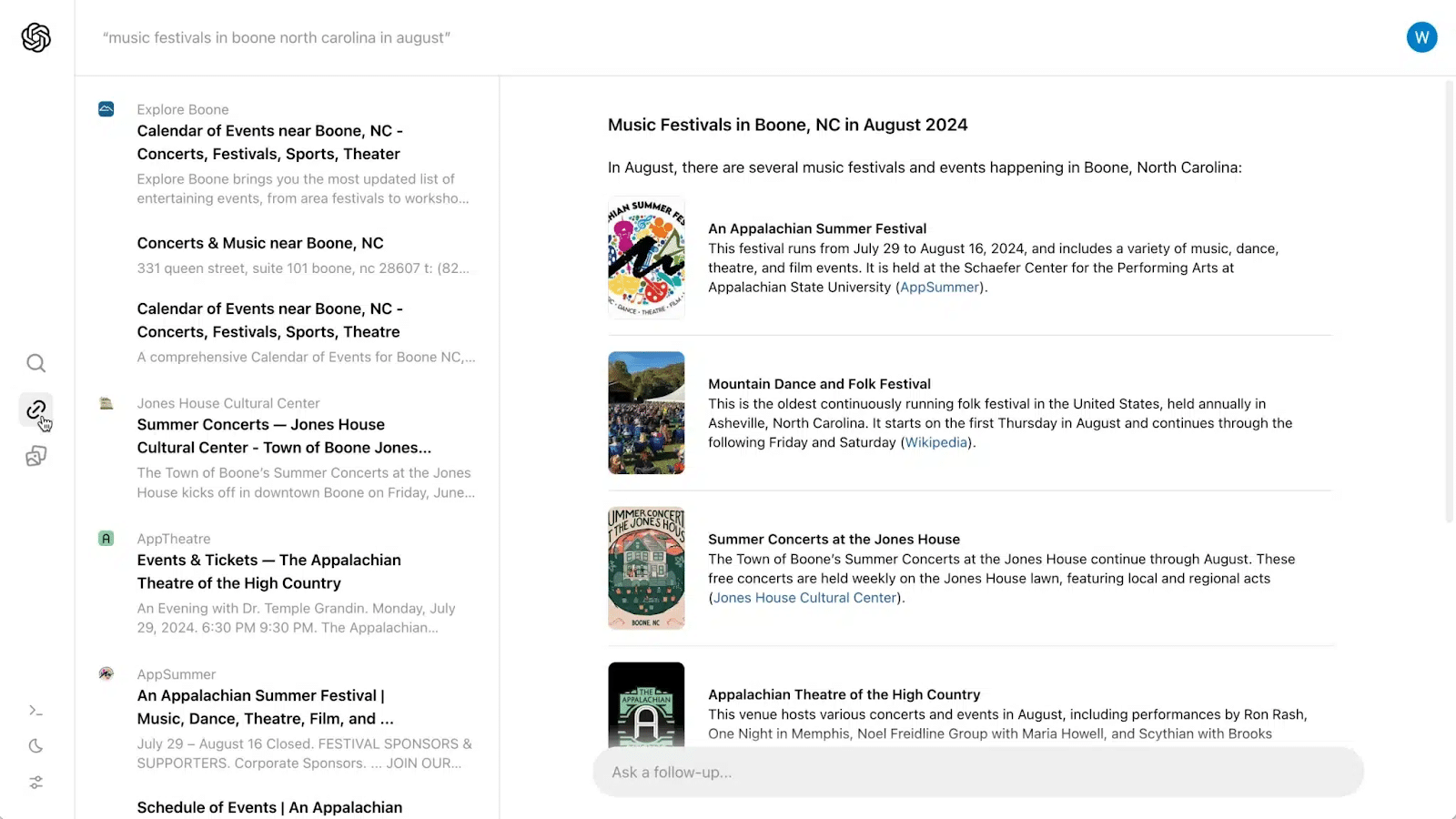
OpenAI’s new prototype search product, SearchGPT, poses a direct challenge to Google Search.
Our agency clients and we have already received qualified leads from ChatGPT, showing that LLMs can be a viable search engine alternative. This will likely affect advertising soon.
While OpenAI stated it wants a search experience “without drowning you in advertising,” ads will likely make their way into these products sooner rather than later.
AI-powered image and video editing
Google’s AI tools for creative editing let you add objects and extend backgrounds, changing how ads are created and optimized.
The recent introduction of 3D rotating ads and virtual try-ons in Shopping ads provide a more immersive and engaging user experience. In theory, this should improve user interaction and conversion rates.
Best practices for structuring accounts in the AI era
In the AI era, it’s crucial to structure accounts and manage audiences effectively. There are two main ways to do this:
- Numerous targeted ad groups: This method leverages ad customizers and specific landing pages to create highly targeted campaigns.
- Fewer, larger ad groups: This approach uses fewer ad groups with more generalized targeting, relying on AI to optimize within these larger segments.
We’ve seen more clients revert to the Hagakure method, which focuses on consolidating campaigns and ad groups to leverage Google’s machine learning more effectively.
This simplifies account management and enhances the performance of automated campaigns.
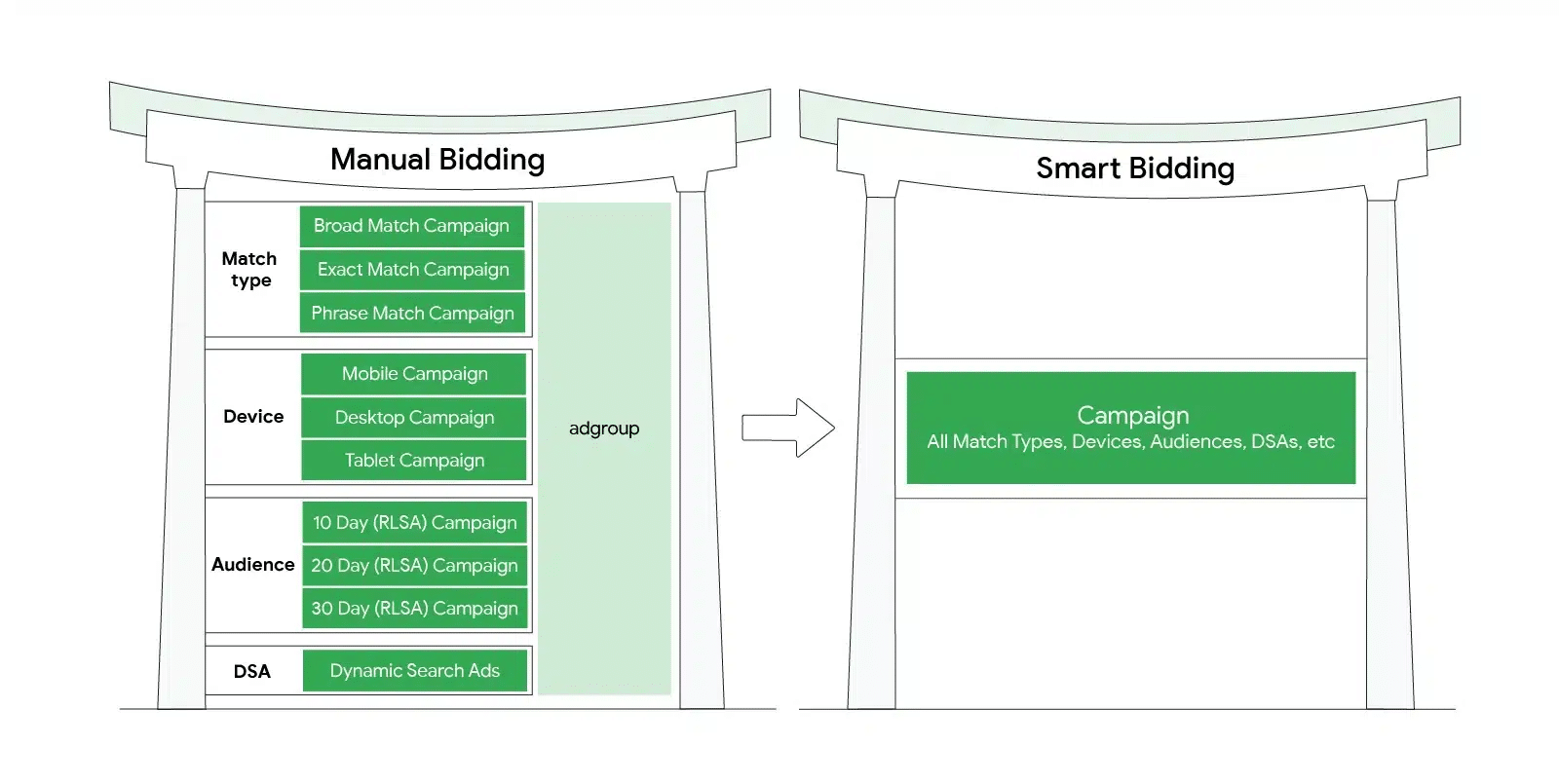 Hagakure structure.
Dig deeper: 6 ways to use AI for paid search account restructuring
Challenges and opportunities
Challenge: Transparency and control
A major challenge with AI-driven advertising is the lack of transparency and control, which can lead to poor results.
However, recent updates, like the option to exclude certain topics and keywords in Performance Max, are beginning to address these concerns.
Opportunity: Leveraging first-party data
Think of machine learning as a car and data as the fuel. High-quality data is essential for optimal results.
First-party data is especially valuable for guiding audience targeting and connecting offline conversions, which is crucial for effective PPC management, particularly for B2B brands.
Challenge: Risk of over-reliance on AI creative
AI can simplify the creative process, but it risks making content too similar. Relying too much on AI might reduce the uniqueness of your ads, making it harder for your brand to stand out.
Balancing AI with human creativity is key to keeping your brand distinct and capturing attention.
Opportunity: Integrated search
With the search landscape being disrupted by platforms like ChatGPT and Google shifting toward more AI-generated results, PPC and SEO teams must collaborate to ensure search drives incremental growth.
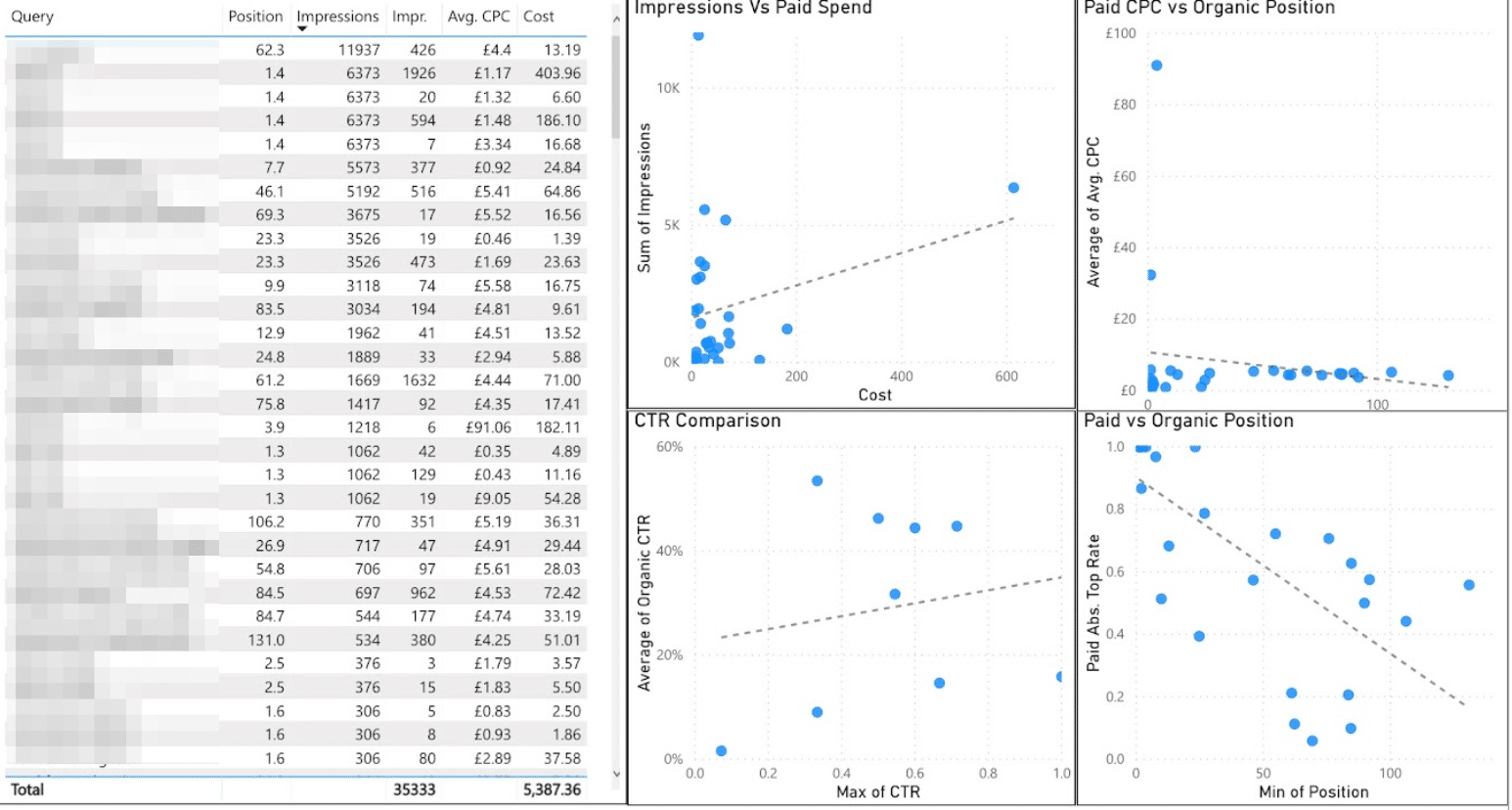 Dashboard with integrated search data
Takeaways: 5 steps to take today
As AI reshapes search advertising, staying ahead of the competition demands a proactive approach. Here are five actionable steps to future-proof your PPC campaigns:
1. Focus on data quality
Machine learning is the car, data is the fuel. Ensure that your data is accurate and comprehensive.
High-quality data is the foundation of successful AI-driven campaigns.
2. Balance automation with human expertise
While AI can handle many tasks, human oversight is still essential. Combine AI’s efficiency with your team’s strategic thinking to achieve the best results.
Tools like Performance Max and Microsoft’s Copilot offer significant benefits but require careful management, distinctive brand assets and continuous optimization.
3. Diversify spend and reduce reliance on search
As Google focuses more on UGC and younger users turn to social media instead of traditional search engines, brands should shift some of their ad budgets away from Google.
Investing in platforms like Reddit, which is becoming a popular source of information, could be a smart strategy.
Dig deeper: How to reach new audiences with multi-platform search advertising
4. Integrate your search data
Due to declining organic real estate, many brands are looking to invest more in PPC.
It’s important to evaluate incrementality from search overall. This helps determine which areas are worth investing in for the long term.
5. Invest in education and training
Continuous learning will help you leverage new tools and technologies effectively.
Courtesy of Search Engine Land: News & Info About SEO, PPC, SEM, Search Engines & Search Marketing
Saturday, August 10th, 2024
Google announced the general availability of the Structured Data Files (SDF) QA format for Display & Video 360, enhancing bulk review capabilities for advertisers.
Why we care. This update simplifies the process of reviewing resource settings in bulk, making campaign management more efficient for advertisers using Display & Video 360.
Key details:
- The SDF QA Format was initially released in open beta on May 30, 2024.
- It’s now generally available as of Aug. 8, 2024.
- Applies to Line Item and YouTube Ad Group resources.
How it works:
- Uses human-readable values instead of numeric IDs.
- Available for SDF v6 and later.
- Accessible through Display & Video 360 interface or API v3.
New file types:
- “Line Item – QA.”
- “YouTube Ad Group – QA.”
Between the lines. This update addresses a common pain point for advertisers managing large-scale campaigns, offering a more intuitive way to review settings without navigating complex numeric IDs.
What’s next. Advertisers should consult the updated Bulk Tools guide to determine if the SDF QA format suits their integration needs.
The bottom line. While enhancing readability, these QA format files are read-only and can’t be used to modify or create resources, maintaining a clear separation between review and action processes.
Courtesy of Search Engine Land: News & Info About SEO, PPC, SEM, Search Engines & Search Marketing
Saturday, August 10th, 2024

Are you tired of content creation bottlenecks and struggling to keep up with audience demands? It’s time to revolutionize your approach.
Join Deloitte Digital and Adobe for Start Your Content [R]evolution: Leading a new era of customer engagement with GenAI and automation where they’ll unveil how AI and automation can transform your content creation process. Discover how to:
- Dramatically increase content output without sacrificing quality.
- Deliver highly personalized content at scale.
- Gain valuable insights from data-driven content performance.
You’ll walk away with actionable strategies to streamline your workflow and achieve better results. Click here to save your spot.
Courtesy of Search Engine Land: News & Info About SEO, PPC, SEM, Search Engines & Search Marketing
Thursday, August 8th, 2024
Google announced the release of v17_1 of the Google Ads API, introducing several new features and updates for developers and advertisers.
Key Updates:
ShareablePreviewService.GenerateShareablePreviews(): Generates shareable ad preview URLs for enabled and paused asset groups, with expiration dates included.AdGroupAdService.RemoveAutomaticallyCreatedAssets(): Allows removal of automatically created assets linked to Responsive Search Ads.- New
ASSET_GROUP change status resource type.
- New
offline_conversion_upload_conversion_action_summary report for offline conversion diagnostics.
- Added metrics to offline diagnostics reports to track conversions still being processed.
- Support for
segments.sk_ad_network_version and segments.date for per_store_view segmentation.
- Retrieving information on video campaign bidding strategies, including Fixed CPM and Target CPV.
- New
segments.ad_format_type for compatible reports.
Why we care. These updates provide advertisers and developers with more granular control, insights and flexibility when working with the Google Ads API. The new preview, asset management, and offline conversion diagnostics features, in particular, address common pain points.
What’s Next. Developers will need to upgrade their client libraries and code to take advantage of the v17_1 features, which will be published next week. Google notes that this release has no breaking changes.
Courtesy of Search Engine Land: News & Info About SEO, PPC, SEM, Search Engines & Search Marketing
Thursday, August 8th, 2024
Economic demands require marketers to do more with less. Today, small teams meet this demand by adopting AI to produce a greater output. Without AI, teams risk not meeting their goals due to limited resources.
Likewise, advancements in PPC have changed how teams think about technology’s impact. Methods of targeting, designing creative and structuring campaigns have shifted, thanks to machine learning.
The most successful campaigns require a strategic blend of creativity and an acute understanding of evolving customer behavior. Therefore, adapting human expertise and technology creates a competitive advantage.
Here are a few things you can do to strike a critical balance of human touch and AI to enhance your ad campaigns, engage your audience and drive superior results.
Align ads to the customer journey
Finding the right audiences at the right time is possible with the AI-assisted features of the ad platforms: Performance Max, Meta’s Advantage+ and LinkedIn’s Predictive Audience.
Each feature offers the same value: finding conversions with few targeting parameters based on user signals. The algorithms match your creative to the right audience, serving ads to the users who are most likely to convert.
Marketers can use these AI-assisted features to reach their desired outcome without performing more manual, low-impact activities. That said, there are two critical ideas to consider when using these audiences:
- Optimizing toward the right objective for your goals.
- Strong creative that resonates with your ICP and their journey.
These “smart” audience types can scale targeting capabilities and drive cheaper traffic and engagement, but the quality is questionable, especially in B2B. Still, don’t be afraid to test.
Cheap costs are a trade-off for broader targeting. You should consider, “Are you willing to cast a wider net if you know the right people are being reached alongside some less-qualified traffic?”
To resonate with a quality audience, humans must guide AI targeting with strong messaging and designs for audience engagement.
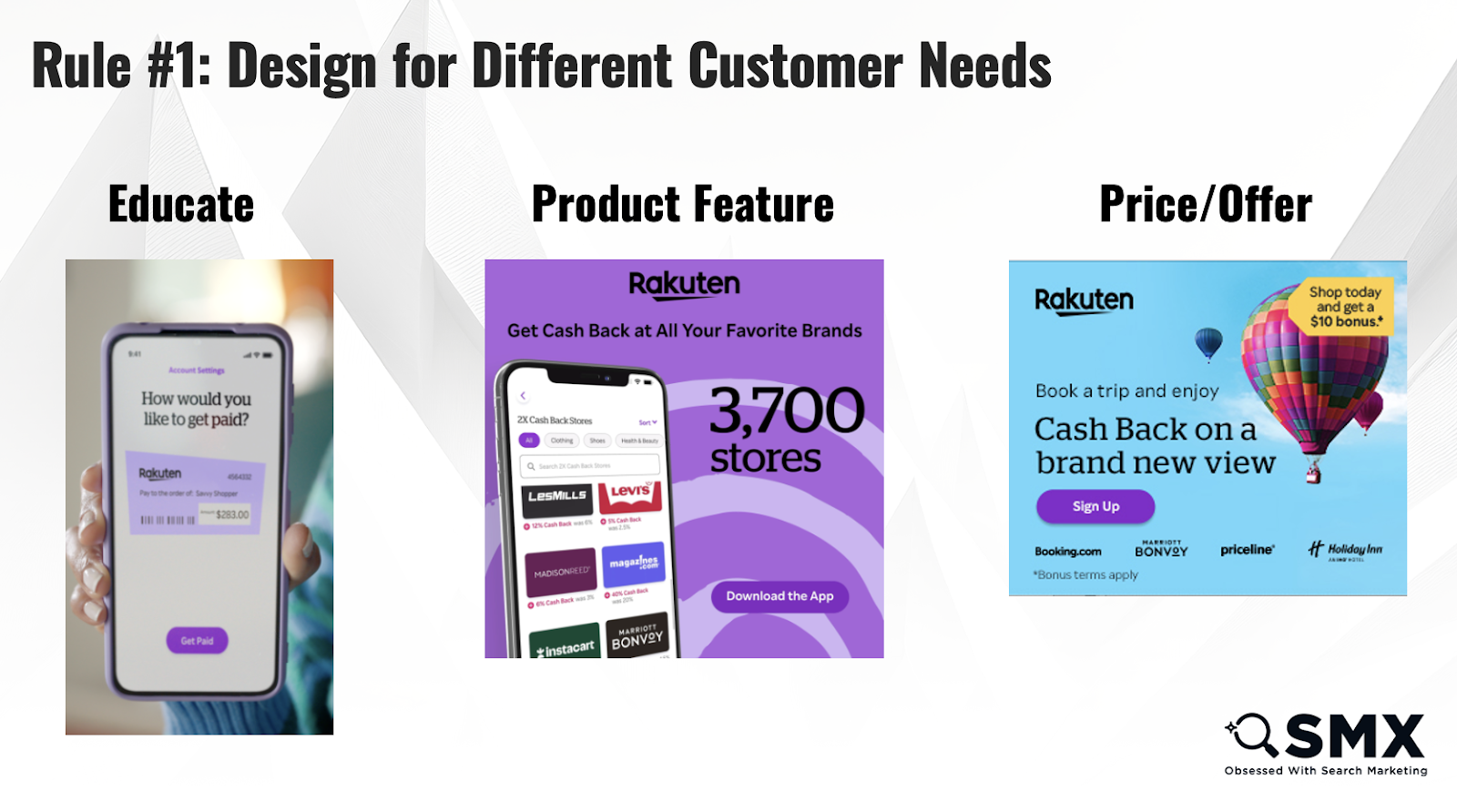
Ensure your message isn’t too broad or too niche and develop for different customer needs. You must have ad creative that:
- Educates: This content should focus on your brand and foster education and awareness. Consider video, blog posts, or other lower-intent content pieces.
- Explains value: These ads tout the product/solution in some way and drive directly to a declared intent page on your website.
- Lays out price and/or offer: Best used with a warm retargeting audience. These ads are for users ready to purchase, sign up or talk to sales.
Run all three types concurrently to reach the right audience with the message they are ready for.
Dig deeper: AI and Google advertising: What’s next?
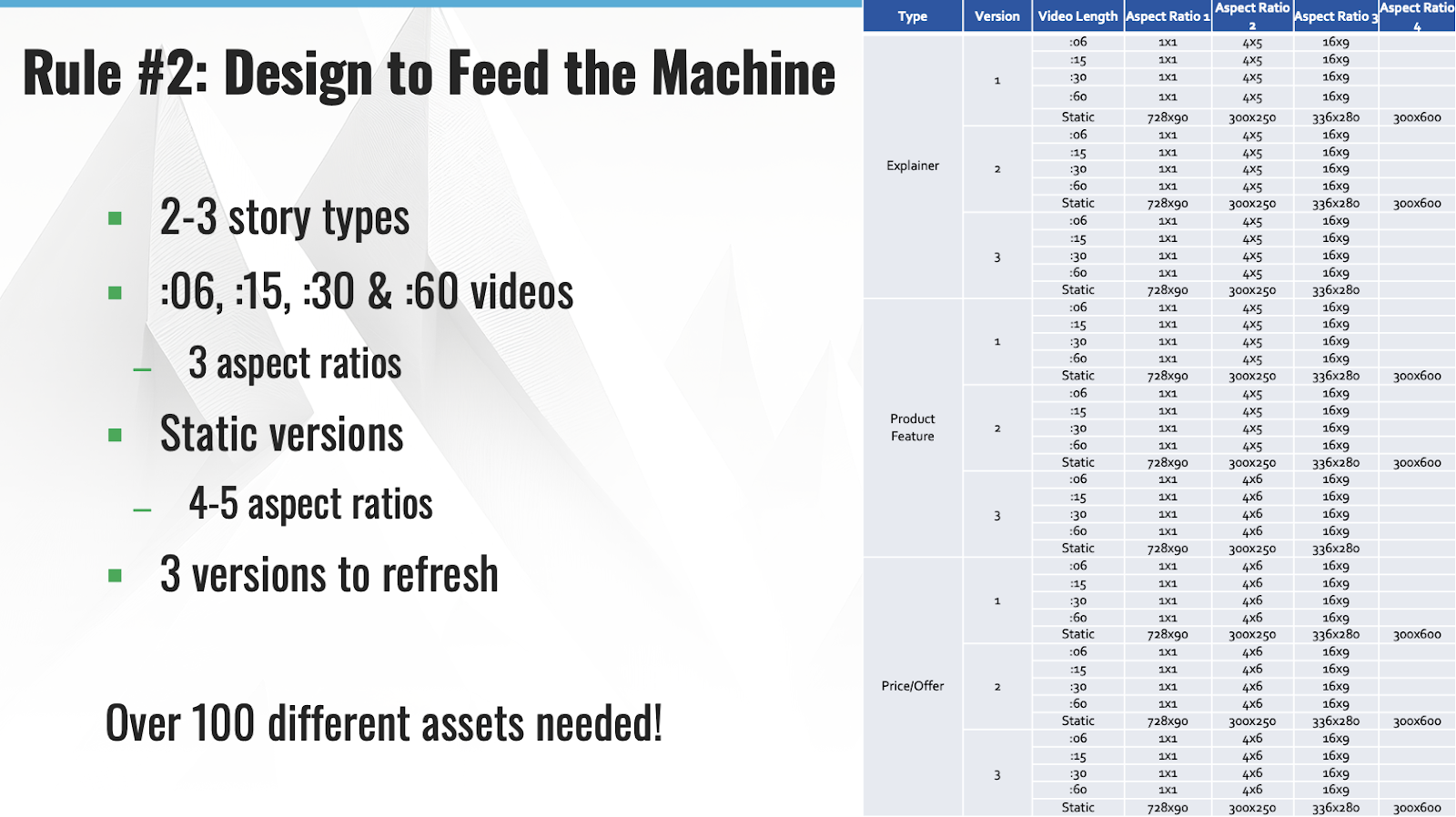
Feed the machine
With AI broadening audiences and your brand competing hard for attention, designing for all the possible placements your ads can serve is important.
Dig into your data to determine which channels and placements work and maximize the available headlines, descriptions and creative options.
You risk limiting your audience pool if you don’t test extensively with various sizes and formats.
Aim for variety while adhering to your brand guidelines. Algorithms need to detect significant differences in the creative to test successfully.
Single-element testing (i.e., green vs. blue) will fatigue the creative faster and cause the audience to ignore the ads. Test varying concepts and designs (i.e., people vs. laptop), always applying previous learnings to new iterations.
Now more than ever, there are more placements on advertising channels to serve ads on. To keep up with various formats across several platforms while catching and holding consumer attention, you may need over 100 different assets for one campaign.
Time and resource constraints are common in this field, so remember quality over quantity. If you can only design a few creative iterations, make them your best.
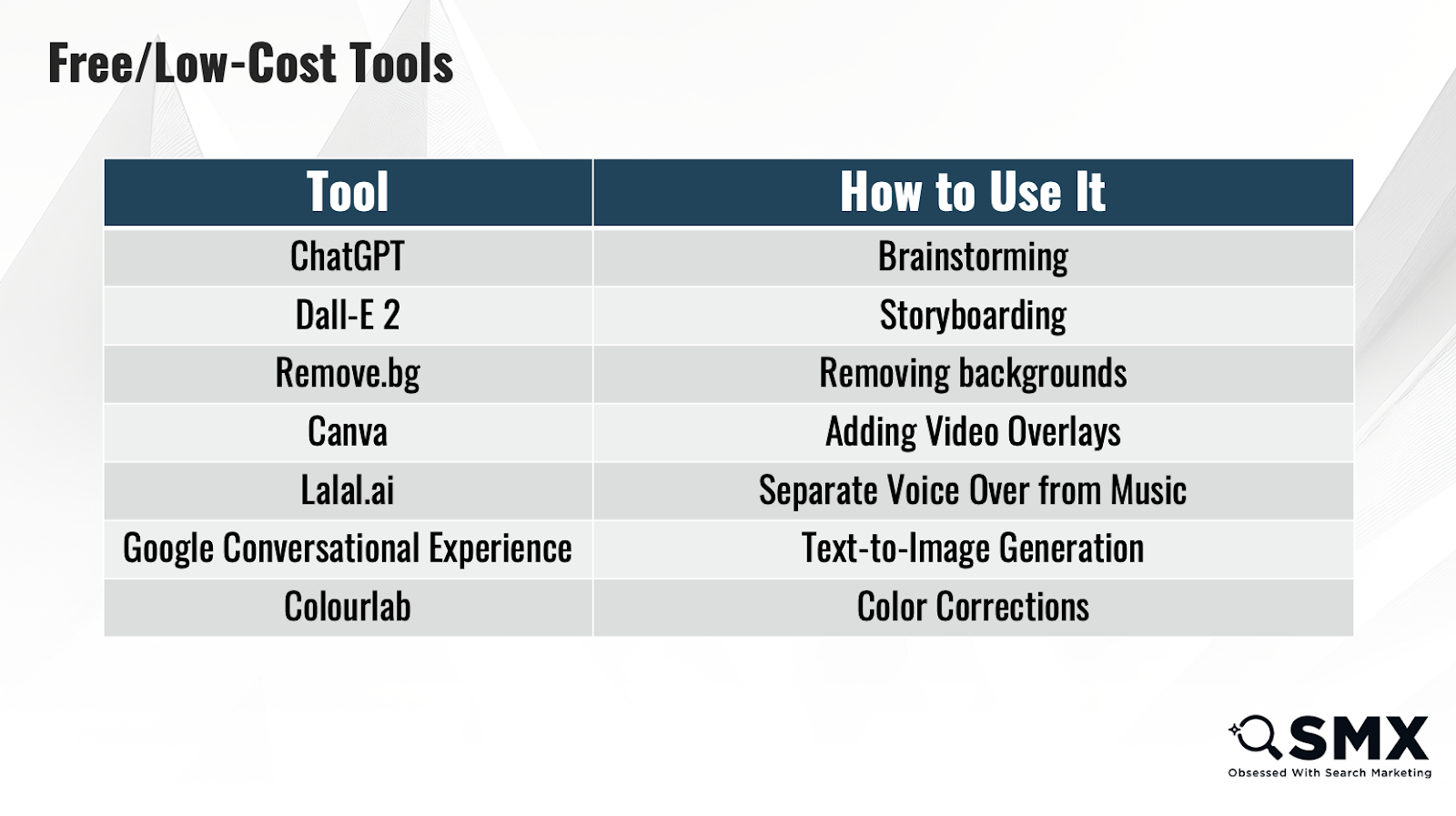
Generate more output by saving time with generative AI tools like ChatGPT for:
- Creative concepts and ideation.
- Ad copy.
- Localization/translation.
- Audience research.
- HTML5 code generation.
While all of this creative testing sounds like more work, AI features within design tools are helping teams complete tasks in a fraction of the time it used to take.
Here are a few ways AI can speed up creative production:
- Brainstorming preliminary ideas.
- Storyboarding.
- Remove or fill backgrounds.
- Change aspect ratio.
- Photo editing.
- Vector creation.
- Color correction.
- Subtitle generation.
Free and low-cost tools are available to teams on tight budgets.
It’s critical that while AI is used for efficiency, you always prioritize authenticity.
You should never rely on AI for the final product; rather, you should use it as a guide or way to accomplish a task faster.
Always review AI’s work thoroughly and keep your brand tone and voice at the forefront of all designs and messaging.
Design for short attention spans
Teams shouldn’t waste efforts designing content that won’t perform well. Think about the types of content that your audience enjoys consuming and engaging with.
Users are consuming more video than ever, with 92% watching videos each week, according to Statista.
With views and engagement climbing, consumers rely on video for information, not just entertainment. Among the highest-consumed video categories are:
- Tutorials or how-tos.
- Educational content.
- Product reviews.
Algorithms prioritize video to keep users engaged in-platform. Including video in your content mix can improve brand reach and engagement.
Even B2B audiences are consumers at the end of the day so don’t skimp out on channels like Facebook and Instagram.
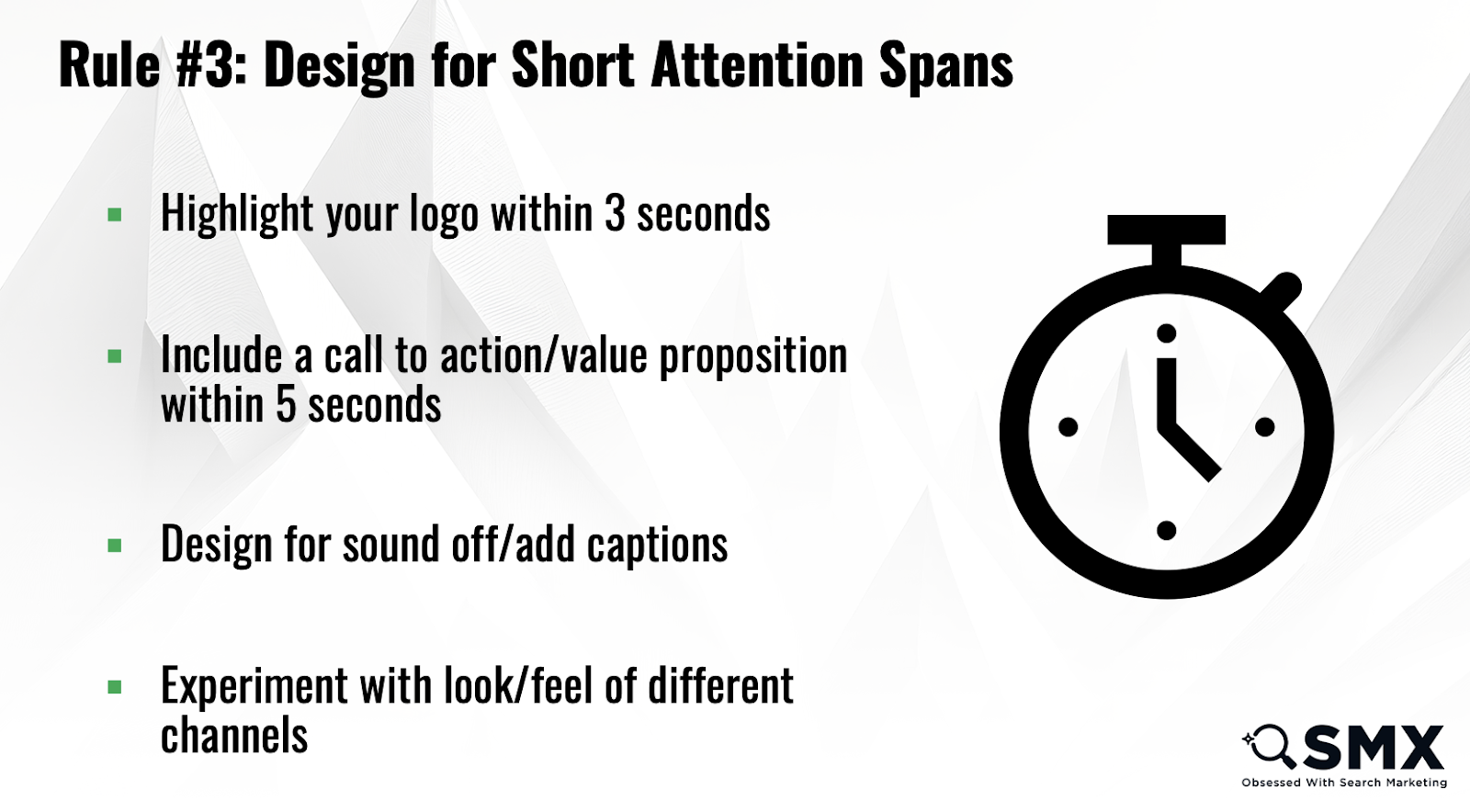
Video can amplify your narrative and get your brand in front of an audience in the format they are comfortable consuming, but you must be concise.
The attention span of the Gen Z generation is down to 2.8 seconds. AI favors shorter videos to align with consumer behavior. 15 to 30 seconds is the sweet spot, especially for cold audiences.
You need to tell your story quickly. Move the story arc forward to capture attention within the first five seconds of the video and keep it interesting enough to hold their attention in the middle.
The outdated format for storytelling would save that climax for the end, but it’s important to build up to that peak very quickly before the user scrolls on.
Dig deeper: Why video is key to building brand identity and engagement
Harness AI for efficient paid media campaigns
Brands are now like publishers in the speedy way they need to deliver content.
Now is the time to embrace AI as a time-saving tool for your team and to help you keep up with the volume of options the algorithms need to find the right audiences.
Get leaders and creative stakeholders on board with quantifiable results that prove the impact of these efforts.
Keep up with your audience, invest in channels where they spend time and serve content in a familiar format. Feed platforms the best content possible and ensure a frictionless buying experience for your customers.
Guide AI to serve as an extension of your team, helping you accomplish your goals with meaningful outputs.
Courtesy of Search Engine Land: News & Info About SEO, PPC, SEM, Search Engines & Search Marketing